46
PROGRAMMING THE E100 - E140 BOARD rev.4
Display
Function
Default
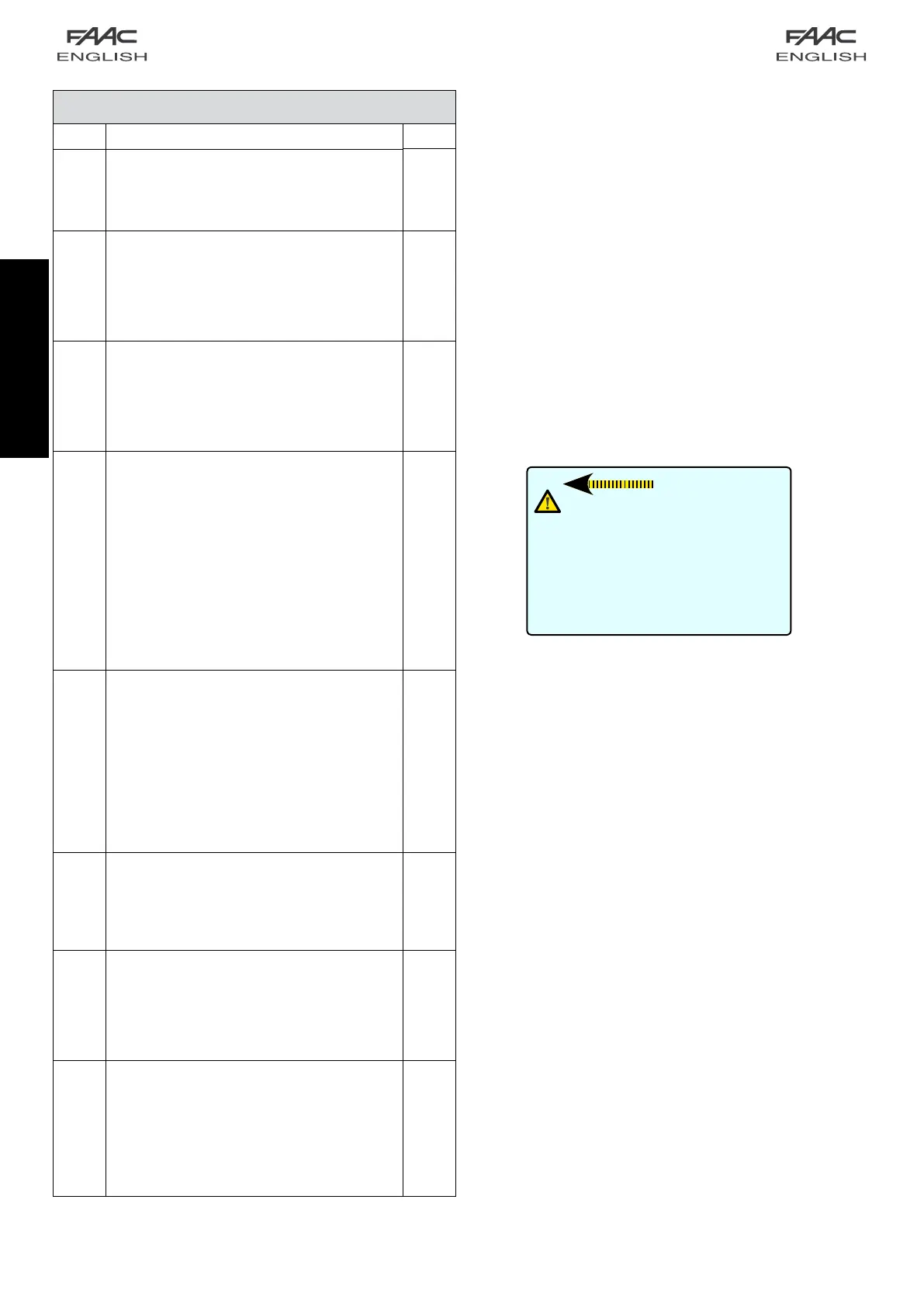
OF
Opening force
Sets the force of the door during opening in the event
of an obstacle for the time tF.
Adjustment: from 1 to 10
2
CF
Closing force
Sets the force of the door during closing in the event of
an obstacle for the time tF.
Adjustment: from 1 to 10
2
tF
Push time OF and CF
Sets the time during which the door during opening and
closing remains on the obstacle with a push OF and
C F.
Can be adjusted from 0.0 to 3.0 sec. in 0.1second
steps.
0,2
bA
Battery Kit
It enables you to set the battery kit functions.
For the function descriptions, refer to the dedicated
paragraph:
0
batterykitNOTENABLED
1
batter
y
kitENABLED
standard operation – last manoeuvre opening
2
batterykitENABLED
standard operation – last manoeuvre closing
3
batterykitENABLED
operation NO standard – last manoeuvre opening
4
batterykitENABLED
operation NO standard – last manoeuvre closing
0
EL
Motor lock kit
Enables to set the motor lock functions.
0
Off Motorlocknotinstalled.
1
Night The motor lock locks the leaves only in the
“Night” operating mode
2
One way
+ Night
The motor lock locks the leaves in the
“Night” and “one way” operating modes.
3
Always The motor lock locks the leaves whenever
the leaves close, irrespective of the set
operating function.
1
SU
Surveillance
Enables to select the presence of the motor lock
supervision.
no Motorlocksurveillancedevicenotinstalled.
Y Motorlocksurveillancedeviceinstalled.
no
nd
Night mode internal sensor deactivation delay
Parameter for delaying deactivation of the Night mode
internal sensor.
Adjustable from 0 to 60 sec. in 1-second steps.
0
St
Status of the automated system
Exit from programming, storage of the settings and
return to the automated system status display.
00 Closed 05 Closes
01 Opening 06 Emergency
02 Open 07 Manualmode
03 Pause 08 Setup (flashing)
04 Night pause
Important :
After having fitted the battery kit, you
need to enable it from the board to
make it operating: to this end use
push-buttonsF+/-onparameterbA.
For any additional explanations, please
refer to chapter 3 Battery.


 To Next Page