Mt740/745, 741/746/En/Rev. 002/12/97 * 901.742 002
BEISSBARTH MT 740/ 745, 741/ 746
9-1
MATCHING PROGRAM
Note:
From a static wheel component exceeding 30
grams, matching is highly recommended to
compensate for vertical runout and irregularity.
Activating matching stand-by:
Hold the matching key (8) depressed, and
briefly press the reset key C (18).
Activation is confirmed by the appearance of
a blue "1" on the screen.
In this mode, during normal wheel-balancing
operation the screen automatically indicates
by the flashing tyre symbol that a matching
procedure should be carried out.
Press the above keys again to cancel
matching stand-by.
Deactivation is confirmed by the appearance
of a blue "0" on the screen.
To call up the first step of the matching
process directly, press matching key (8).
Matching procedure
- Press matching key (9).
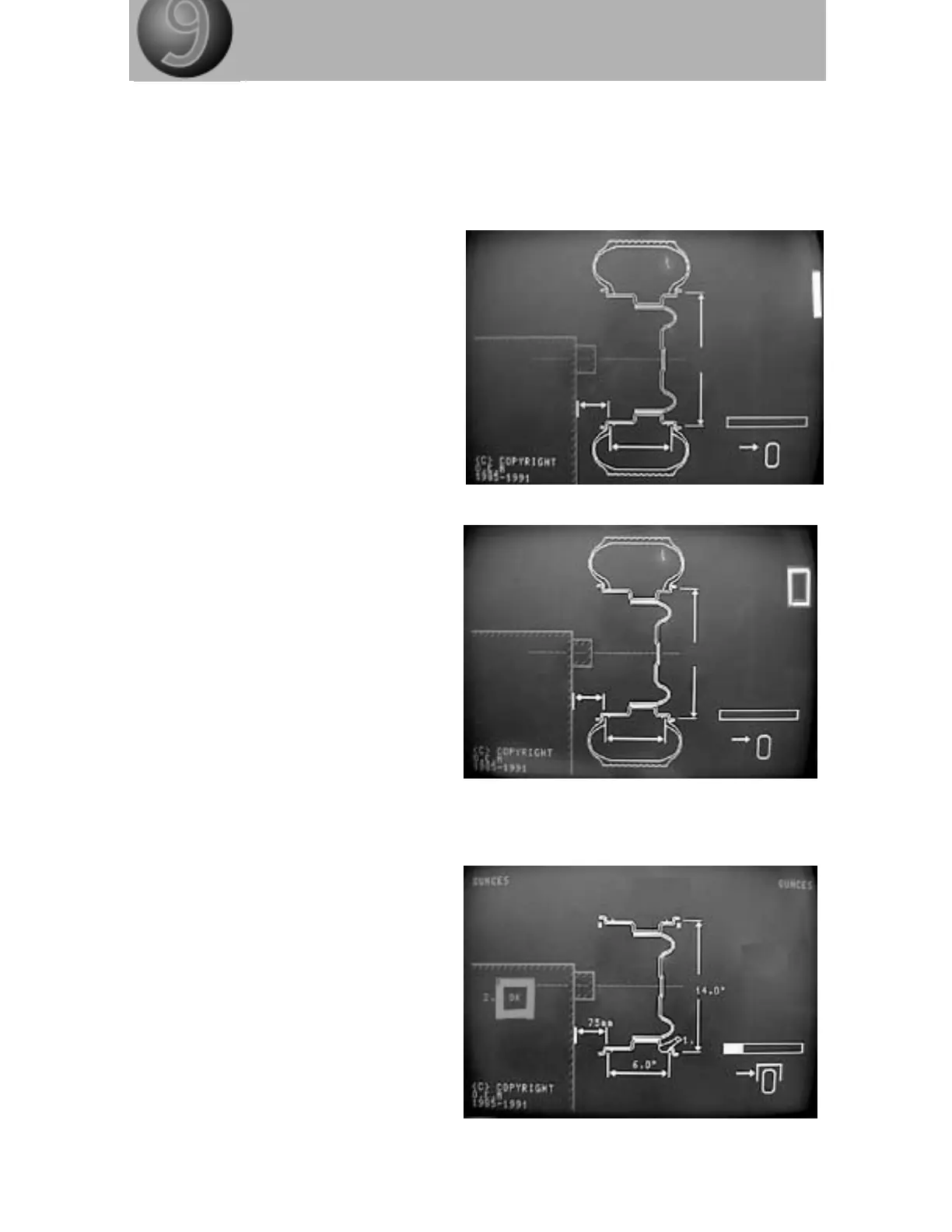
The diagram of a rim appears on the
screen, with a flashing valve and the
allocation number "1".
In addition, the next step of the process is
signalled by a flashing "OK" and the
allocation number "2".
- Clamp the empty rim on to the basic flange.
1. Screw in rim with the tyre valve positioned
vertically beneath wheel-balancing shaft
(6 o'clock position).



 To Next Page