October 2000 Fadal/Sinumerik 810D CNC: Definition of Offsets 47
SIEMENS CONTROL
Operator Manual
Fadal
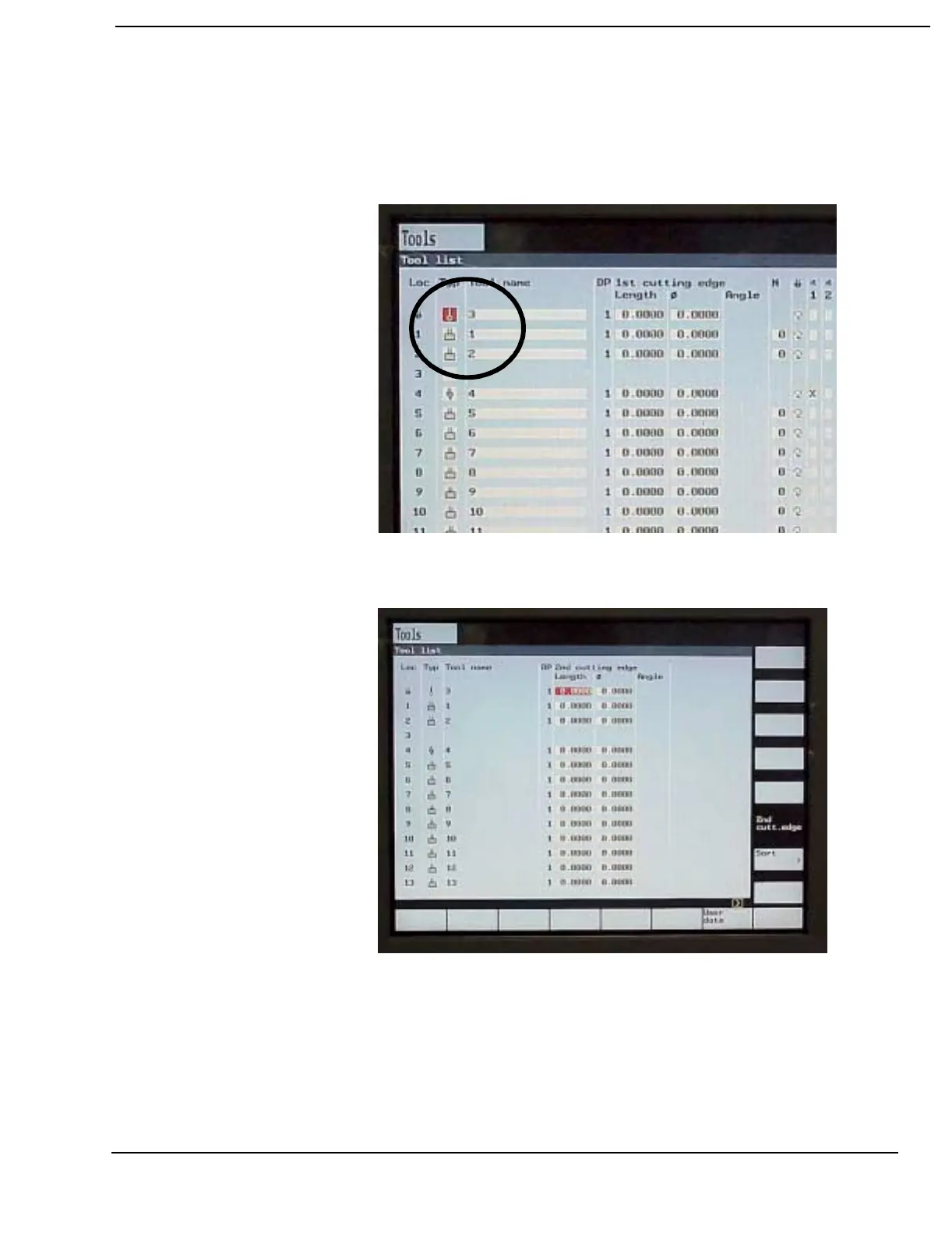
4) Use the ALTERNATE soft key to toggle between options available in the
Tool List variable fields. In the example below the ALTERNATE soft key was
used to change the tool type for tool number 1 (compare with previous
screen display).
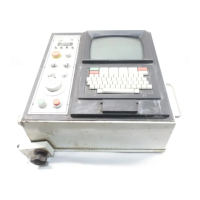
5) The default setting of the tool list shows the 1st cutting edge. To set
offsets for tools with two cutting edges press the 2nd cutt. edge soft key.
Use the 2nd cutt. edge soft key to toggle between the displays. The CNC
command D2 is used to activate offsets for the second cutting edge.


 To Next Page