36 Fadal/Sinumerik 810D CNC: Definition of Offsets October 2000
SIEMENS CONTROL
Operator Manual
Fadal
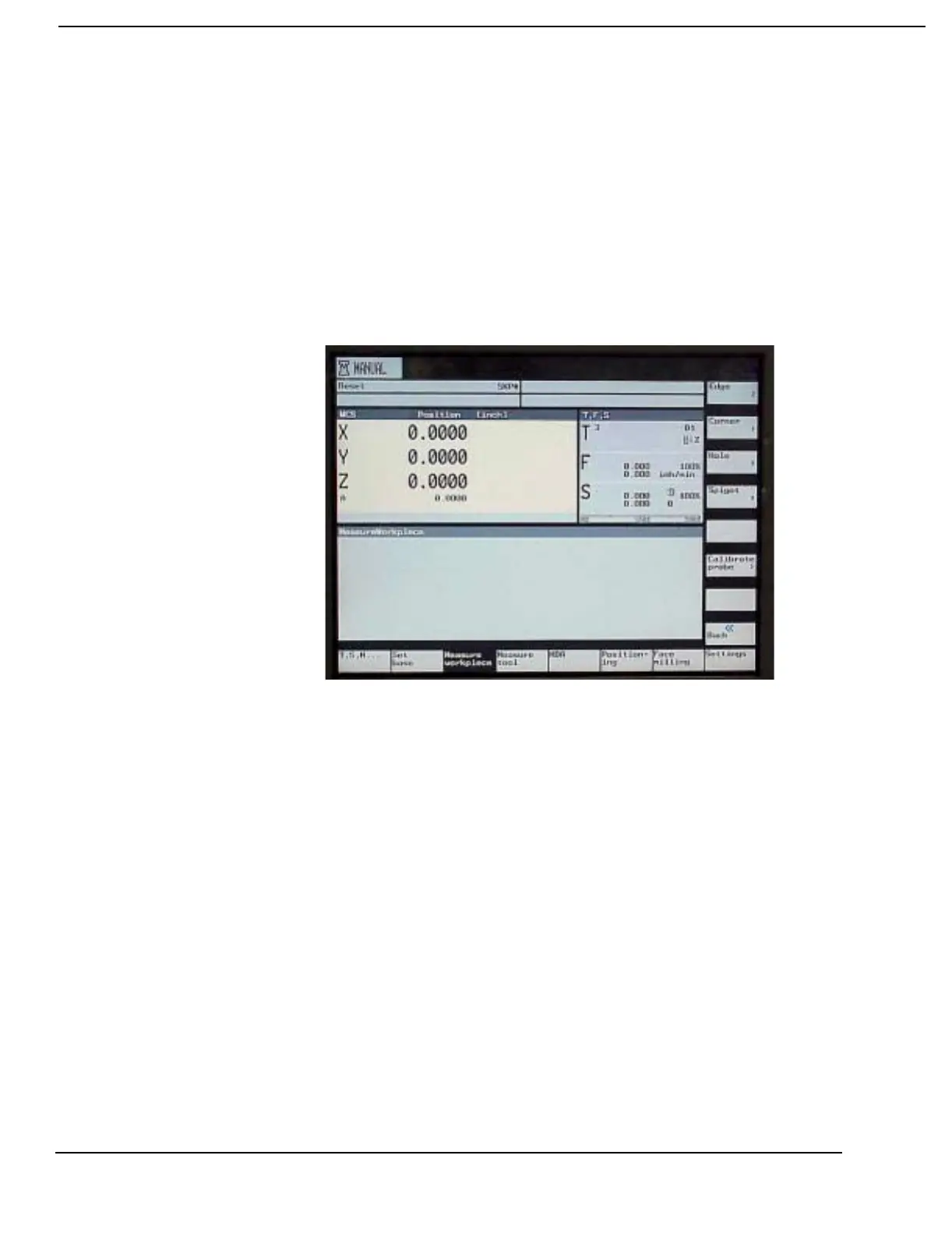
Using the MEASURE WORKPIECE soft key to set the Base
and Zero Offsets
Note:
Only the X, Y and Z Axes can be set with this method, the Base Offset for
the A and B axes must be set directly in the Zero Offset screen.
1) The MEASURE WORKPIECE soft key is accessed from the main manual
display. To get to the display press the MACHINE MANUAL soft key.
2) Press the MEASURE WORKPIECE soft key. The operator has five options
to choose from on the vertical soft keys: Edge, Corner, Hole, Spigot and
Calibrate probe. Choose the option that will be used to set the offsets.
4) For all five options the operator must select:
a) Which Offset to Calculate, Base or Zero Offsets 1-8 (G54-G57,
G505-G508).
Example 1: To calculate the Zero Offset 4 (G57) a value of 4 would be entered
in the “Zero offs” field.
b) The Known dimension of the point being measured.
Example 2: The “X0” field in the edge, is the X measurement.


 To Next Page