Fält Communications 2016 ©
162187 Manual Fältcom ECII® Flex V024D 2016-02-23 Page 22 of 41
6.13.1 Multiple units on the line
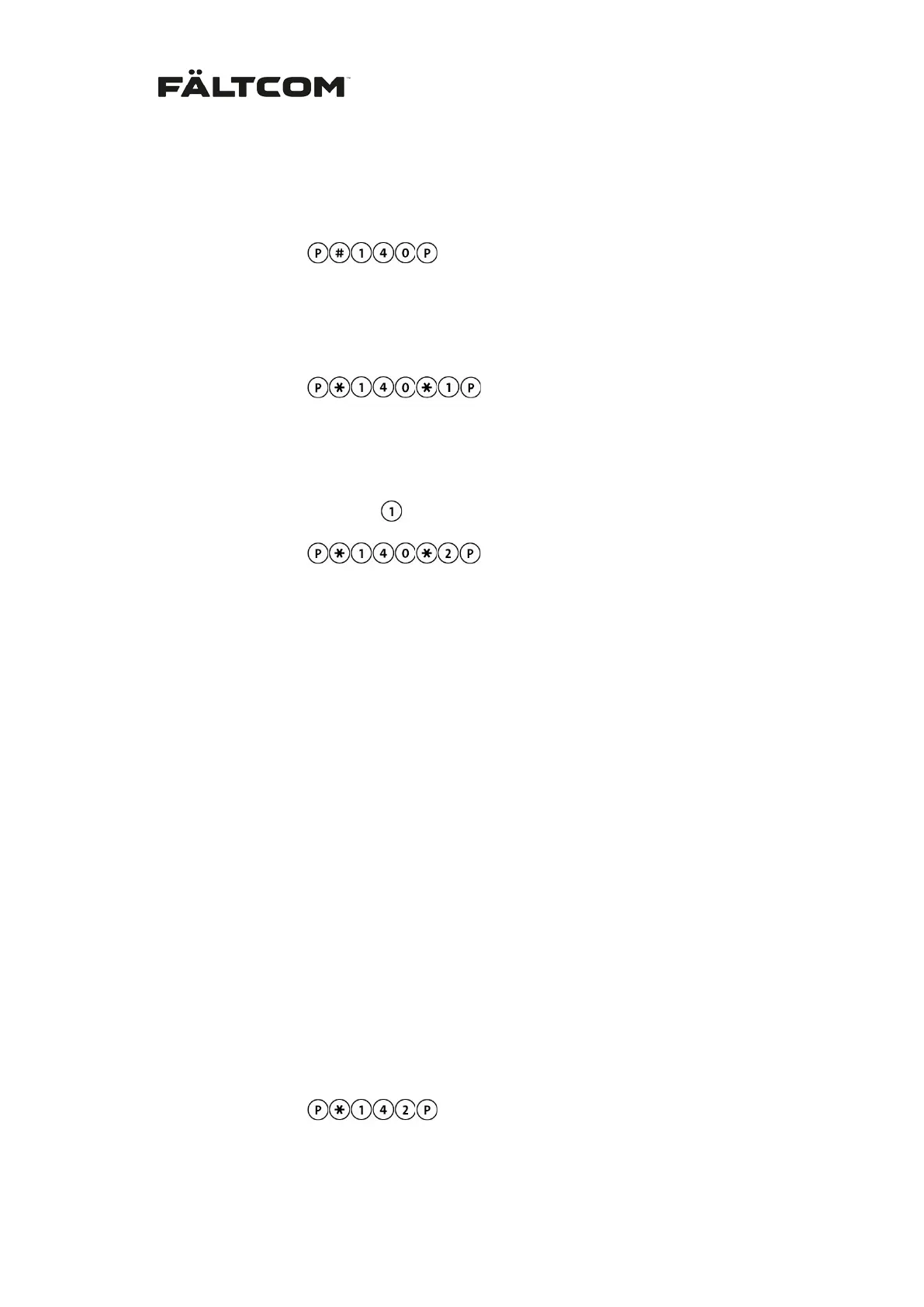
1. For blocking the Fältcom ECII® Flex from incoming speech calls:
From keypad:
From phone:
# 140 #
2. For activation and allowance of incoming calls:
From keypad:
From phone:
140 < 1 – 9 > #
With two or more Fältcom ECII® Flex connections on the same telephone line, one of them is
programmed as the master with ID number ‘1’. The others are coded with their individual
number (2-9) by replacing the digit
with the corresponding digit. Example:
From keypad:
for lift phone 2 in the chain.
From phone:
140 2 #
It’s important that there is always one unit with ID number ‘1’. The unit with ID number ‘1’ will
pick-up the phone and answer the incoming call.
For best sound quality all lift phones should be connected in parallel. The last lift phone in the
series is given identity ‘1’.
There can be nine lift/emergency phones connected on the same line. But the telephone ex-
change can have a limitation on how many devices are supported on one line; contact your
local operator for information on how many devices they support on one line.
See also section Calls to a lift phone for more information on how to call in to the Fältcom
ECII® Flex.
Note: It is always possible to call the Fältcom ECII® Flex and program it even though it is
blocked for incoming speech calls. To prevent the Fältcom ECII® Flex from answering a call
change the number of ringing signals before the unit answers to 30, see section 6.14 below.
6.13.2 Single unit on the line
If the Fältcom ECII® Flex does not share the line with any other equipment the unit can be set
to answer the call without requiring the selection of the ID; i.e. #1 or #2 and so on. See sec-
tion Calls to a lift phone for further information on call procedure. To activate this function:
From keypad:
From phone:
142 #


 To Next Page