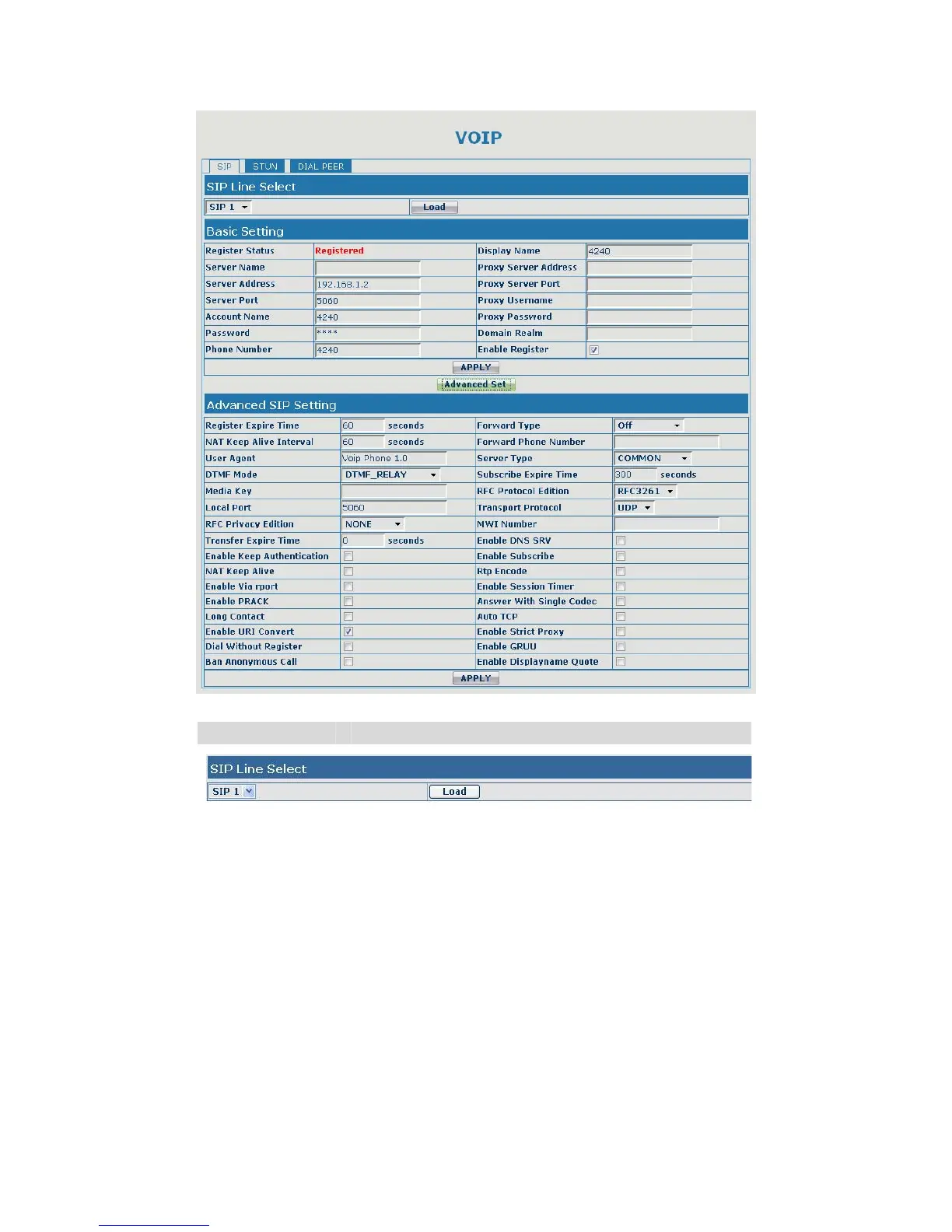
SIP Config
Field name explanation
Choose line to set info about SIP, there are 3 lines to choose. You can
switch by 【Load】 button.
Register Status Shows if the gateway has been registered the SIP
server or not; or so, show Unapplied;
Server Name Set the server name.
Server Address Input your SIP server address.
Server Port Set your SIP server port.
Account Name Input your SIP register account name.
Password Input your SIP register password.
Phone Number Input the phone number assigned by your VoIP
service provider. Phone will not register if there is
no phone number configured.
Display Name Set the display name.


 To Next Page