DNS Relay
Select DNS Relay, the default is enabled. Click the
Apply button to become effective.
Notice:
1)The size of lease table can not be larger than the quantity of C network IP
address. We recommend you to use the default lease table and not modify
it.
2)If you modifies the DHCP lease table, you need save the configuration and
reboot.
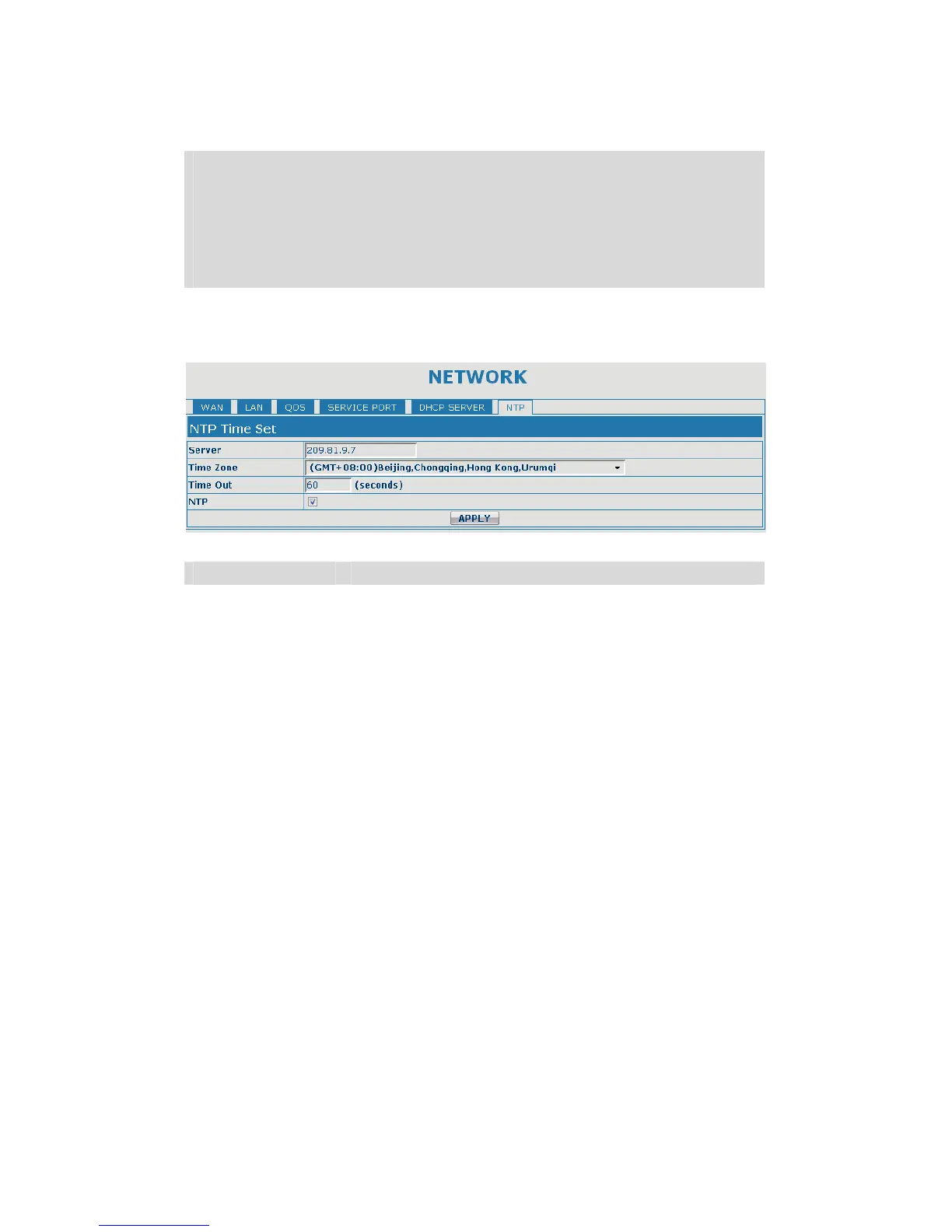
5.3.2.6. NTP
Setting time zone and SNTP (Simple Network Time Protocol) server according to
your location, you can also manually adjust date and time in this web page.
SNTP
Field name explanation
Server Set SNTP Server IP address.
Time Zone Select the Time zone according to your location.
Time Out Set the time out, the default is 60 seconds.
NTP Select the NTP, and click Apply to make the SNTP
Times effective.
5.3.3. VOIP
5.3.3.1. SIP Config
Set your SIP server in the following interface.


 To Next Page