click the Delete button to delete the selected mapping table.
5.3.6.4. VPN Config
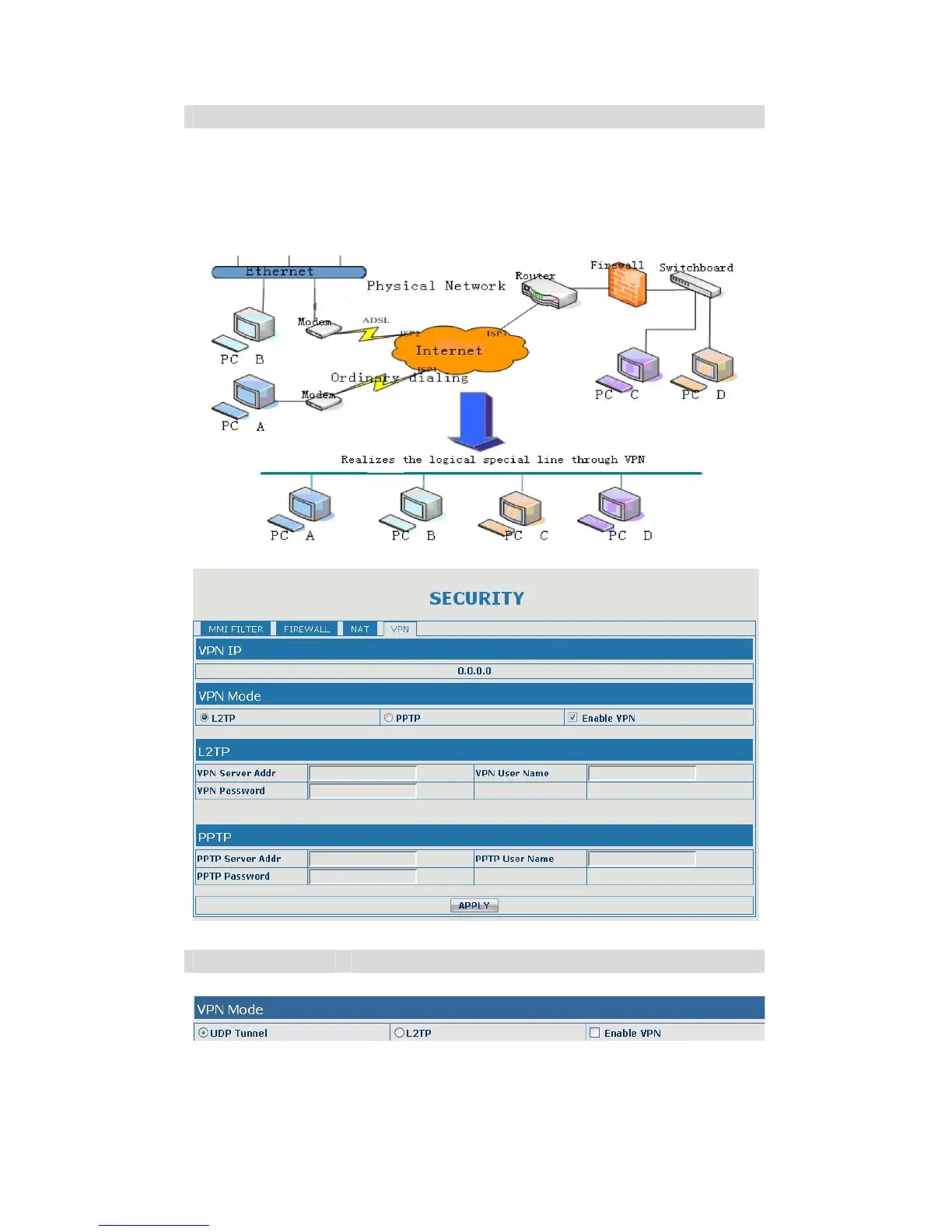
This web page provides us a safe connect mode by which we can make remote
access to enterprise inner network from public network. That is to say, you can set
it to connect public networks in different areas into inner network via a special
tunnel.
VPN Configuration
Field name explanation
VPN IP Shows the current VPN IP address
Select UDP Tunnel (VPN Tunnel) or VPN L2TP. You can choose only one for
current state. After you select it, you’d better save configuration and reboot
your device.


 To Next Page