desired prefix number and T; then dial the prefix and a
phone number to realize calling to what your prefix
number is mapped. The prefix number supports at
most 30 digits
Destination
Set Destination address. This is optional config item.
If you want to set peer to peer call, please input
destination IP address or domain name. If you want to
use this dial rule on SIP2 line, you need input
255.255.255.255 or 0.0.0.2 in it.SIP3 into 0.0.0.3
Port Set the Signal port, the default is 5060 for SIP.
Alias Set alias. This is optional config item. If you don’t set
Alias, it will show no alias.
Note: There are four types of aliases.
1) add: xxx, it means that you need dial xxx in front of phone number,
which will reduce dialing number length.
2) all: xxx, it means that xxx will replace some phone number.
3) del: It means that phone will delete the number with length appointed.
4) Rep: It means that phone will replace the number with length and
number appointed.
You can refer to the following examples of different alias application to
know more how to use different aliases and this dial rule.
Call Mode Select different signal protocol, SIP or IAX2
Suffix Set suffix, this is optional config item. It will show no
suffix if you don’t set it.
Delete Length Set delete length. This is optional config item. For
example: if the delete length is 3, the phone will delete
the first 3 digits then send out the rest digits. You can
refer to examples of different alias application to
know how to set delete length.
Examples of different alias application
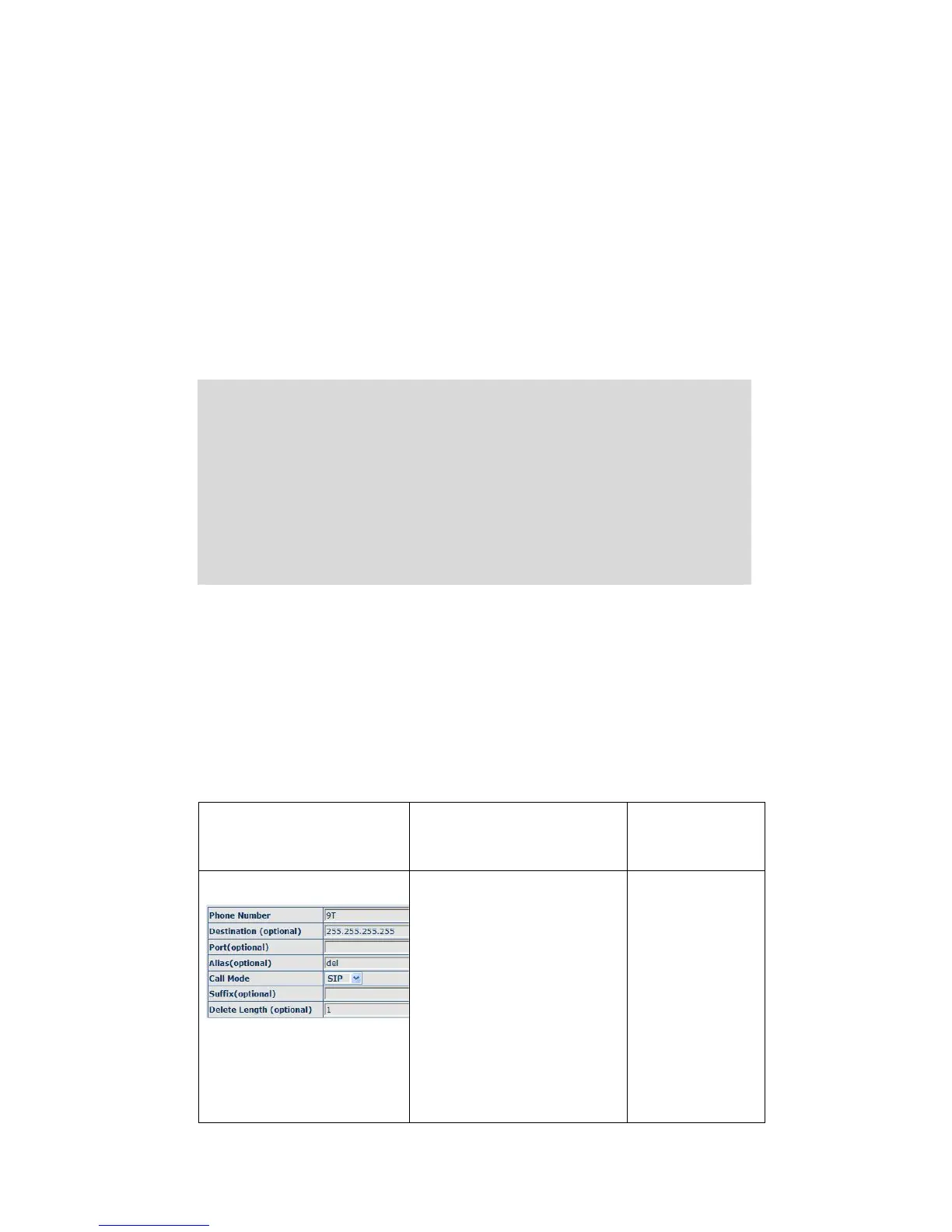
Set by web explanation example
You need set phone
number, Destination, Alias
and Delete Length.
Phone number is XXXT;
Destination is
255.255.255.255 (0.0.0.2)
and Alias is del.
This means any phone No.
that starts with your set
phone number will be sent
via SIP2 line after the first
If you dial
“93333”, the
SIP2 server will
receive “3333”


 To Next Page