MPC-6000 / MPC-7000 / RND-2 INSTALLATION, OPERATION AND MAINTENANCE MANUAL
88
If using the CIS-4 tool, choose “Configure a Network”. An untitled.ncf configuration will be
displayed and panels (nodes) can be easily added to the system and individually configured.
Network Printing
Diagnostic printers are NOT supervised and MUST NOT be installed permanently on the panel
(typically longer than 24 hours). The printers are used strictly for diagnostic purposes only.
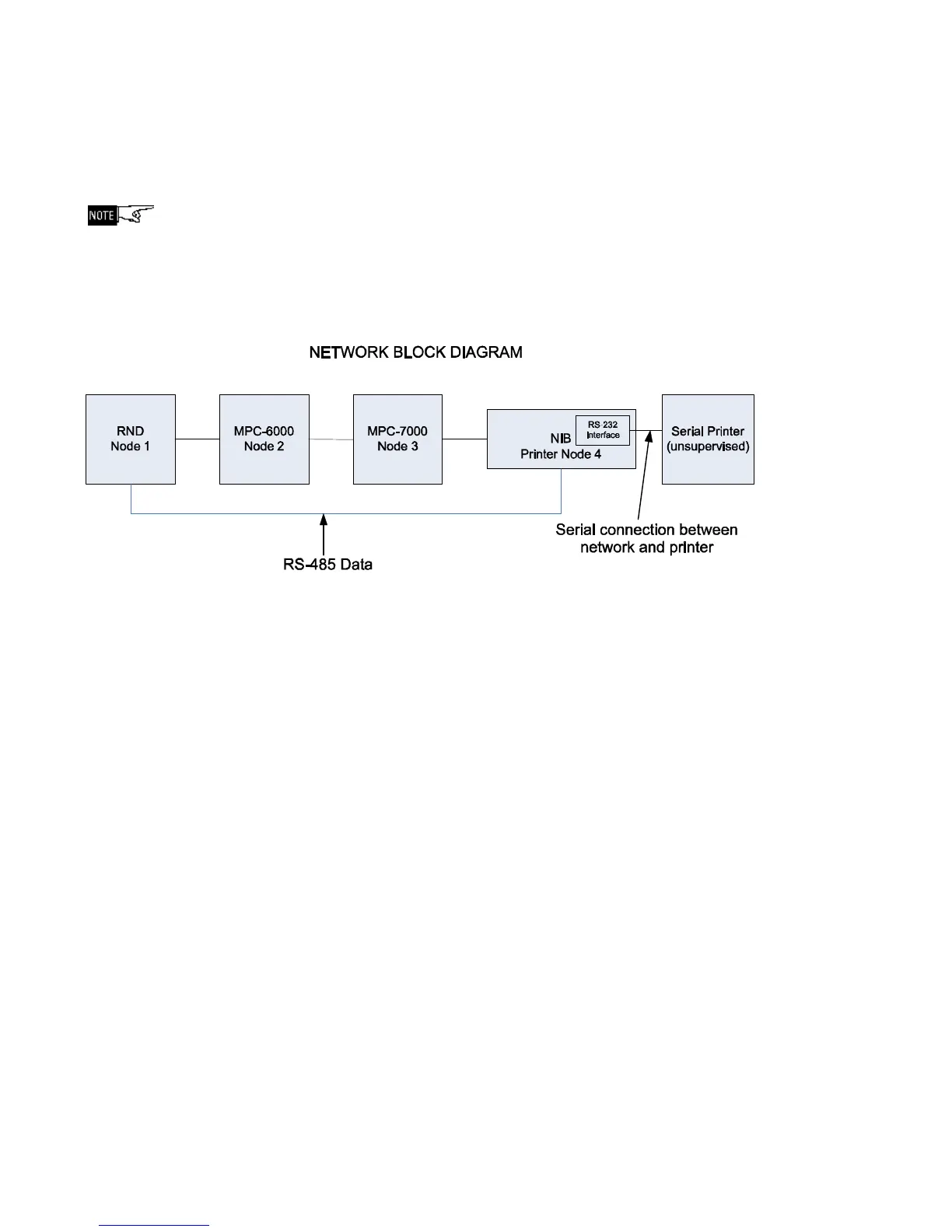
Network printing requires a serial printer connected to an RS-232 serial interface module which
is then connected to a network interface board (NIB). The NIB is connected to the network and
programmed with a node number. Refer to the network block diagram below.
To configure the printer NIB using the CIS-4 configuration tool, connect a programming cable
between the RS-232 port on a laptop and the NIB, then right click on the printer node and
choose the write command. The LED on the NIB will flash briefly indicating the NIB has been
configured. This should be done with the system powered. Since the printer capability is
always on, there is no need to configure it further. Every panel has the capability to turn off the
printer via the Tech menu < Network Setup option. Once enabled, everything will be printed to
the network which is picked up by the printer Node. Refer to MPC-NET2 Owner’s Manual, P/N
315-049594, for further information.
Network Links
Network links allow the panel to display and annunciate events from other networked panels.
They may be programmed with either the configuration tool or the firmware. A maximum of 255
network links may be used. Refer to the MPC-6000/MPC-7000/RND-2 Programming Manual,
P/N 315-049403FA, for a detailed description of network links. When using a DACT, network
links must be programmed for input groups to report to the DACT. Input groups that are not
associated with network links will not report to the DACT.



 To Next Page