Page. 23
8.䎃 Maintenance and Checking䎃
䦟䎃 8-1-4.䎃 RECout output test 䯴Current Output xxmA䯵
Ɣ This test function is used to check the operation of a connected instrument and cable connections.
Ɣ This function can output a current of 0 to 24 mA at intervals of 1 mA.
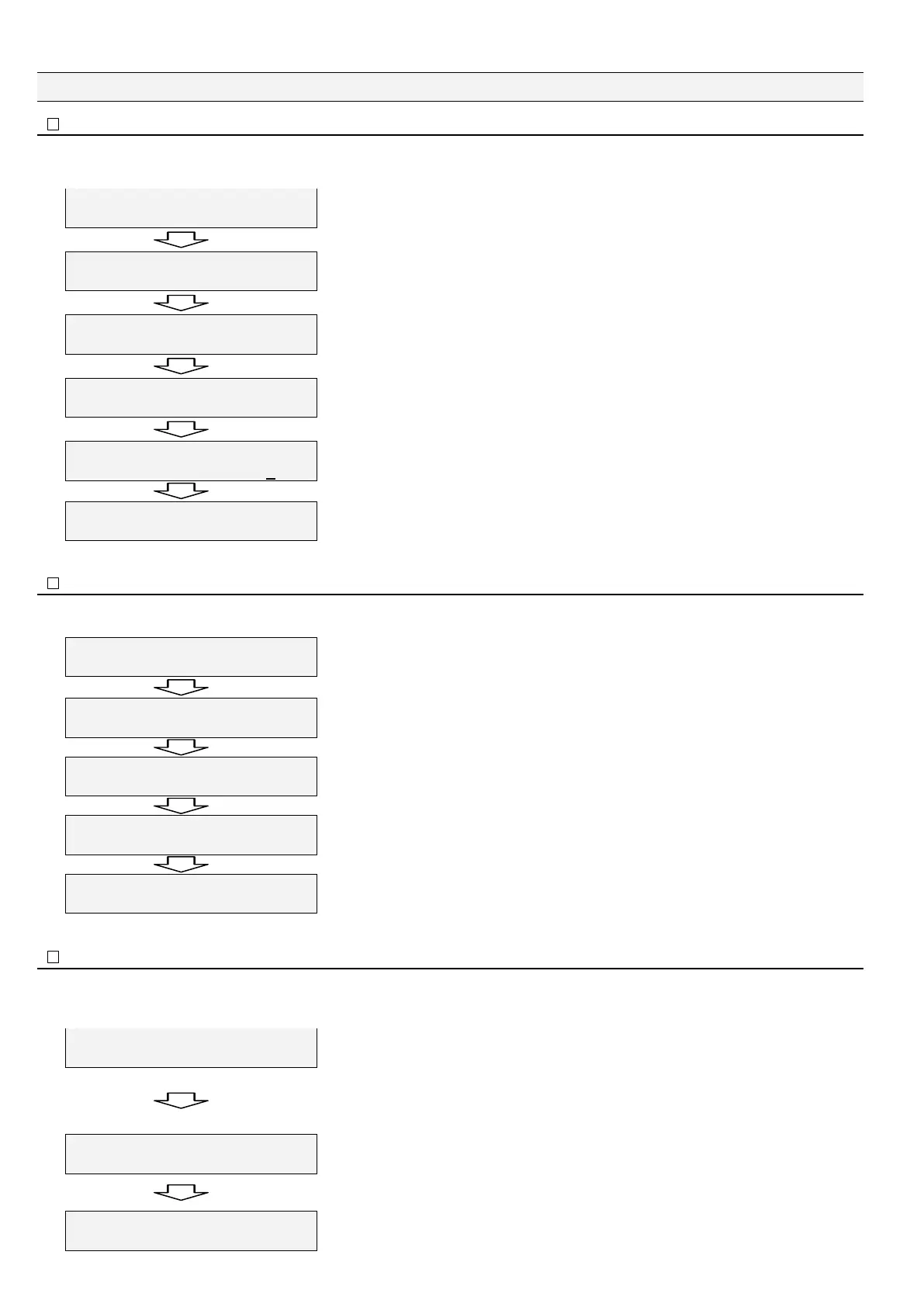
5VCPFD[
ZZZZZZAAZZZZZZ
Keep on pressing "Esc" for two seconds or longer.
㧷CKP/GPW
%NQEM#FLWUVOGPV
Press "Ÿ" twice.
㧷CKP/GPW
6'56/QFGA
"TEST Mode" is displayed. Press "Ÿ" three times.
6'56/QFG
%WTTGPV1WVRWVO#
Press "Enter.” "Current output" menu is displayed.
6'56/QFG
%WTTGPV1WVRWVZ Z O#
The cursor blinks at a value entry digit. Select a value by pressing "ź" or "Ÿ."
Press "Enter." The specified current is output.
Press "Esc.”
6'56/QFG
/CPWCNTWPPKPI
"Main Menu" is displayed back.
䦟䎃 8-1-5.䎃 Relay operation test䎃
Ɣ This test function is used to test alarm relay operations (Alarm1 and Alarm2) in the standby state, but not available to a three-way valve
operation test.
䎃
5VCPFD[
ZZZZZZZZZZZZ
Make sure "Standby" is on screen.䎃
Press "Ÿ" four times.
#NCTO4GNC[6GUV
#1((#1((, 'PV5YKVEJ
#NCTO4GNC[6GUV
#10#1((, 'PV5YKVEJ
#NCTO4GNC[6GUV
#1((#10, 'PVA5YKVEJ
#NCTO 4GNC[6GUV
#10#10, 'PV5YKVEJ
First, shows both Alarm1 and Alarm2 are OFF.
Each time you press "Enter," you can check the contact state of Alarm1 and Alarm2 relays.
Relay contact check 1: Only Alarm1 is ON (alarm state).
Relay contact check 2: Only Alarm2 is ON (alarm state).
Relay contact check 3: Both Alarm1 and Alarm2 are ON (alarm state).
In the alarm state, AL1 and AL2 alarm lamps blink according to their states.
Press "Esc." "Standby" is displayed back.
䦟䎃 8-1-6.䎃 Alarm operation test 䎃
Ɣ This function is used to test alarm operations (Alarm1, Alarm2, and three-way valve output signals) in the manual or automatic running state.
Ɣ In the Auto running state, "Operating" is displayed as shown below, but in the manual running state, "Manual" is displayed instead of
"Operating.”
1RGTCVKPIZZZZZZ
8CNXG10ZZRRO
Keep on pressing "Enter" for two seconds or longer.䎃
1RGTCVKPIUKOZZZZZZ
8CNXG10Z Z ARRO
"sim" is displayed in the center of the upper row of the screen.
Each time "Ÿ" is pressed, "x" in "xppm" increases by 1.
(Each time "ź" is pressed, "x" in "xppm" decreases by 1. You cannot decrease the value
under the concentration value measured in the running state.)
When the measured oil concentration exceeds the oil alarm points (Alarm1 and Alarm2),
an alarm state is set and the three-way valve output signal is OFF. AL1, and AL2 alarm
lamps blink. (The alarm test is disabled when the oil concentration of the sample water
exceeds the oil alarm point in the running state.)
䎃
1RGTCVKPIUKOZZZZZZ
8CNXG1((Z Z RRO
Press "Esc" when the alarm operation test ends. "Running" is displayed back.䎃


 To Next Page