Filtration Learning System Commissioning
© Festo Didactic 696684
53
Manual mode
Main menu (points 1 to 2)
3. In the main menu, press the “Manual” button.
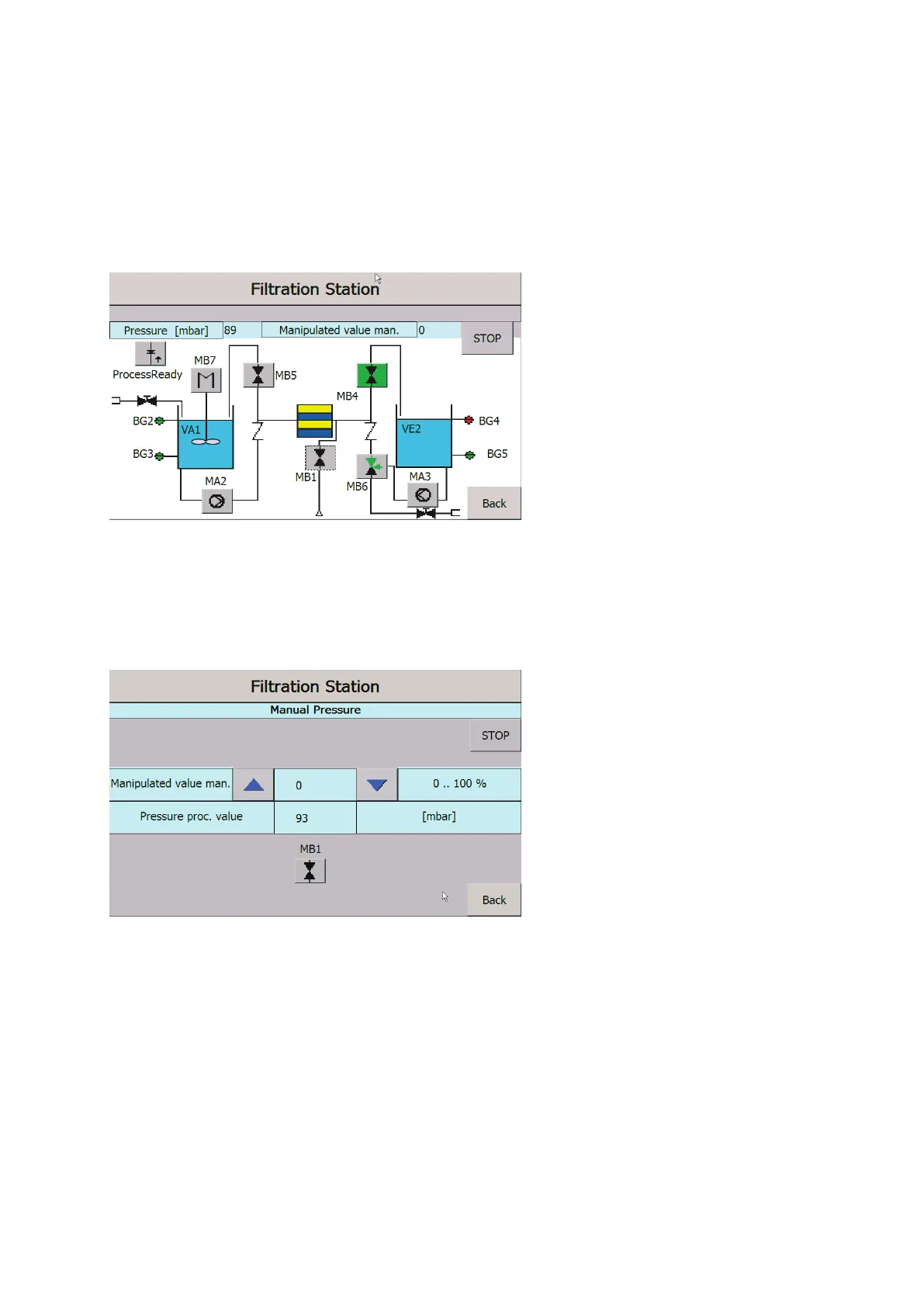
4. The operating screen shows all actuators and sensors in color. Sensor “green” is actuated and emits a
signal, while sensor “red” is unactuated. Actuator “green” is in operation, while actuator “gray” is not in
operation.
Figure 34: Operating screen for manual operation
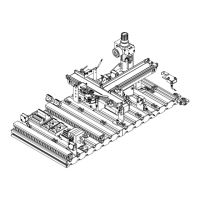
5. All actuators can be actuated on the screen. For actuators with an analog value specification, a new
screen opens for further settings.
Figure 35: Operating screen for manual operation – Reference value of the proportional pressure regulator
6. Set the control value directly or using the arrow buttons. Read the actual value of the flow rate on the
display.
7. The “Back” button returns you to the Manual menu.


 To Next Page