9.2 Operation and display
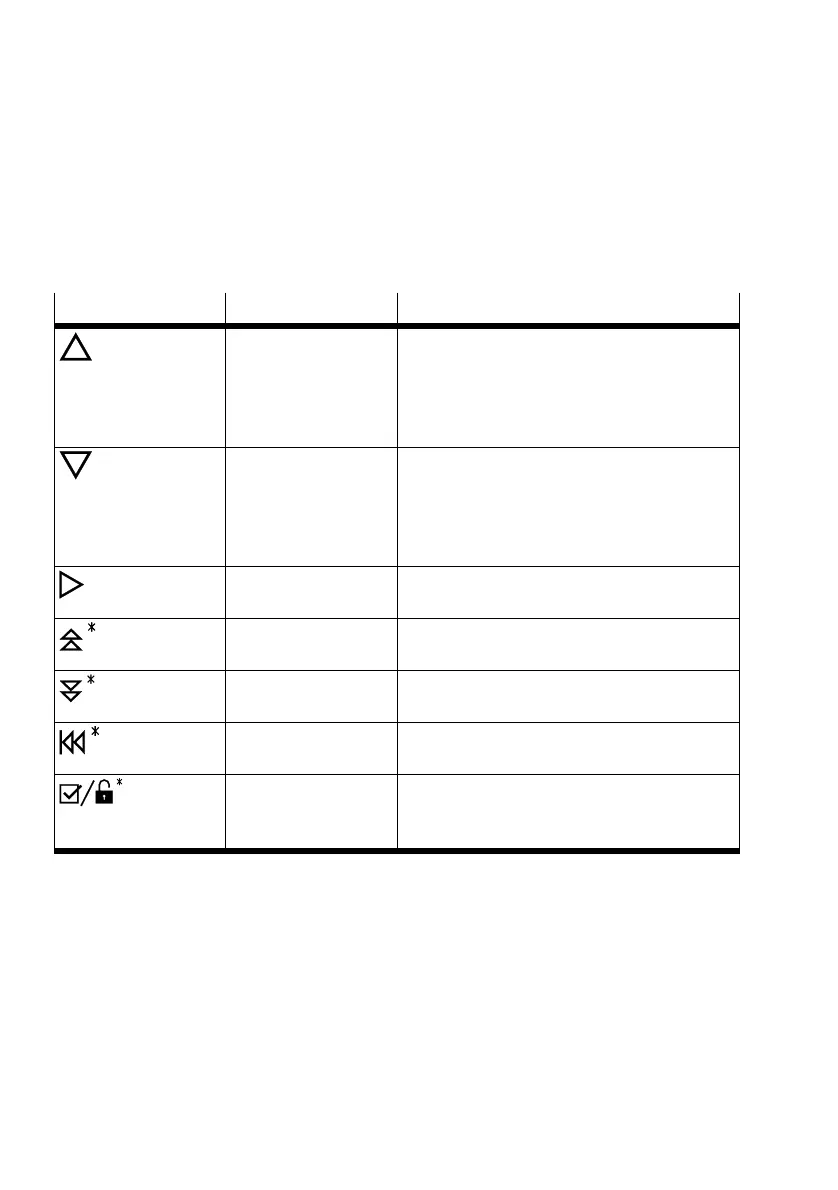
The device is operated with 3 pushbuttonsè 9.2.1 Function of pushbuttons.
9.2.1 Function of pushbuttons
Two functions can be run with the Add, Sub and Set pushbuttons:
– Navigation through the menu structure è Tab. 6 Explanation of symbols
– Selection and input of parameter values
Symbol Operation Function
Press Add – Switch to next menu item
– Increment parameter values
– In the manual setting mode: manual pressur-
isation (the actuator is pressurised while Add
is pressed and held)
Press Sub – Switch to previous menu item
– Decrement parameter values
– In the manual setting mode: manual exhaust
(the actuator is exhausted while Sub is
pressed and held)
Press Set – Select a parameter or menu item
– accept set value
Press and hold Add for
3 seconds
– Fast incrementing of parameter values
Press and hold Sub for
3 seconds
– Fast decrementing of parameter values
Press and hold Set for 3
seconds
– Exit submenus, switch between base and
main menus
Press and hold Add and
Set for 3 seconds
– Selection of an option
– accept set parameter value
– Switch mode of operation
Tab. 6 Explanation of symbols
9.2.2 Critical interactions
Critical interactions (interactions with far-reaching effects) are particularly protected. The query for
function calls is intended to prevent accidental calling.
– Calling an initialisation routine (A-Init in the INIT submenu)
– Calling the sensor test (sensor in INIT submenu)
– Resetting the parameters to factory settings (FReset in DEVICE submenu)
– Save the user-defined configuration (SaveCf in DEVICE submenu)
– Loading the last saved user-defined configuration (LoadCf in DEVICE submenu)
Commissioning
22 Festo — CMSX-...-C-U-F1-... — 2019-09d


 To Next Page