3. Diagnosis
3-21
Festo P.BE-CP-FB13-E-EN en 0112e
3.5 Online diagnosis with COM PR OFIBUS 5.0
Y ou can display error messages of the device-related diag-
nosis with COM PROFIBUS 5.0.
1. Click with the right-hand mouse key on the slave.
A menu will appear.
2. Click on “Diagnosis...”
The mask “Bus parameter DP card” will appear.
3. Select the bus parameters which correspond to your
system. Confirm with OK.
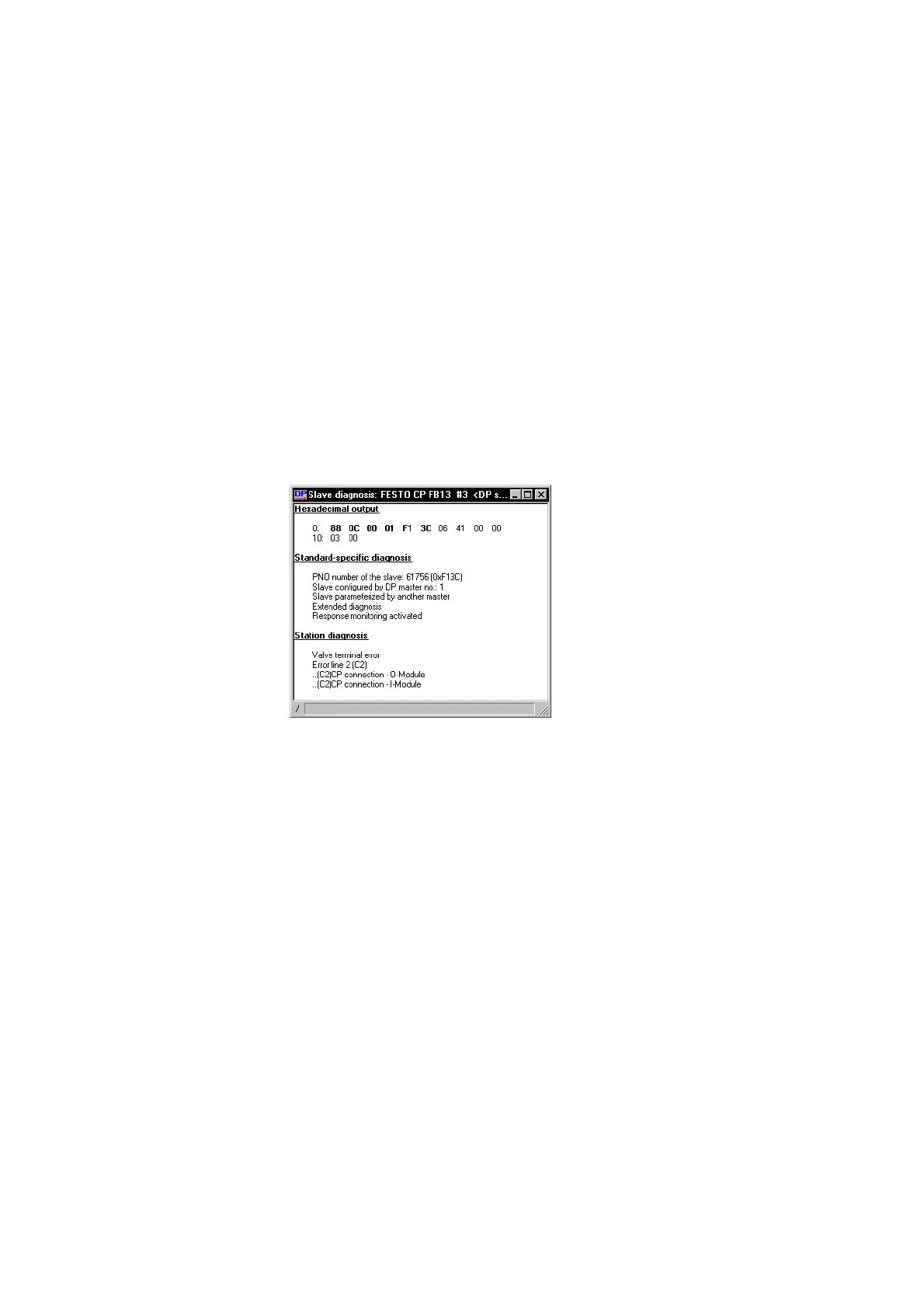
A window with diagnostic information will appear .
4. Read the diagnostic information (see Fig. 3/11).
Fig. 3/11: On lin e d iagnos t ic informat ion wit h COM P ROFI-
BUS 5.0







 To Next Page