4. Control panel (MTR−DCI−...−H2IO)
4−7
Festo P.BE−MTR−DCI−IO−EN en 0606b
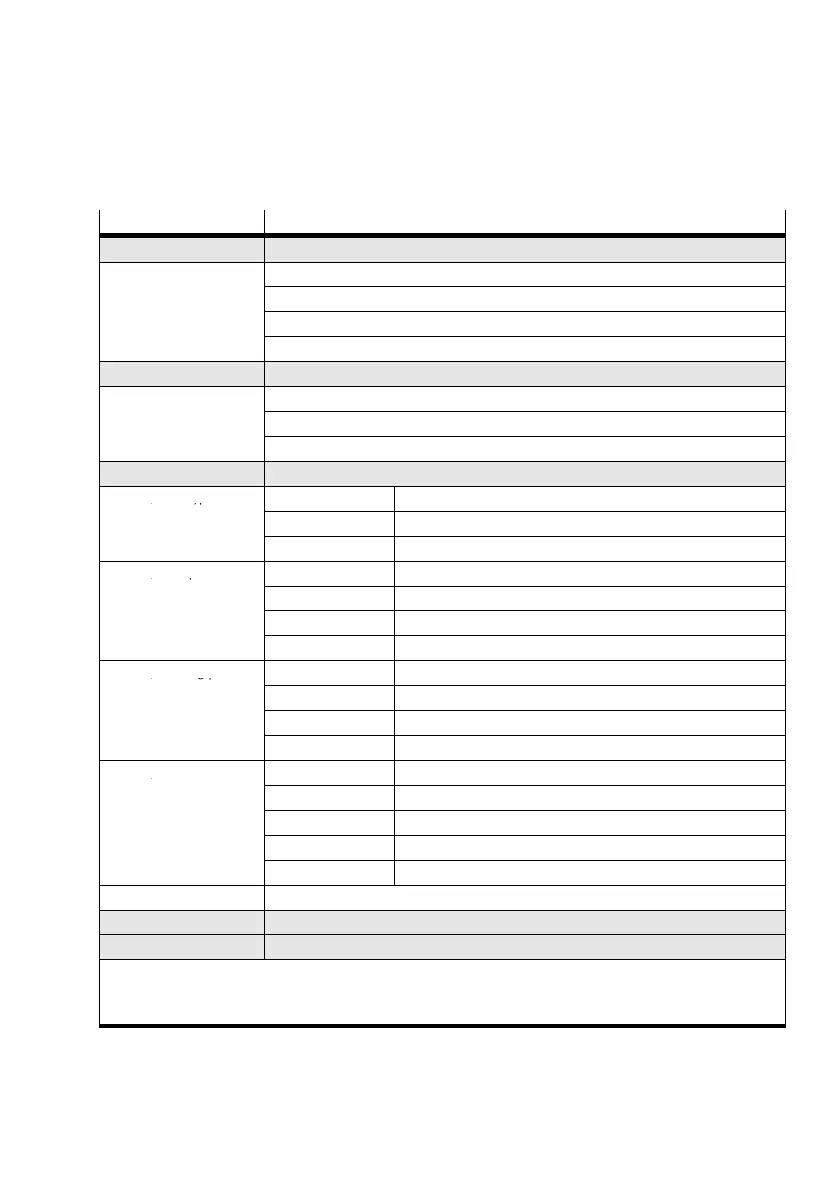
Menu command Description
} Diagnostic Display the system data and the currently effective settings (see chapter 4.2.2)
} Pos set table Display the position set table
} Axis param Display axis parameters and data
} System param Display system parameters and system data
} SW information Display the operating system version (firmware)
} Positioning
1)
2)
Reference travel and positioning run for testing the position sets (see chapter 4.2.4)
} Move posit set Start positioning run Position set"
} Demo posit tab Start positioning run Position set table"
} Homing Start reference run
} Settings
1)
2)
Select the drive, parametrizing, programming the position sets ... (see chapter 4.2.3)
} Axis type } Type DMES−... Festo linear axis with servo drive type DMES−...
} Rotation drive Rotation axis with stop
} User config Any linear drive
} Axis param } Zero point
3)
Offset of axis zero point
} Abs.min.pos
3)
Stroke limitation: Software end position, negative
} Abs.max.pos
3)
Stroke limitation: Software end position, positive
} Save... Save parameters in E EPROM
} Homing param } Homing method Select referencing (homing) method (stop, software limit switch...)
} Velocity v_sw Positioning speed for searching for the reference point
} Velocity v_s0 Positioning speed for moving to the axis zero point
} Save... Save parameters in E EPROM
} Position set } Position no. Number of the position set (0...14)
} Pos set mode Set status: absolute or relative positioning
} Position
3)
Target position of the position set
} Velocity Positioning speed of the position set
} Save... Save parameters in E EPROM
} Password Set up a local password with 3 figures for the control panel (see chapter 4.2.3).
} HMI control
1)
Preset the device control via the control panel (see chapter 4.2.5)
} LCD adjustment Rotate the display in steps of 90°
1)
If necessary password protection
2)
Control interface must be deactivated, see [HMI control]:HMI = on
3)
Teach mode
Tab.4/3: Menu commands (overview)


 To Next Page