8 Operation
8.1
Restoring factory settings (Restore)
Restoring the factory settings will delete the current settings.
1.
Switch off the operating voltage.
2. Press and hold the operating key.
3. Switch on the operating voltage.
Ä
A value appears.
Ä
‘--’ appears.
Ä
‘rS’ appears.
4.
Release the operating key.
9 Fault clearance
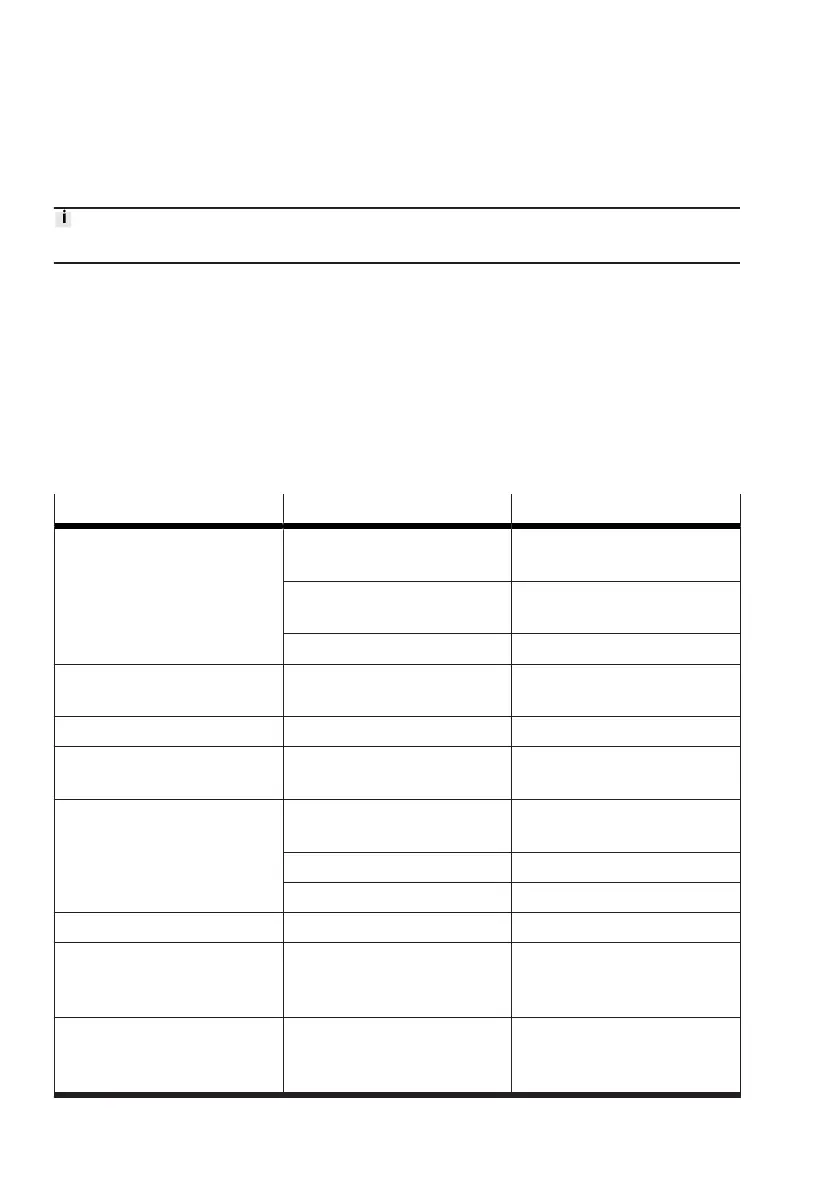
Malfunction Cause Remedy
No display No operating voltage or unreli-
able operating voltage
–
Apply permissible operating
voltage
Electrical connections swapped
–
Connect the device in accord-
ance with the circuit diagram
Device faulty
–
Replace device
No measured value indicator in
the RUN mode
Display switch-off activated
–
Press the operating key
–
Set ‘On’ value
Display flashes in the RUN mode Measuring range exceeded
–
Hold measuring range
Implausible measured value Wrong display orientation
–
Check the orientation of the
display
Indicator or switching output
does not respond in accordance
with the settings
Short circuit or overload at
output
–
Eliminate short circuit/over-
load
Incorrect switching point set
–
Repeat teach-in
Device faulty
–
Replace device
Display ‘Er’/‘LC’ Incorrect security code
–
Entering security code
Display ‘Er’/‘Co’ IO-Link communication error
–
Check setting of the device
sensor (Pn)
–
Check line
Display ‘Er’/‘Id’ Device ID error, devices do not
have the same design
–
When replicating, use sensors
with the same pressure range
(same device ID)


 To Next Page