17
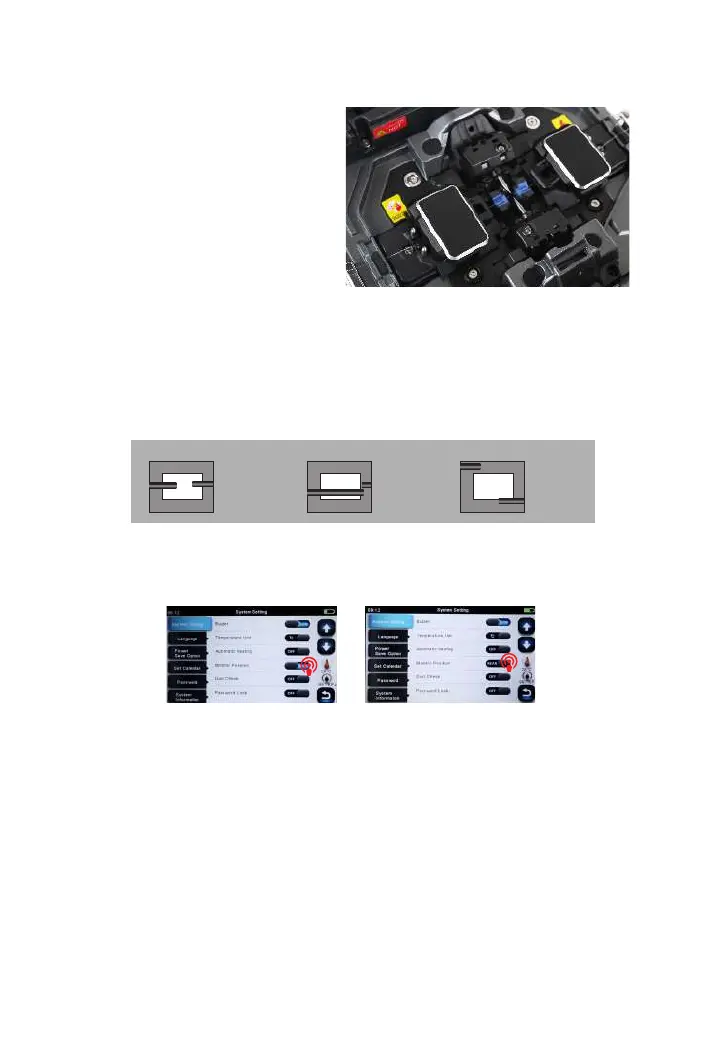
③ Clamp the ber in position
by lowering both sets of ber
clamps.
④ Close the safety shield.
3.8 Inspecting the Fibers
① Before continuing with splicing, inspect the bers whether they are clean and
well-cleaved.
a.
b.
c.
imaging area
ber ends visible
on the monitor
Fiber ends outside
monitor
Fiber ends
above and
below monitor,
not possible
to nd
automatically.
imaging area
imaging area
② To change between Front View and Back View, adjust Monitor position.



 To Next Page