19
3.10 How to Protect the Splice
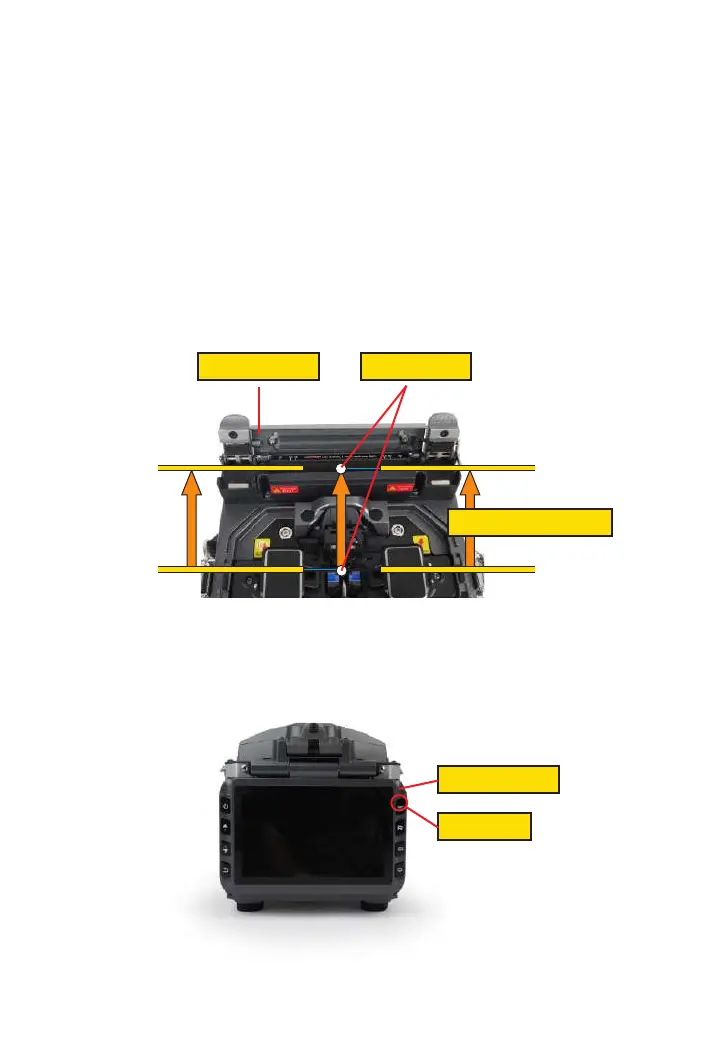
After splicing, protect the joint by using a heat-shrink sleeve and the heat oven
which is mounted onto the splicer. “Shrink” process can be activated via pressing
the “HEAT” key.
① Open the heat oven lid
② Raise left and right ber clamps on the splicer. Hold the heat-shrink tube, lift the
spliced bers and hold them taut, move the heat-shrink tube so that it is centered
over the splice point.
③ Move both the bers and the heat-shrink tube over to the heat oven and place
them in the oven clamps.
④ Press the “HEAT” key to begin heating, when the heating process is nished, the
heating indicator will be turned o automatically and companied by prompt sound of
the buzzer.
Open the heat oven lid Position of splices
Moving the ber into heat oven
Heating Indicator
Heat Button



 To Next Page