34
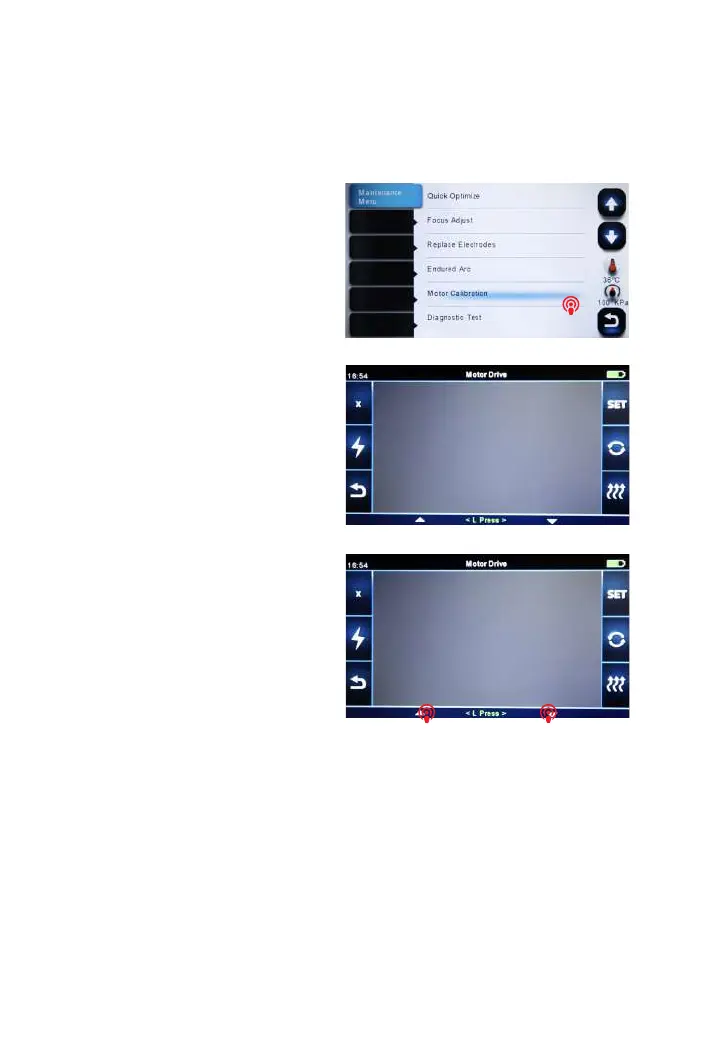
7.9 Motor Drive
This function is used to test if 6 motors of the fusion splicer operate normally.
① Select “Motor Calibration”.
② Touch screen to select motor.
7.10 Update Software
① Select “update software” in “system setting”.
② Connect the USB driver with the copy of upgrade les to the USB port
③ Press “OK”, and then the splicer will process the update automatically. Upon
completion, the splicer will restart automatically.
③ Touch the icons of L press and R
press to drive motor, observing if the
motor can be driven normally.



 To Next Page