26
parameter description
60mm For standard protection sleeve of 60mm
40mm For standard protection sleeve of 40mm.
33mm For standard protection sleeve of 33mm
Chapter 6 Heater Mode
The splicer provides max 32 heat modes including 10 heat modes preset by factory
and the rest that can be dened by users. Select a heating mode that best matches
with the protection sleeve used.
For each type of protection sleeve, MINI6S+ has its optimum heating mode. These
modes can be found in the database area for reference. Copy the appropriate mode
and paste it to the user–programmable area. Users can edit those parameters.
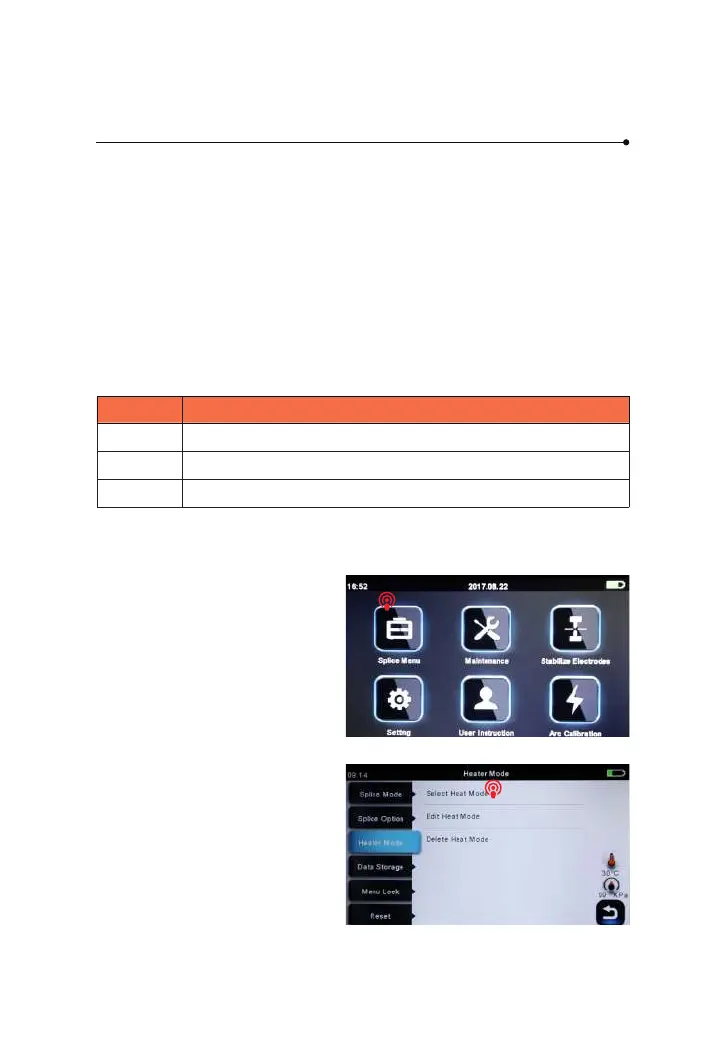
To select another heating mode
other than the active one, you must
enter Select heat mode menu.
① Enter main menu
6.1 Heater Template
6.2 Select Heat Mode
② Select Heater Mode



 To Next Page