QuickServer Start-up Guide Page 13 of 43
FieldServer Technologies 1991 Tarob Court Milpitas, California 95035 USA Web: www.fieldserver.com
Tel: (408) 262 2299 Fax: (408) 262 2269 Toll Free: (888) 509 1970 email: support@fieldserver.com
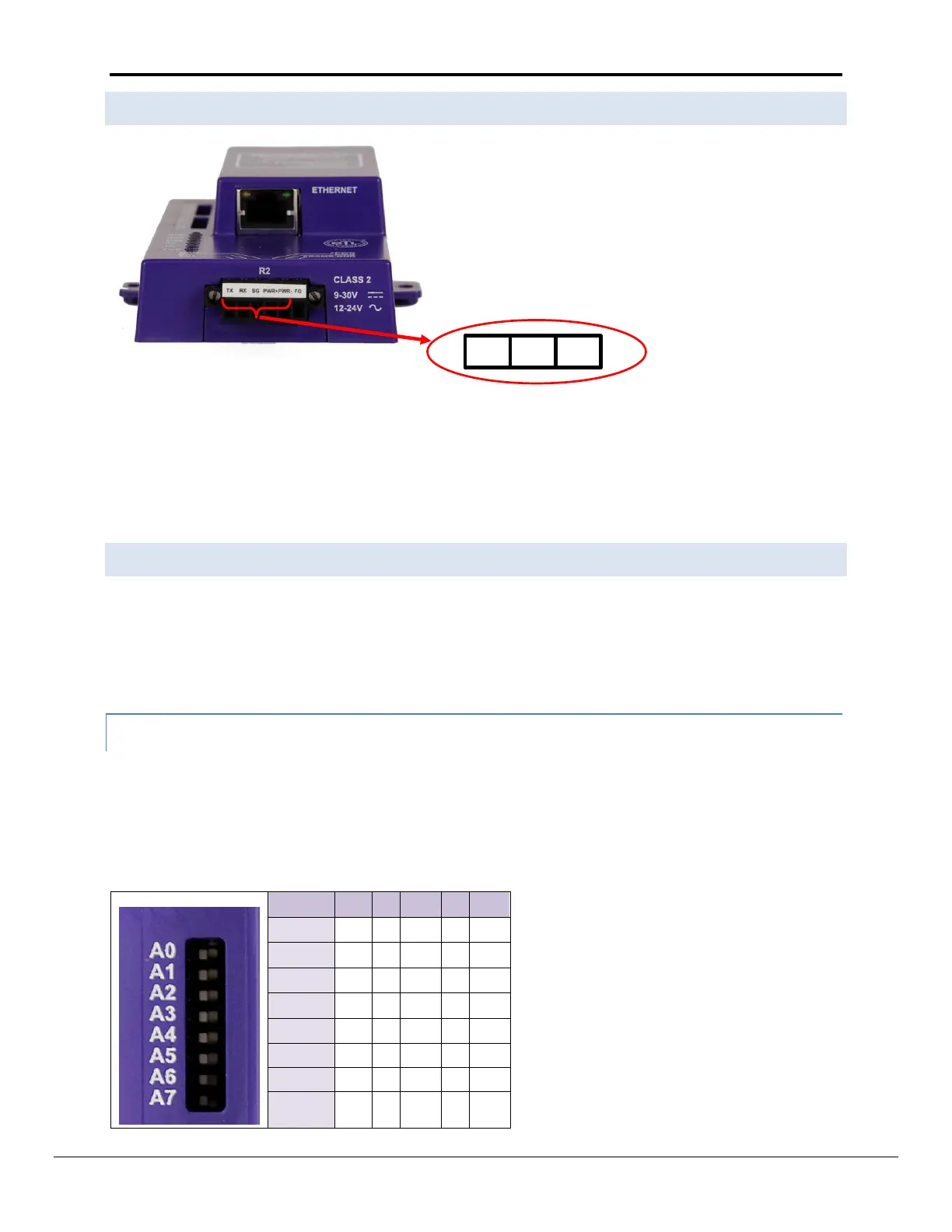
4.4 RS-232 Connection R2 Port (Only available on the FS -QS-12XX Models)
Refer to Appendix A2 for further hardware connection options.
The following Baud Rates are supported on the R2 Port:
4800, 9600, 19200, 38400, 57600, 115200
Refer to Appendix D.7 for the Dip Switch Settings for these Baud Rates
4.5 Configure the DIP Switches
The DIP switches on the QuickServer allow users to set the Baud Rate, Node-ID, and MAC address. If a custom
configuration has been purchased, these DIP switches will have been configured at the factory. If doing a self-
configuration, each of these DIP switches will have to be configured. Although it is technically possible to
configure the DIP switches in a variety of ways, it is recommended that the banks are configured as laid out in this
manual. It is necessary to restart the QuickServer in order for the DIP switch changes to take effect.
4.5.1 Using A0 – A7 to set Node ID/Device Instance.
Refer to Appendix A.1 for configuration example.
The A bank can set the Node-ID/Device Instance for any protocol which requires one.
DIP switches A0 – A7 can be also be used to set MAC Address for BACnet MS/TP. See the DIP switch settings for
the full range of addresses in Appendix D.6


 To Next Page