QuickServer Start-up Guide Page 23 of 43
FieldServer Technologies 1991 Tarob Court Milpitas, California 95035 USA Web: www.fieldserver.com
Tel: (408) 262 2299 Fax: (408) 262 2269 Toll Free: (888) 509 1970 email: support@fieldserver.com
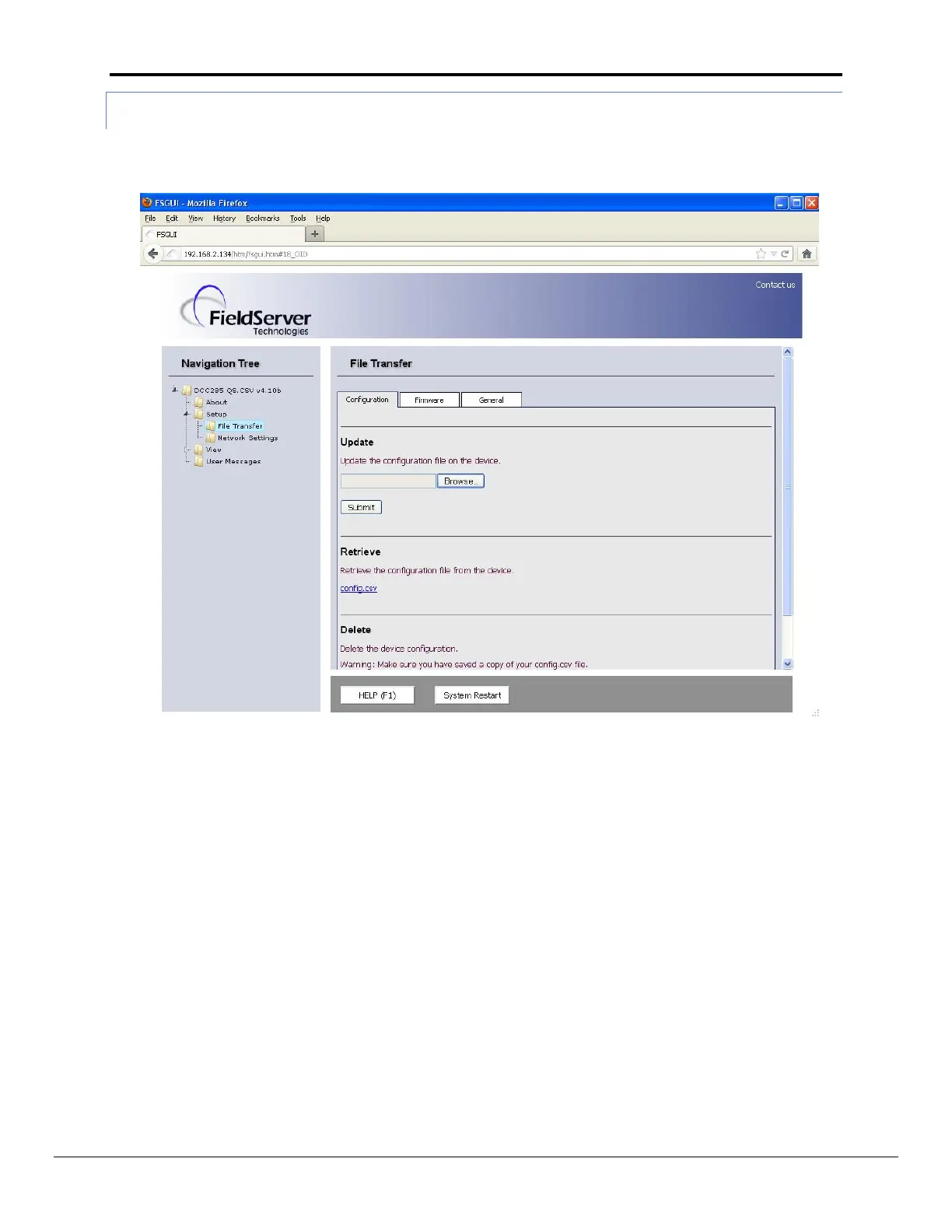
6.3.2 Using the Web GUI to load a configuration file:
In the main menu of the FS-GUI screen, go to Setup, File Transfer, Update
Browse and select the .csv file, open, then click Submit
Once download is complete, click the System Restart Button (or simply cycle power to the QuickServer) to
put the new file into operation. Note that it is possible to do multiple downloads to the QuickServer
before resetting it.


 To Next Page