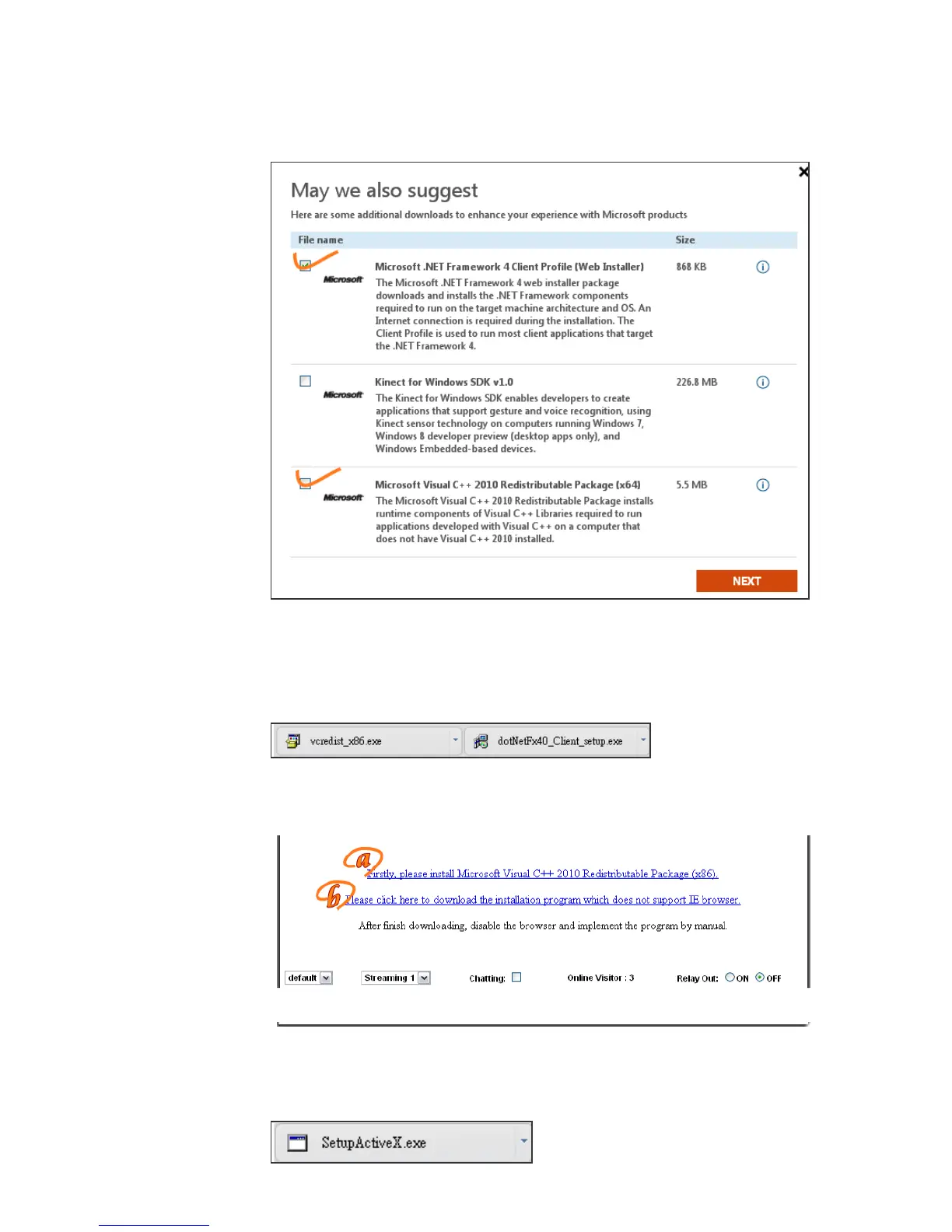
(iii) After finishing downloading, execute the two files respectively to install
them.The windows may ask you to reboot the PC when the installation
finished.
b. Then, Click the second link "Please click here to download the installation
program which does not support IE browser." to download Setup ActiveX.
After finishing downloading, execute the files to install ActiveX. Then
restart the browser.



 To Next Page