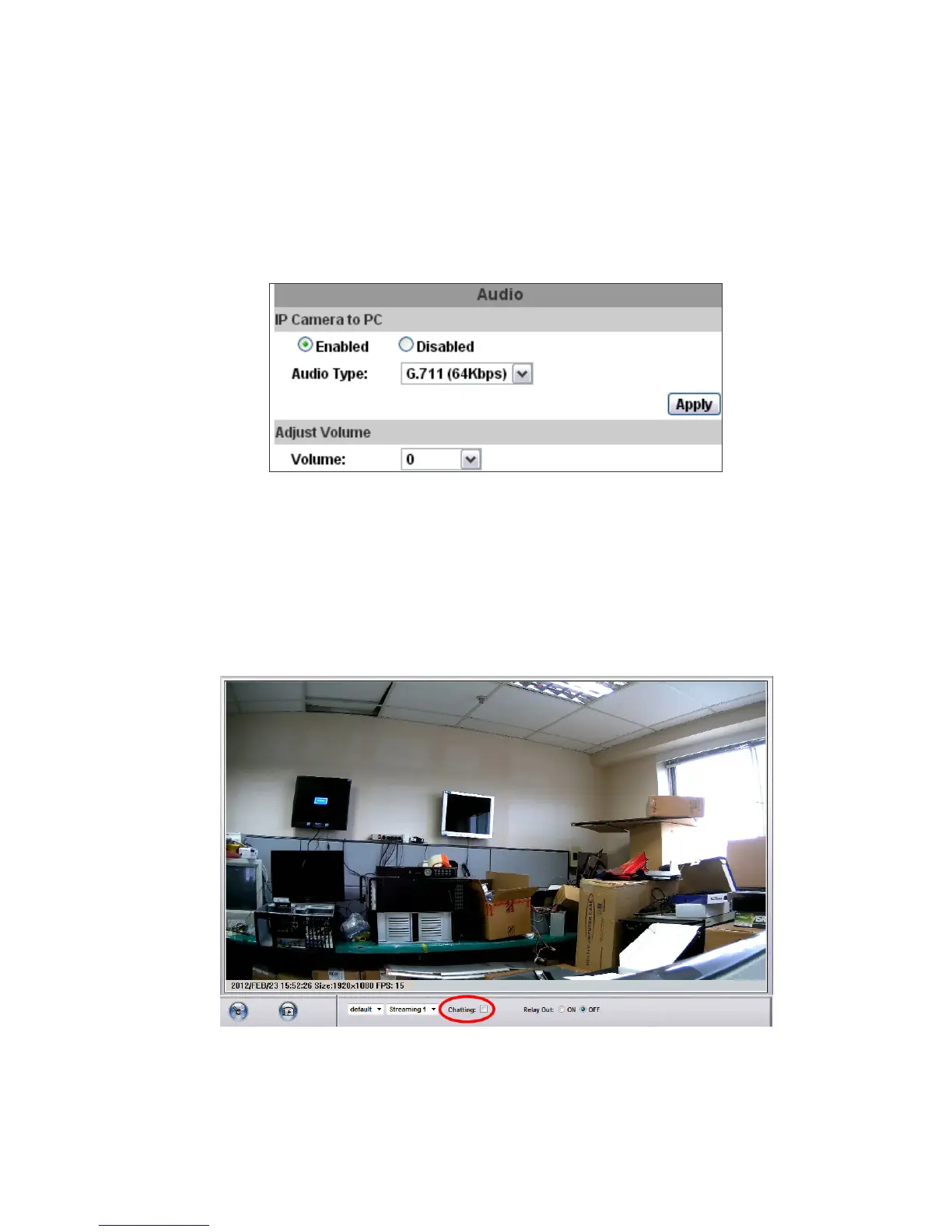
3. Audio:
IP Camera supports 2-way audio. Audio can be received by the
microphone connected with IP camera and transmitted to remote PC. User
can also send audio from remote PC mic to IP Camera’s external speaker.
a. IP Camera to PC
To receive Audio from IP camera, select “Enable” to start this function.
The Audio compression format can be choosing from 3 options. You can
also adjust the volume of 2-way audio.
b. PC to IP Camera
Tick “chatting” box in the browsing page, then your voice can be
propagated from PC to camera.
If "Chatting" and "Save to SD card" are enabled simultaneously, the sound
quality might be affected and becomes not smooth.



 To Next Page