2. Use Non-IE Web Browser
If you use firefox or google chrome to access the IP camera but fail to watch
the live video, please follow the steps to install necessary tools:
(the following pictures are based on chrome.)
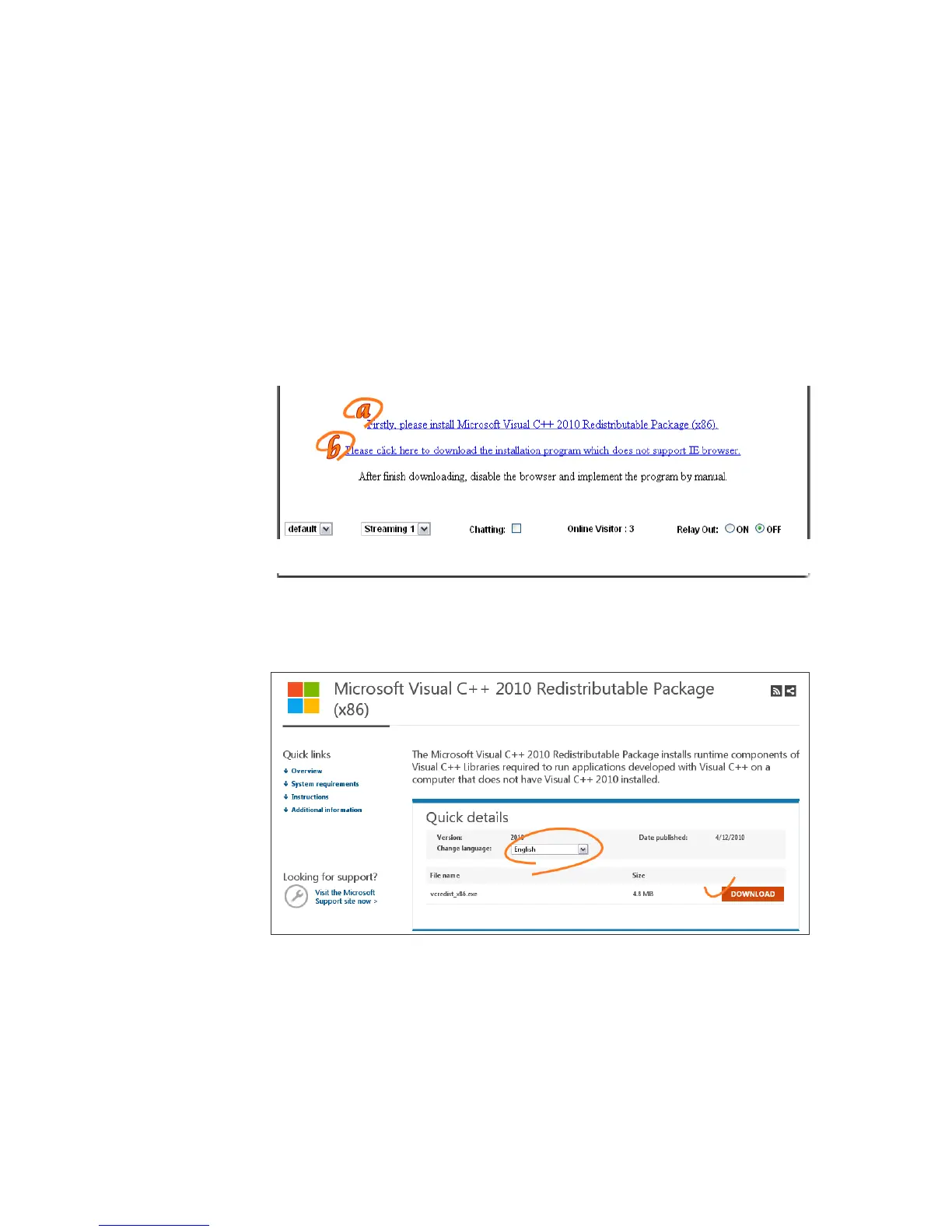
a. You may see the prompt message as the picture below. First, Click the link:
"Firstly, please install Microsoft Visual C++ 2010 Redistributable Package
(x86)."
(i)
(ii)
The link conducts you to the Microsoft official site that you can
download the tools. Please select the language and click "download".
In the pop-up window, please tick the first and the third file as
the picture below. Click "Next" to download both "Microsoft .NET
Framework 4 Client Profile (Web Installer)" and "Microsoft Visual C++
2010 Redistributable Package (x64)".



 To Next Page