connection. A message box will tell you “OK!” if it works, and a test file will
be uploaded to FTP space.
In PORT mode, the FTP server builds the connection to the user’s data
port actively. However, from the user-side firewall’s standpoint, the action
of connecting from FTP server is often considered to be dangerous and
should be blocked. In PASV mode, the problem is solved: The FTP server
waits for the data transmission connection built by the user. Make sure that
the server supports the mode you select.
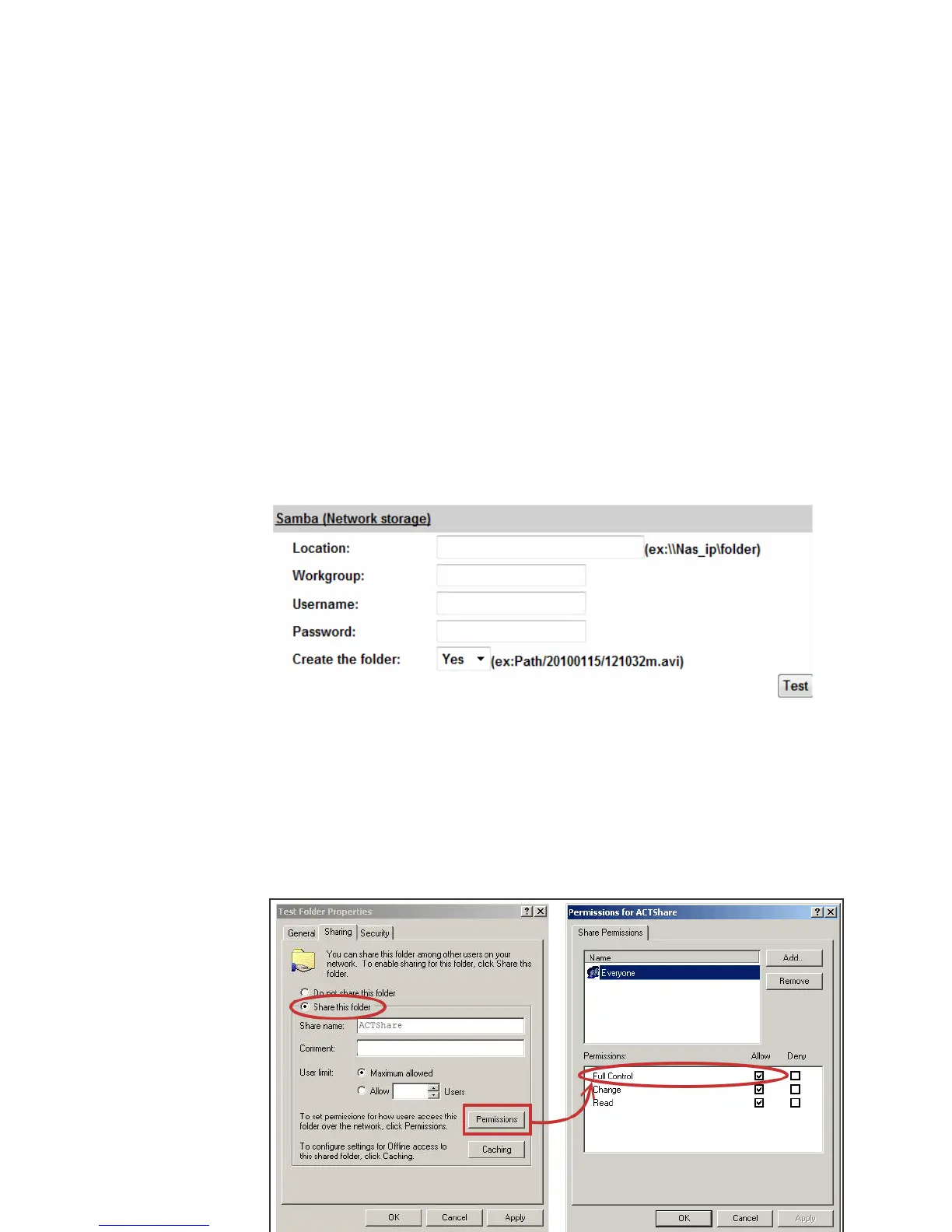
c. Samba:
Select this option to send the media files via a network neighborhood
when an event is triggered. Click “Apply” to save the setting, then use “Test”
button to test the server connection. A message box will tell you “OK!” if it
works, and a test document will be created in the location.
If the test failed, check the sharing setting of your location folder. The
folder properties must be “shared” and the permissions must be “Full
Control” as the picture.



 To Next Page