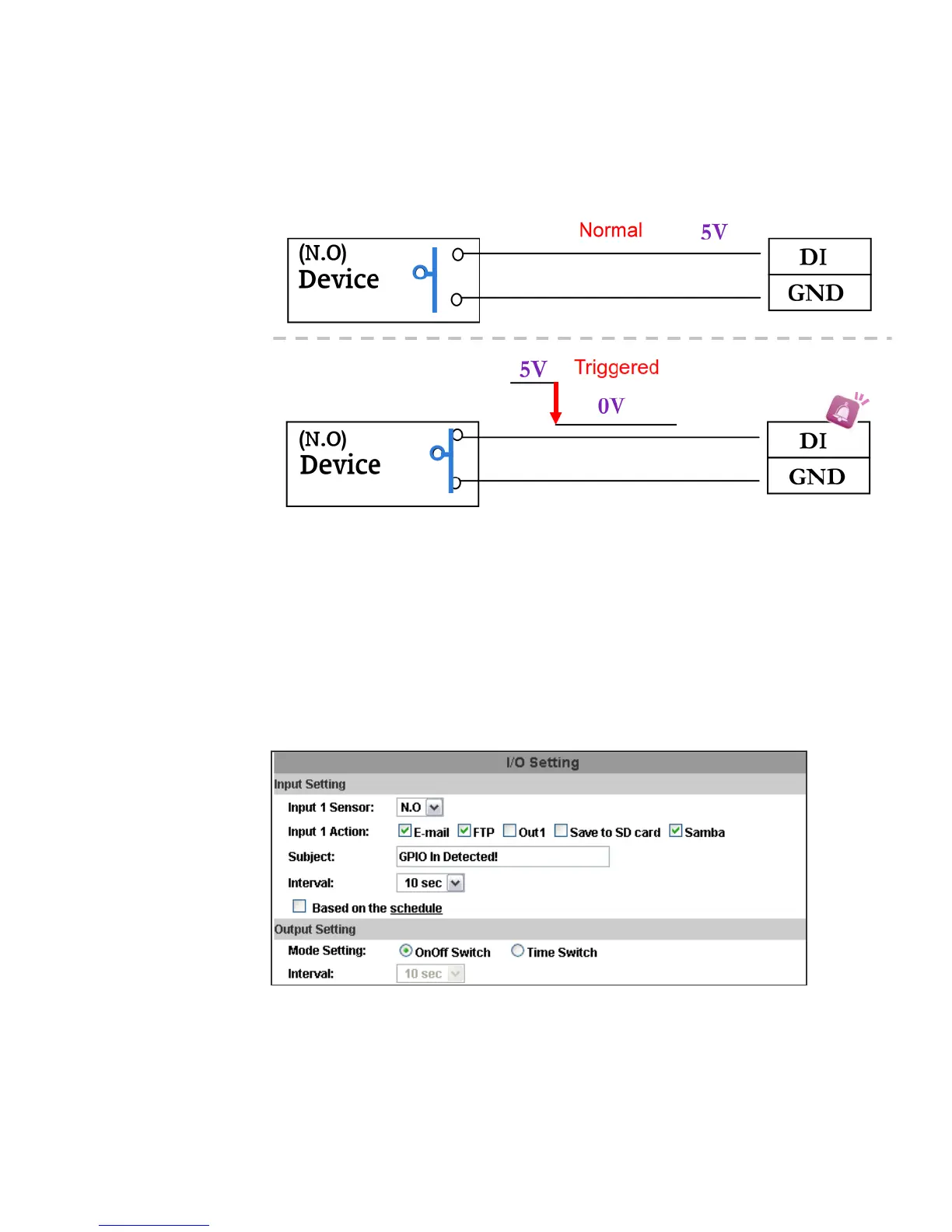
and then camera will execute the action user has set, for example, send
snapshot to E-mail address.
c. I/O PIN definition
• GND (Ground): Initial state is LOW
• DO (Digital Output): DC 5V
• DI (Digital Input): Max. 50mA, DC 5V
2. I/O Setup
a. Click I/O Setting from the system setup page via IE, and check “Out1” to
enable I/O signal.
b. Output Test
After the external input and output hardware is installed, you can use the
"Relay Out" bottom on the live video page to test if DO / Relay Out works.
(i) OnOff Switch mode:
Click "ON", the camera will trigger the external output devise. For
example, your alarm buzzer will continuously ring. You can manually
break off the output signal by clicking "OFF".



 To Next Page