become broken or lagged when your bandwidth is not enough for the
data quantity you selected.
(iv) Video Quantitative: The quality parameter of VBR. You can choose 1~10
compression rate. The higher the value is, the higher the image quality
is.
(v) Video Bitrate: The quality parameter of CBR. You can choose 32kbps
~10Mbps. The higher the value is, the higher the image quality is.
(vi) Video Frame Rate: The video refreshing rate per second. The max
value is affected by the input resolution you choose.
(vii)GOP Size: It means “Group of Pictures”. The higher the GOP is, the
better the quality is.
(viii) Video Format: H.264 or M-JPEG
(ix) RTSP Path: RTSP output connecting route.
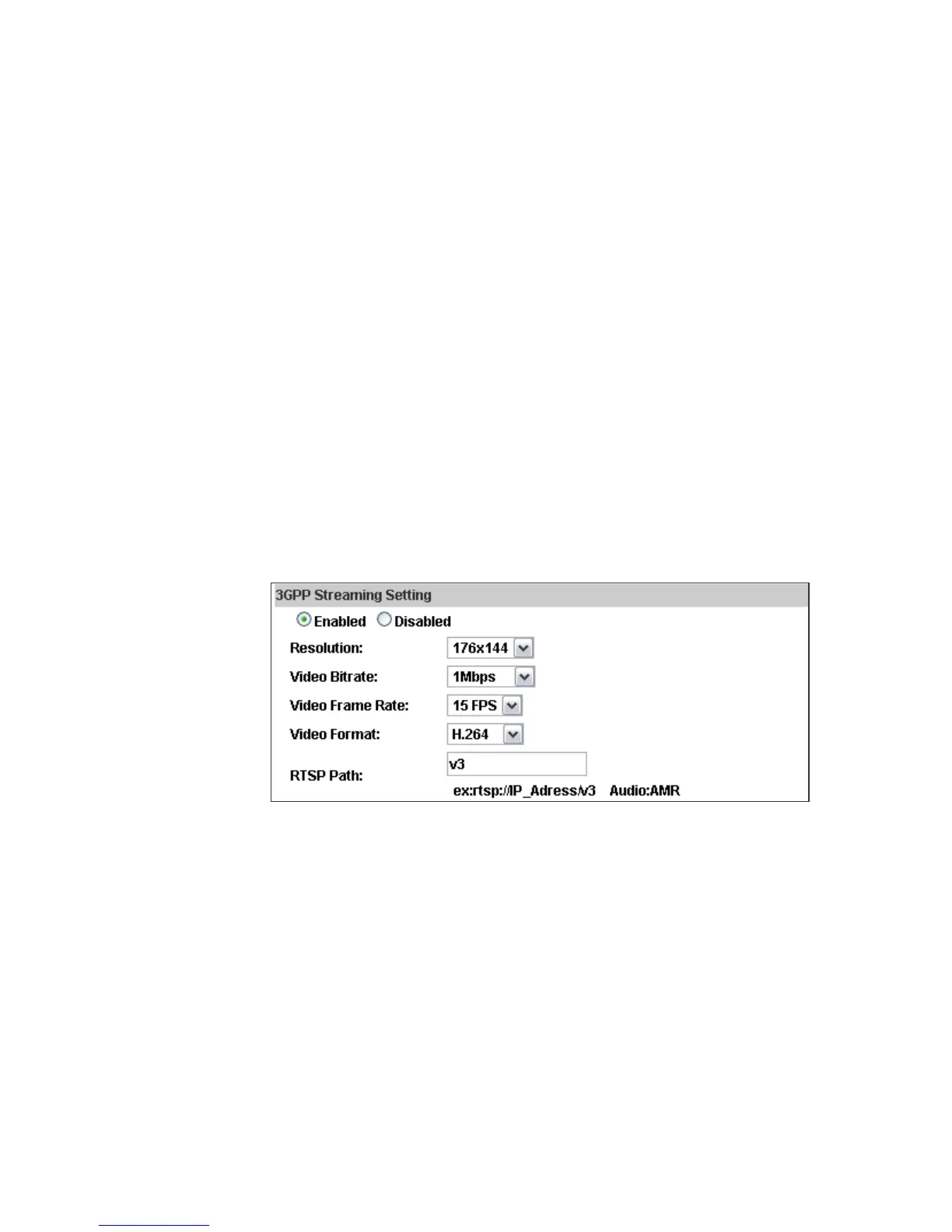
d. 3GPP Streaming mode:
3GPP Streaming is designed for mobile viewing. Please lower the
resolution, bitrate, or frame rate if the image flow isn't smooth when you
use the mobile phone.
(i)
(ii)
Resolution: 640x480, 320x240, or 176x144
Video Bitrate: The higher the value is, the higher the image quality is.
(iii) Video Frame Rate: The video refreshing rate per second.
(iv) Video Format: H.264 or MPEG4
(v)
3GPP Path: 3GPP output connecting route. If the IP address of your
camera is 192.168.40.150, and you key in "3g" in the column, the 3GPP
path will be rtsp://192.168.40.150/3g.
The rtsp here is seperated from the rtsp setting in the "IP SETTING".
3GPP Streaming can still work even you select "disabled" in the rtsp server
option of IP Setting.



 To Next Page