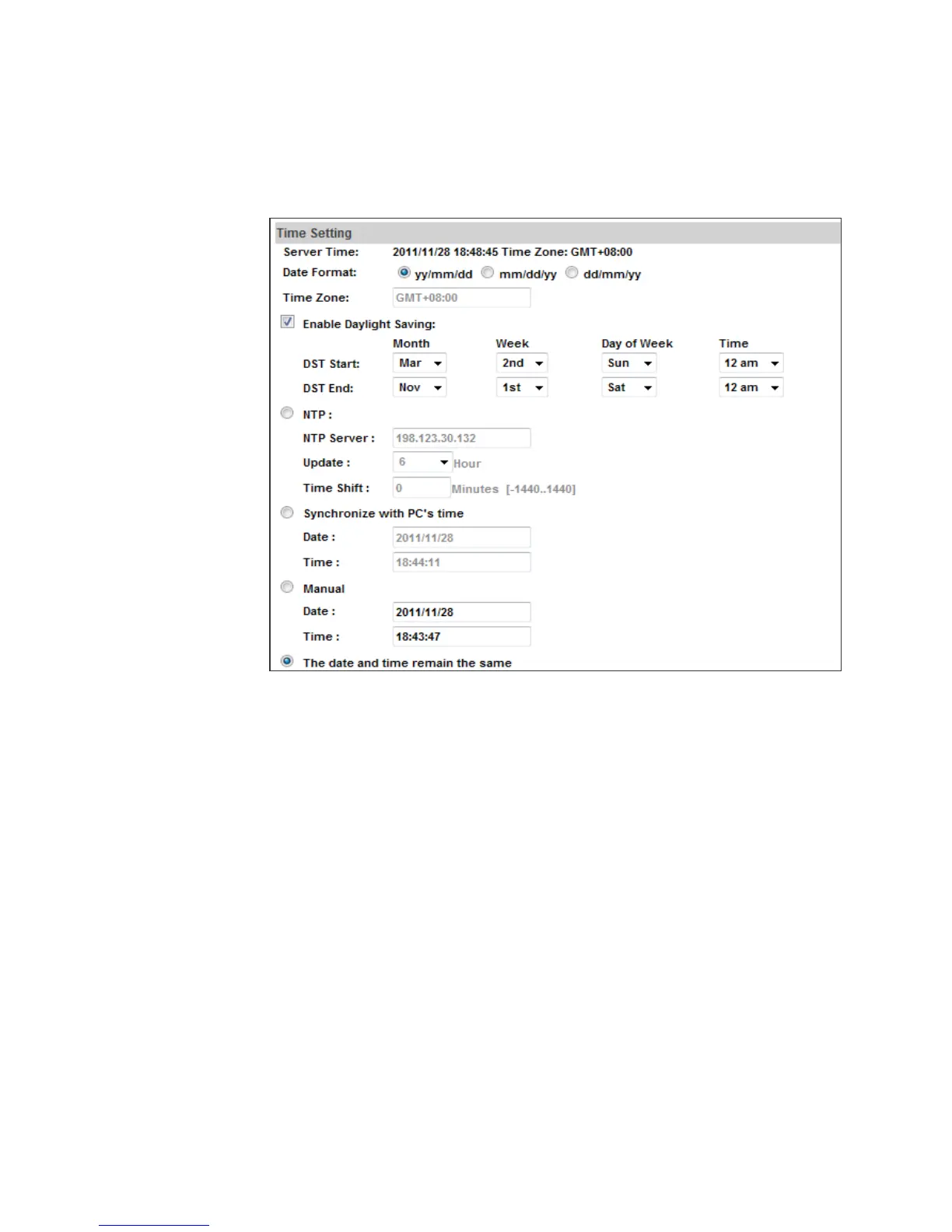
c. Server time setting: Select options to set up time - “NTP”, “Synchronize
with PC’s time”, “Manual”, “The date and time remain the same”.
• Server Time: It shows current IPCam server time.
• Date Format: Select the date display format.
• Time Zone: Select your time zone. It affects server time when you use
“NTP” time.
• Enable Daylight Saving: Give the start and end daylight saving time.
During daylight saving, the time will be 1 hour faster.
• NTP: Key in the NTP server IP address and update interval. The camera
time will be synchronized with NTP server time. To use this option, if the
NTP Server is under WAN, the camera must be set to access WAN.
• Synchronize with PC’s time: In “Date” and “Time” column it shows your
current PC time. Click “Apply” to make the camera time the same with
PC time.
• Manual: Key in the date and time, and click “Apply”.
• The date and time remain the same: After you select “Synchronize with
PC’s time” or “Manual”, and click “Apply”, the selected mark will jump to
this option.



 To Next Page