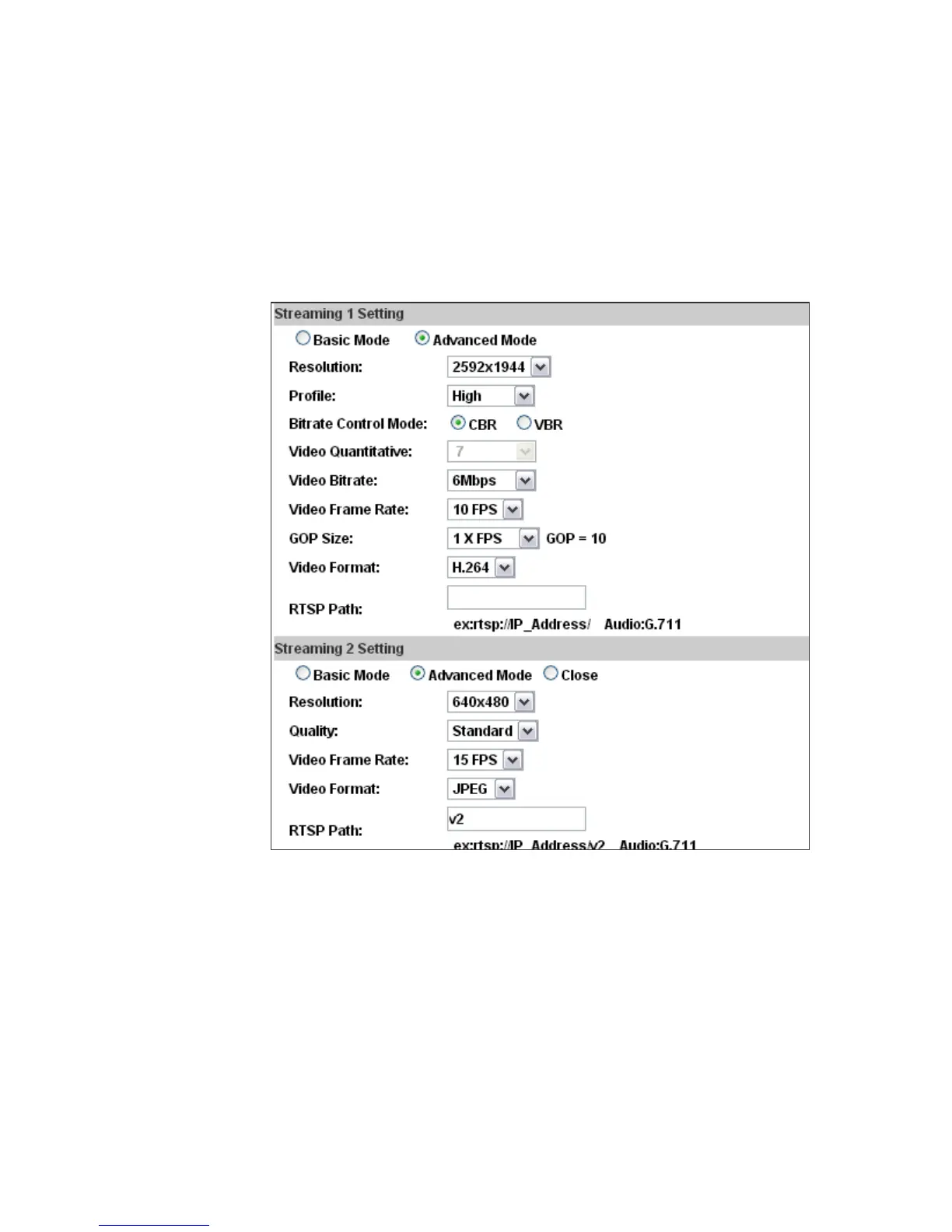
(v)
value is affected by the input resolution you choose.
Video Format: H.264 or M-JPEG
(vi) RTSP Path: Set the RTSP output connecting route.
c. Advanced Mode of Streaming 1 and Streaming 2:
(i)
(ii)
Resolution: If “2592x1944 @15fps” is selected in Input Resolution
option, you can select 2592x1944, 2048x1536, 1600x1200, 1280x960,
640x480, 320x240, or 176x144 here. If “1920x1080@30fps” is selected
in Input Resolution, you can select 1920x1080, 1280x720, 640x480,
320x240, or 176x144 here.
Profile: High profile provides better coding efficiency. Note that some
devises do not support every profile. For example, iPhone4 only
supports Main profile.
(iii) Bitrate Control Mode: In CBR(Constant Bit Rate) mode, the bitrate
keeps consistent all over the video. In VBR(Variable Bit Rate) mode,
the bitrate changes with the complexity extent of the video data.
VBR provides a better compression way and the file may be smaller.
However, the VBR file size cannot be predicted. The image may



 To Next Page