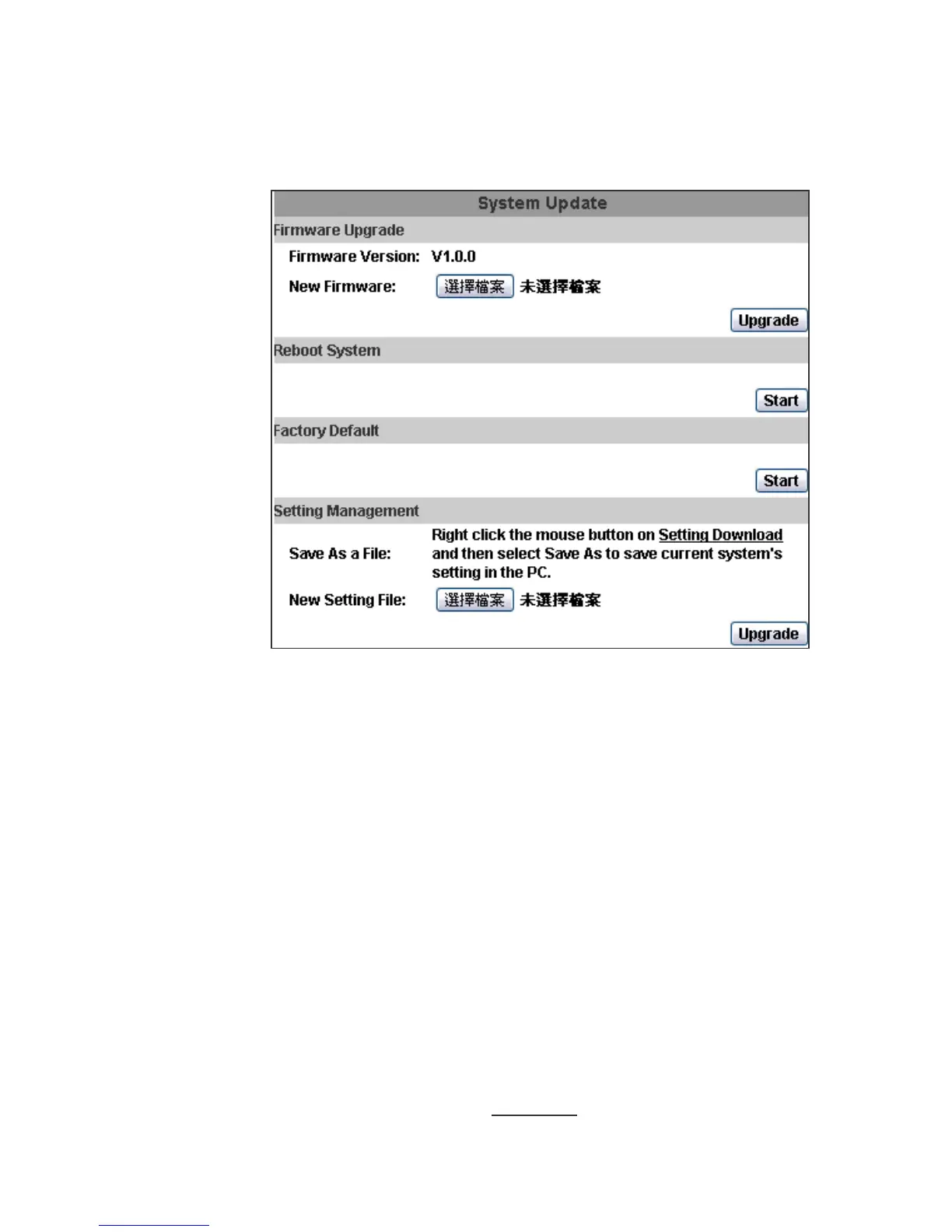
3. System update:
a. To update the firmware online, click “Browse…” to select the firmware.
Then click “Upgrade” to proceed.
Note: The firmware upgrade might be accompanied by the changing of
some setting and function, and the setting options might become different
to the user manual that you're reading now.
b. Reboot system:re-start the IP camera
c. Factory default:delete all the settings in this IP camera.
d. Setting Management:User may download the current setting to PC, or
upgrade from previous saved setting.
(i)
(ii)
Setting download:
Right-click the mouse button on Setting Download → Select “Save
AS…” to save current IP CAM setting in PC → Select saving directory
→ Save
Upgrade from previous setting:
Browse → search previous setting → open → upgrade → Setting
update confirm → click index.html
. to return to main page



 To Next Page