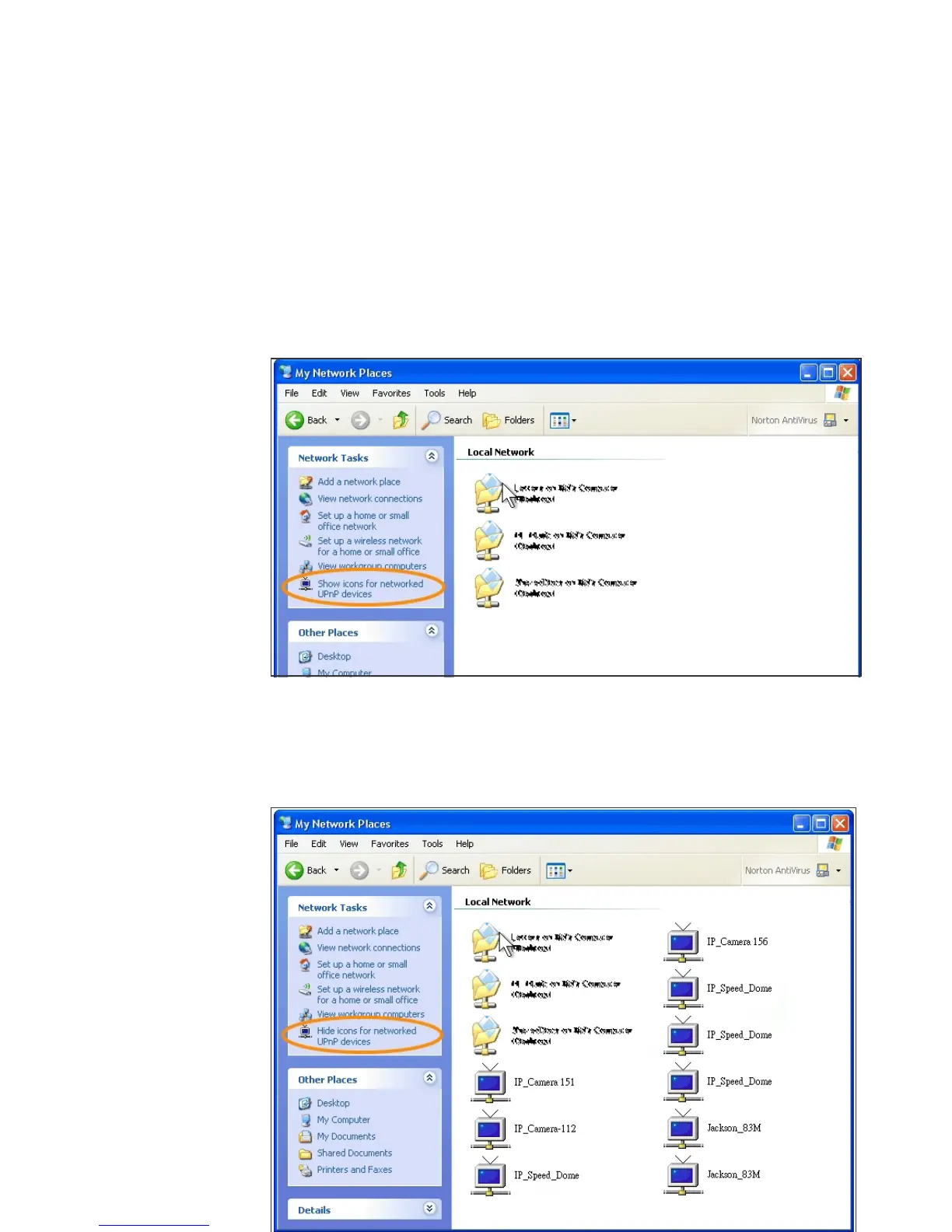
• The IP device icon will be added to “MY Network Places”
• User may double click the IP device icon to access IE browser
<Approach 2>
• Open "My Network Space", and click "Show icons for networked
UPnP devises" in the tasks column on the left of the page.
Windows may ask your confirmation for enabling the components.
Click "Yes".
• Now you can see the IP devise under the LAN. Double-click the
icon to access the camera via web browser. To disable the UPnP,
click "Hide icons for networked UPnP devises" in the tasks column.



 To Next Page