certificate.
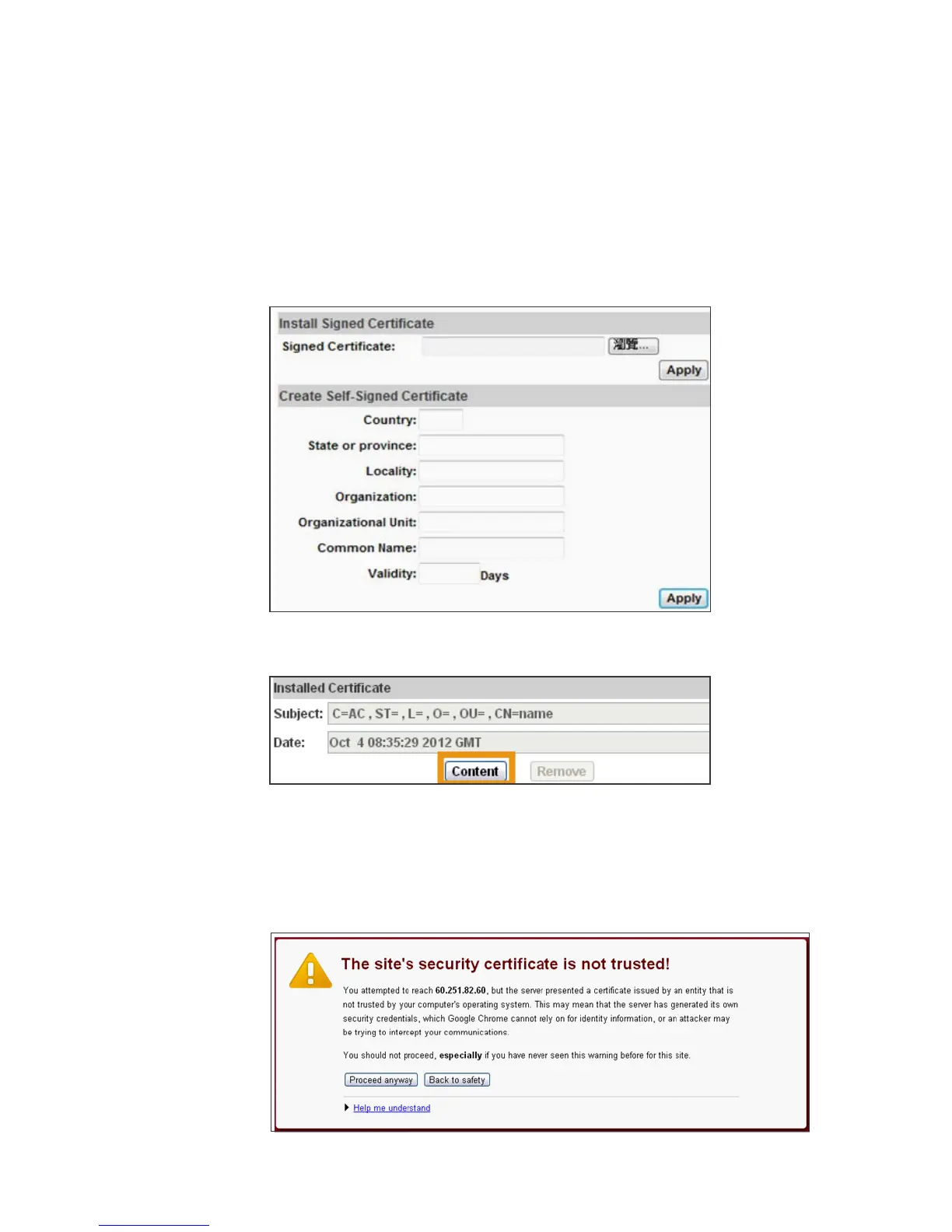
If you had sent the certificate request to do sign and received a signed
certificate, please click” browse” and find the certificate file in your
computer. Click “Apply” to install it.
If you choose to generate a self-signed certificate, fill in the following
forms and set validity day, click “Apply” to finish installed it.
After finishing installation, you can click “Content” to call out and check
the certificate content.
(v) To use Https to access camera, open your browser, and key in "https://
(IP address)/" in the address bar. Now your data will be transmitted via
encrypted communications, and the browser will check your certificate
status. If it shows you a warning message:
That means your certificate is self-signed or signed by distrusted
institution. Click “Proceed anyway” and you can continue going to the
camera page.



 To Next Page