4, Installation
4.1 Device Enroll
The first step to start the operation of LS-20 is to enroll all the sensor/controller devices into the
Base Unit one by one.
(Please refer to the User Guide of the devices to be enrolled as well.)
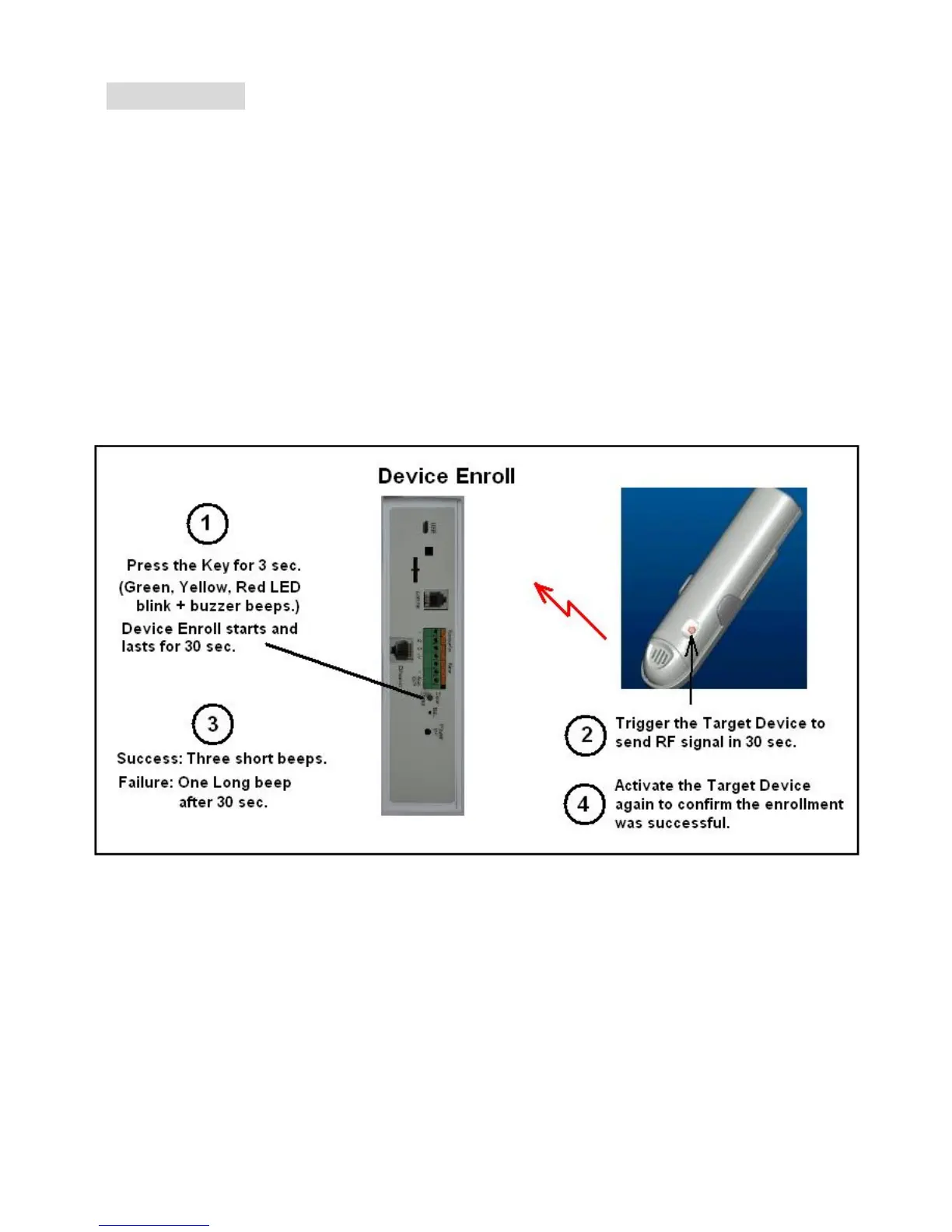
*Press the Clear/Enroll button for 3 seconds, the LS-20 enters into Enroll Device State for 30
seconds. (Buzzer beeps and Green, Yellow, Red LEDs blink simultaneously)
* Trigger the target device to send RF signal in 30 seconds.
Note: Beware of not to activate any other sensors during the 30 seconds Device Enroll time.
*Activate the target device again after a successful enrollment to confirm the device by checking
the “Device Status” from HyperSecureLink software or web server.


 To Next Page