8.9 CMS Settings: LS-20 can report to two CMS phone numbers and TCP/IP CMS/Server.
For the user to subscribe the CMS/Cloud services please consult with the service provider
first.
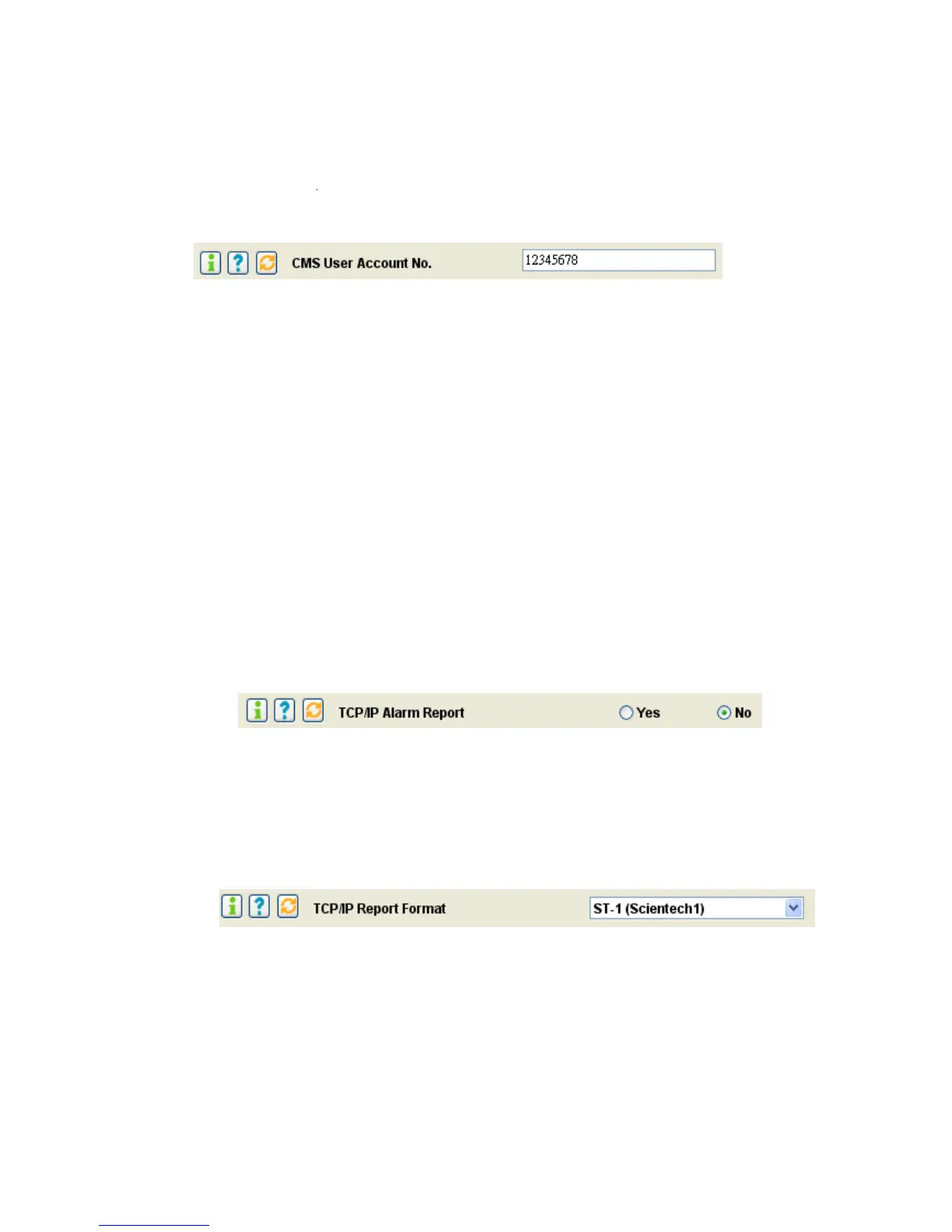
* CMS User Account Number:
The user account (8 digits Max.) number for CMS IP Alarm Report.
* Mode Change Report: Enable /Disable (default=Disable, for phone number CMS only.)
Mode Change Report Enable: The LS-20 will report to the CMS phone number if the operation mode
(Away/Home/Disarm) has been changed.
* Auto Link Check Period: Disable to 30 days. (default = Disable, for phone number CMS only.)
The LS-20 will send a Loop Check signal to the CMS phone number periodically.
* 2 Way Audio: Enable/Disable (default=Disable, for phone number CMS only.)
2 Way Audio ON: The Base Unit will enter into 2-way voice communication mode after sending the
alarm report to the CMS.
(This function only works with a digital receiver using Contact ID and has 2-way voice capability.)
* CMS Report: (default, Report One)
Report All: Report to CMS1, CMS2 and Internet service centers.
Report One: Stop further CMS report if any one of the above reports is successful.
* TCP/IP Alarm Report (default=no)
TCP/IP Alarm Report = Yes: If there is no acknowledgement from the CMS or Cloud server
within 30 seconds after the alarm issued then the alarm report will be resent max. for 3 times.
Note: Since robust TCP/IP protocol is used in alarm data transmission, the fail of
transmission is almost impossible.
*TCP/IP Report Format
The data format used for reporting to the Cloud Server or Internet CMS Server. Please check
with your service provider first. When you connect the LS-20 to the server, most of the service
providers will set this parameter automatically.


 To Next Page