8. CONTROL AND PARAMETER SETTINGS
8.1 Control
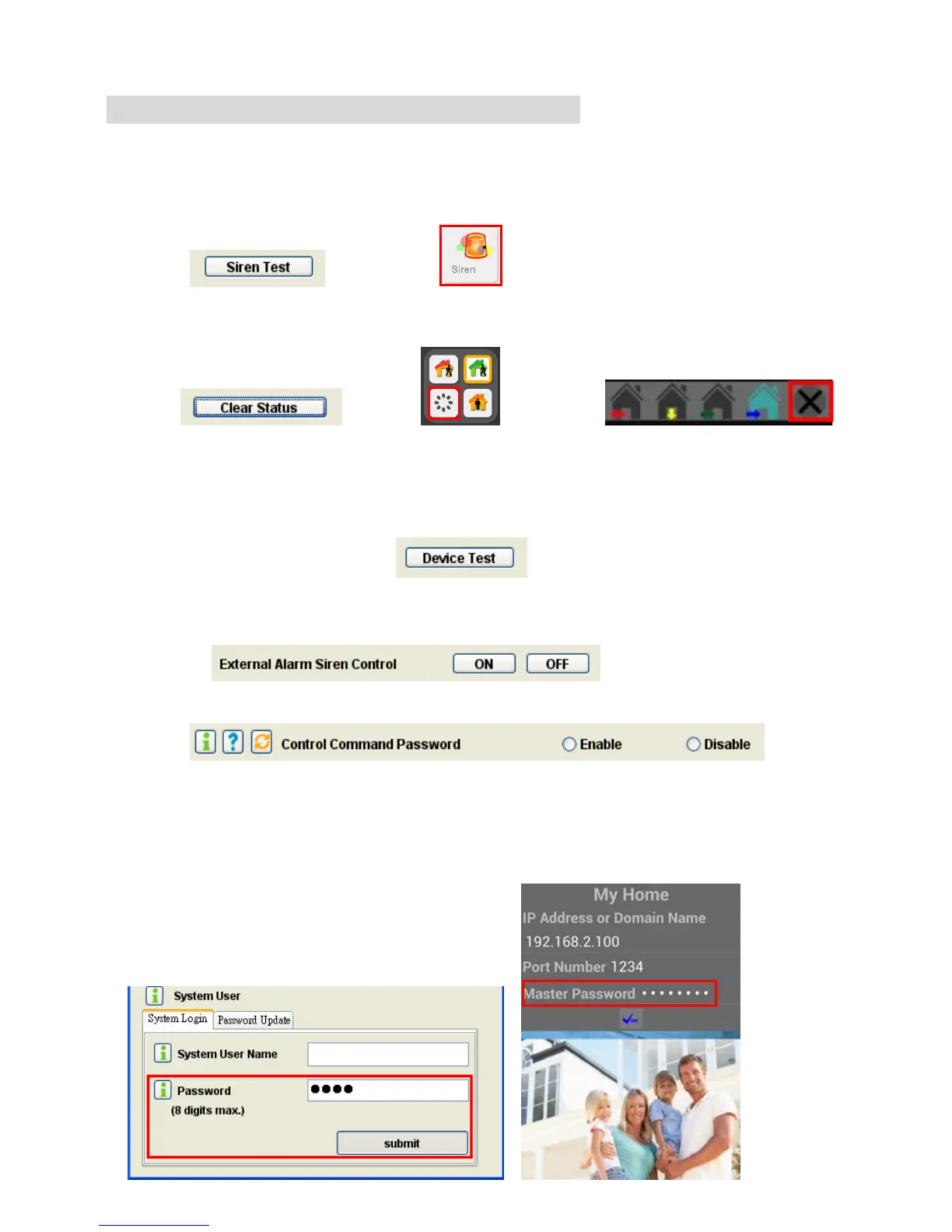
* Siren Test: This test will activate the beeper, external alarm siren and send an Activate signal
to the Remote Siren (if a remote siren is installed) immediately.
(HyperSecureLink) (Livingpattern Cloud Service)
* Clear Status: To Clean the alarm/ warning LED and stop the alarm/ warning reaction.
(HyperSecureLink) (Livingpattern Cloud Service) (MyHome App.)
* Device Test: Enter into Device Test Mode for 5 minutes. Any trigger signal (not including the
control signal from Remote Controller) in this time will be treated as a test signal.
After 5 minutes, the system will exit from this mode automatically.
* External Alarm Siren: On: turn on the wire siren circuit on the rear panel.
Off: turn off the wire siren circuit on the rear panel.
* Control Command Password: (default = Disable)
Disable: No password needed for the control commands.
Enable: Password must be attached to the control commands.
(If “Enable” then the password must be set and submitted when running the
HyperSecureLink software as below.)


 To Next Page