Table of Contents
INTRODUCTION
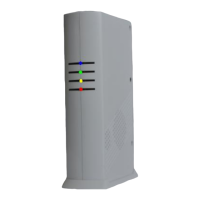
1.Base Unit
2, External Control and Indicator Connection Diagram
3, Working Scenario
3.1 Programming the LS-20 through USB to connecting to GSM network
3.2 Access LS-20 by HyperSecureLink software or Mobile App. from local network
3.3 Works with HyperSecureLink software or Mobile App. (MyHome) from Internet
3.4 Connects to a Cloud Server to Get Full Home Management Service
3.5 Connects to a Central Monitor Station to Get Alarm Service
4, Installation
4.1 Device Enroll
4.2 Placement of the Base Unit and Sensors
5, Operation Mode
5.1 AWAY Mode
5.2 HOME Mode
5.3 DISARM/ MONITOR Mode
5.4 Reaction of LS-20 to Burglar Alarm
5.5 Reaction of LS-20 to Other Alarms except Burglar Alarm
6, System Check
6.1 Event Log
6.2 Device Status
7, Home Automation Control
7.1 Switch setting by HyperSecureLink software to be controlled by Remote Controller
7.2 Directly control from HyperSecureLink software, Mobile App (MyHome) or cloud service.
7.3 Switch control from Keypad
7.4, Automatic controlled by Burglar Sensors with “Home Automation=Yes” in Disarm Mode
7.5 Automatic control by the Special Sensors with their “High/Low” limit settings
7.6 Automatically switch control scheduled by HyperSecureLink software
8, Control and Parameter Settings
8.1 Control
8.2 Settings for Timers
8.3 Setting for Sound & Siren
8.4 Device Status Settings:
8.5 Special Settings for Environment Sensor
8.6 Wire Sensor Input Settings
8.7 Switch On When Triggered
8.8 MISC. Settings
8.9 CMS Settings
8.10 Scheduling
SPECIFICATION
Appendix A: Ethernet Interface Settings
Appendix B: Wifi Interface Settings
Appendix C: The GSM/GPRS setting in LS-20EG/ LS-20GV
Appendix D: HyperSecureLink User Guide


 To Next Page