Appendix B: Wifi Interface Settings
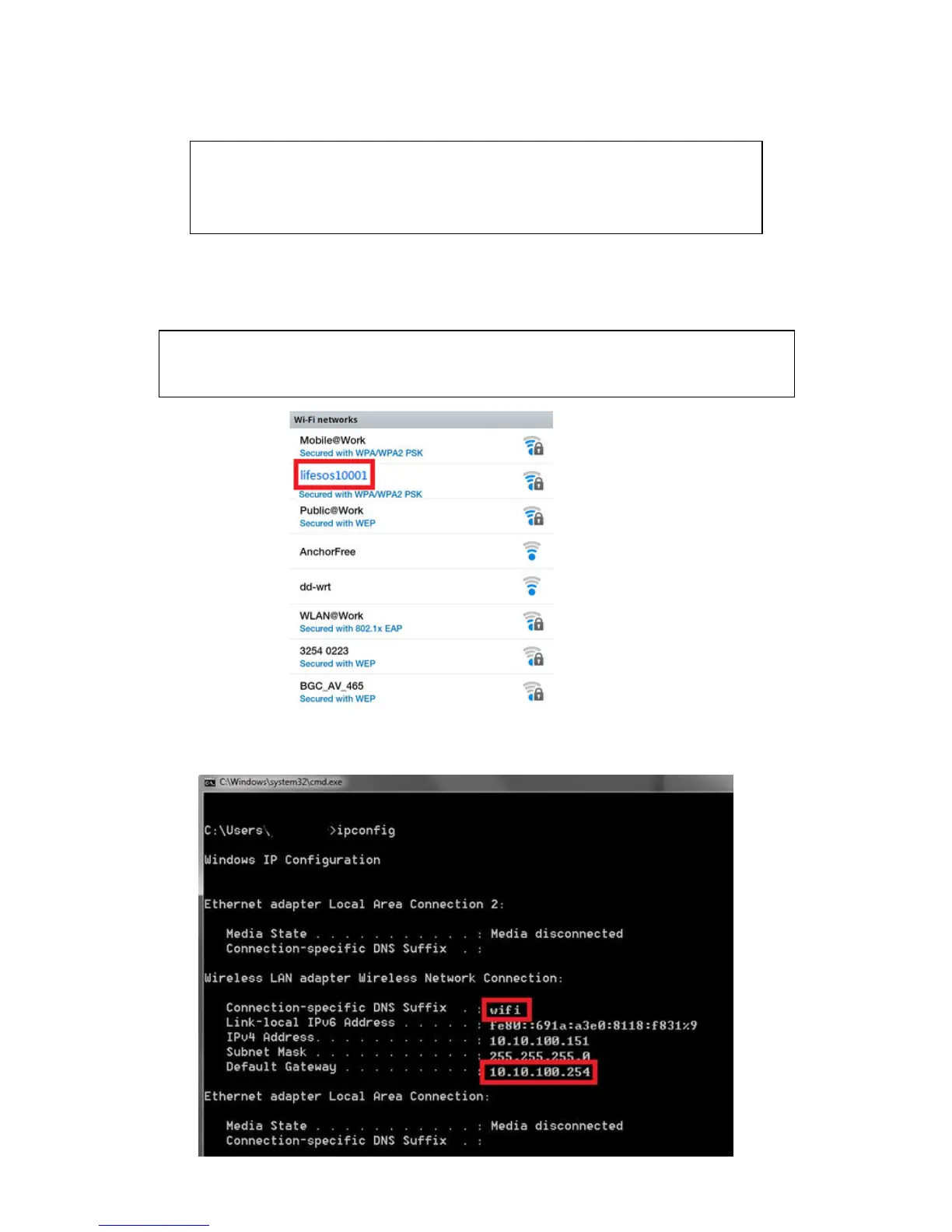
B1, Search all the wifi networks in your environment from PC, tablet or mobile phone. You will find a
network SSID as ” lifesosxxxxx”.
Connect to this wifi network by the Password of “12345678”.
B2, You can run the command prompt “cmd.exe” on your PC and enter “ipconfig” to find the Gateway
address of the wifi Interface is “10.10.100.254”.
Note: wifi Interface only can be connected to one browser, if you can see the SSID
but can’t connect to it then check if it has been connected to other device.
Location of the LS-20
Since the wifi Interface needs to communicate with your wifi router, please
locate the LS-20 near your wifi router to keep good signal quality.


 To Next Page