If the IP address has been changed then enter the new IP address and User Name/ Password to access the
Ethernet Adaptor setup web page again.
(You can use VCOM software to locate the new IP address.)
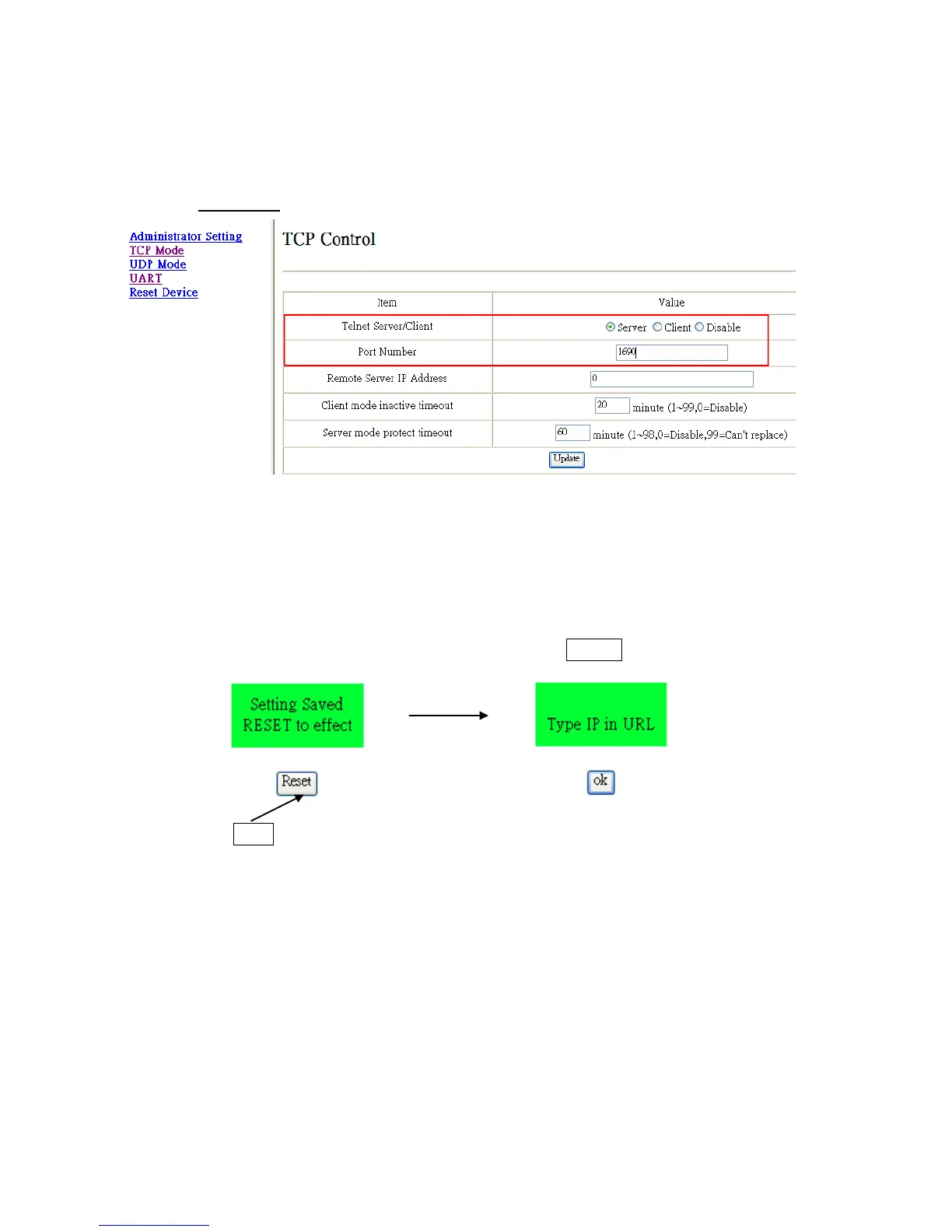
* Select TCP Mode and change the settings according to your network environment:
Telnet Server/Client: Select Server.
Port Number: As the setting of the Virtual Server in the Ethernet Router.
Remote server IP Address: Don’t care.
Client mode inactive timeout: 20 minutes (default).
Server mode protect timeout: 60 minutes (default).
* If any of the settings has been changed then double click the Update to update the settings.
Then Click the Reset to save the settings.


 To Next Page