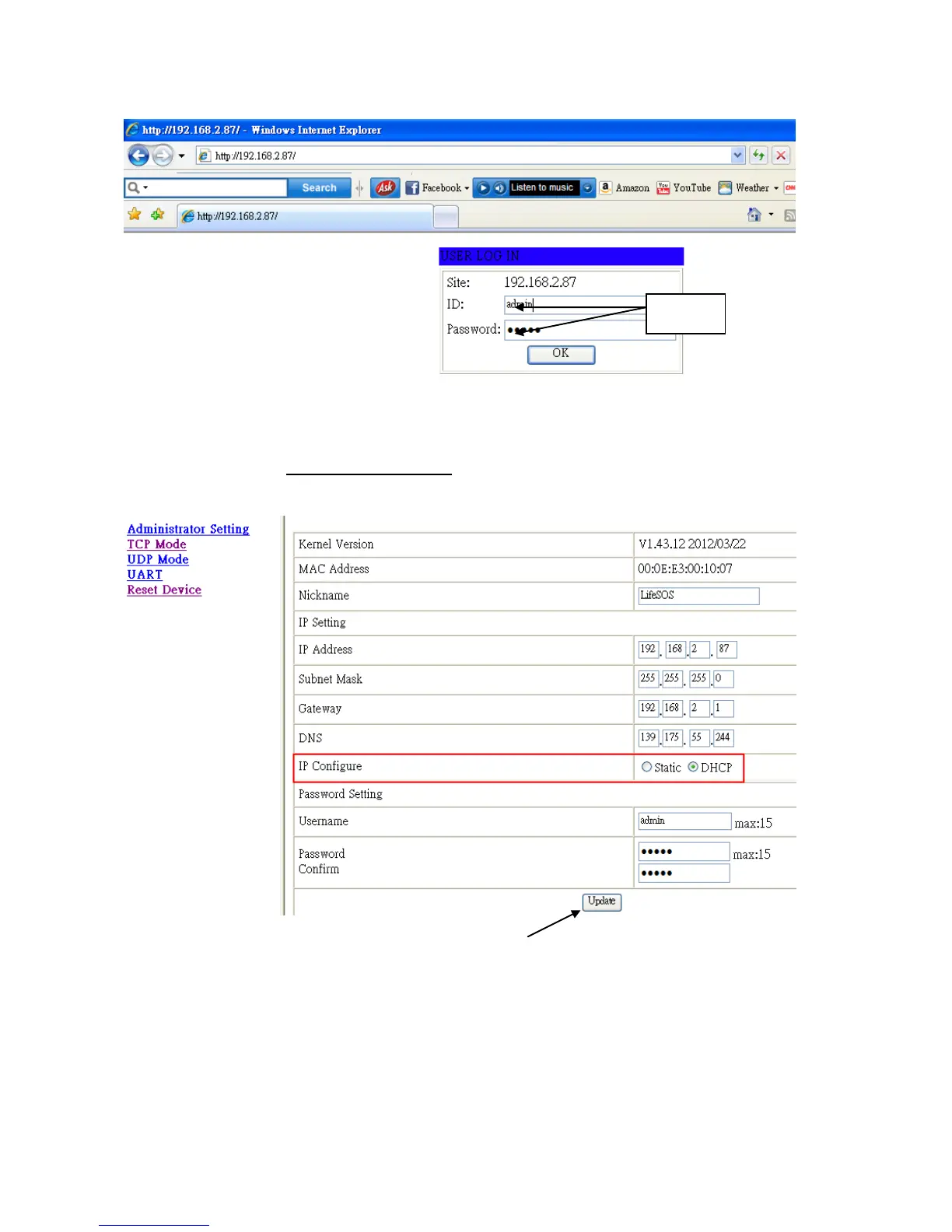
* Open the Internet browser you are using and enter the IP address.
* Enter User Name and Password.
(Default User Name: admin, default Password: admin.
* The setup menu of Administrator Setting will be shown on the screen and change the “IP
Configure” to “DHCP”.
Nickname: Name or location of the system.
IP Address: Don’t care
Subnet mask: 255.255.255.0
Gateway: Don’t care.
DNS: Don’t care.
IP Configure: To operate as a client, DHCP must be selected
Password Setting: Enter new User Name and Password.


 To Next Page