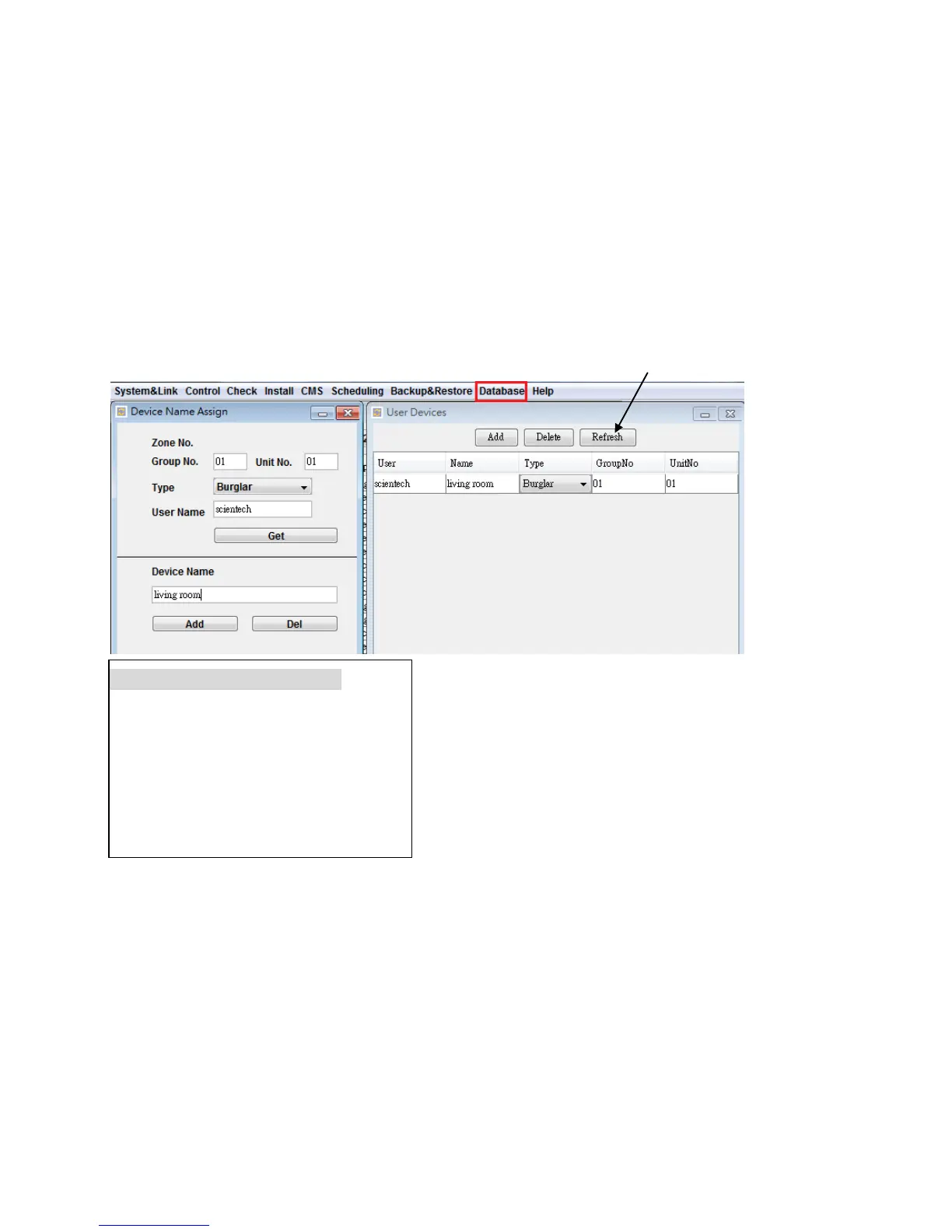
D6. Device Name Data Base Management
User can assign a device name to each device and zone. When the Event Log, Device Status or Special
Sensor Reading are read, the software will match the User Name, Device Type and Zone Number in
the Data Base and show the corresponding device name on the table.
For example, if you installed two systems, one in your company (name: scientech) and the other one in
your home (name: John), and they both have the Door Magnet Burglar Sensor at Zone 01-01.
The device name of the Burglar Sensor 01-01 in the office is “Front Door”.
The device name of the Burglar Sensor 01-01 at your home is “Living Room”.
The software uses different User Name to identify the two different devices although they have the
identical Device Type and Zone Number.
* Creating the Device Name in Database:
* Click the Refresh to check the new device entry.


 To Next Page