FINEPLACER
®
lambda
Rev-Nr. 1.1
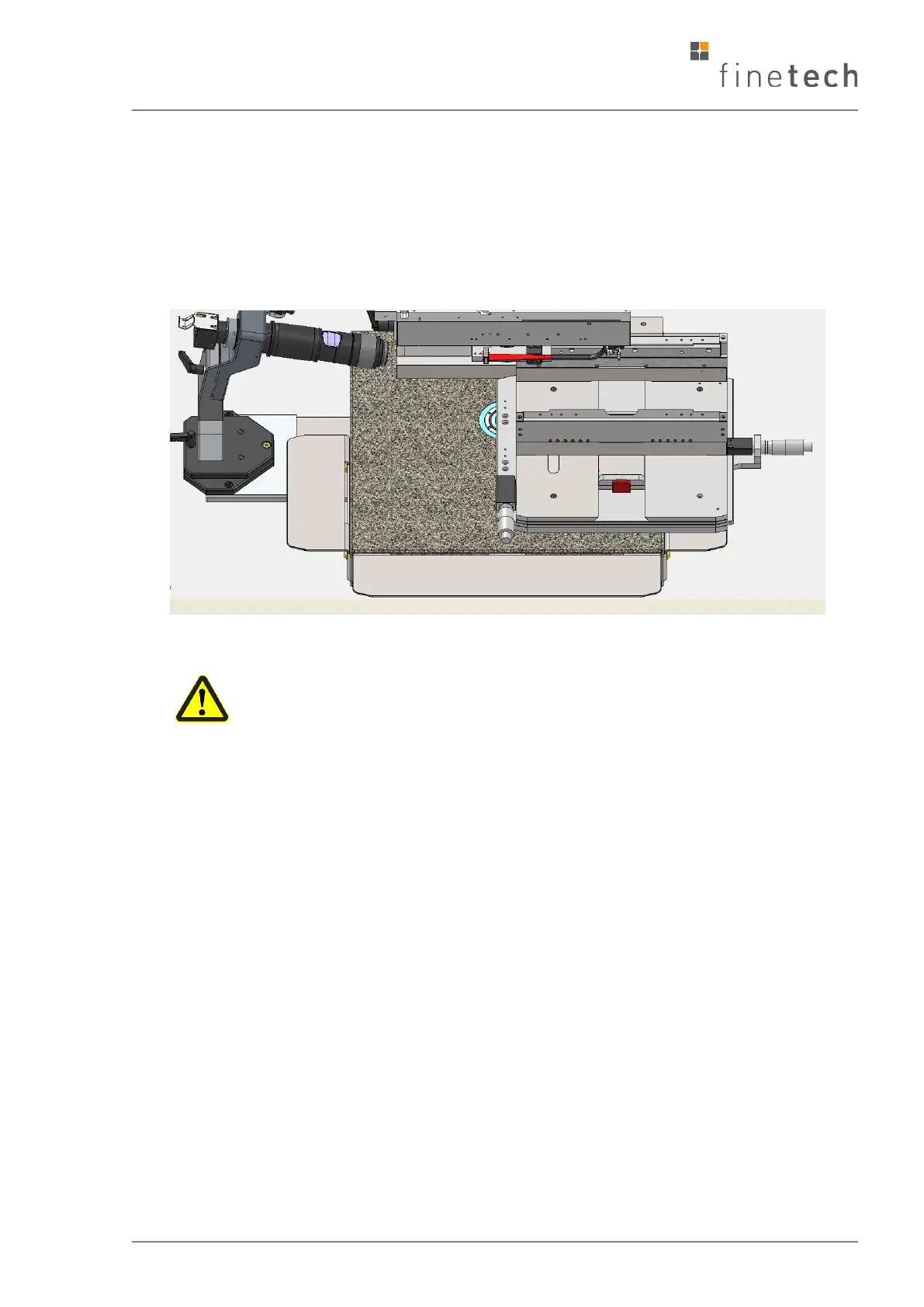
• Move the positioning table away from the operator towards the arm support and
then to the right. This time, the magnet inside the base plate will remain
covered by the table (see illustration). Turn off the machine. Clean the left side
of the base plate. Move the positioning table back to the center. Remove the
maintenance table support. Turn on the machine.
Damage can occur here due to incorrect behaviour of the operator (by
leaning or putting weight on the table).
6.1.3 Daily
• Keep the base plate clean at all times. Do not allow dust or particles to collect
on the underside of the positioning table. Wipe with a soft cloth, remove built-
up flux deposits using the minimum amount of the proper solvent; (wiping
with a bare hand may help you to decide about cleanliness). Dust the
remaining subassemblies as required.
• Failure to keep the FINEPLACER
®
clean, or damage of the sliding planes may
result in needless calibration, or difficulty in placing devices on the boards.
• Take care that the vacuum nozzles of the pipette and pivot arm do not suck in
dirt, flux, or fumes. Do not operate the vacuum devices without the vacuum
filter in the head vacuum socket (46) to avoid damage to the internal pump
and magnet valves.
• Check whether the vacuum can safely hold your critical or expensive
component. Change suction cups, gaskets, vacuum pump if required, protect
hoses from being stepped on, driven over, crushed, cut, split etc. See spare
part list for purchasing codes.
Right-hand maintenance position of the table
Left-hand maintenance position of the table


 To Next Page