21
STARTING PROCEDURE
See safety section of the manual (pages 1 through 4) before operating
the machine. Failure to comply could result in minor or moderate
personal injury. Failure to comply could also result in product or property damage.
1. Verify that all doors are closed around the
airlock.
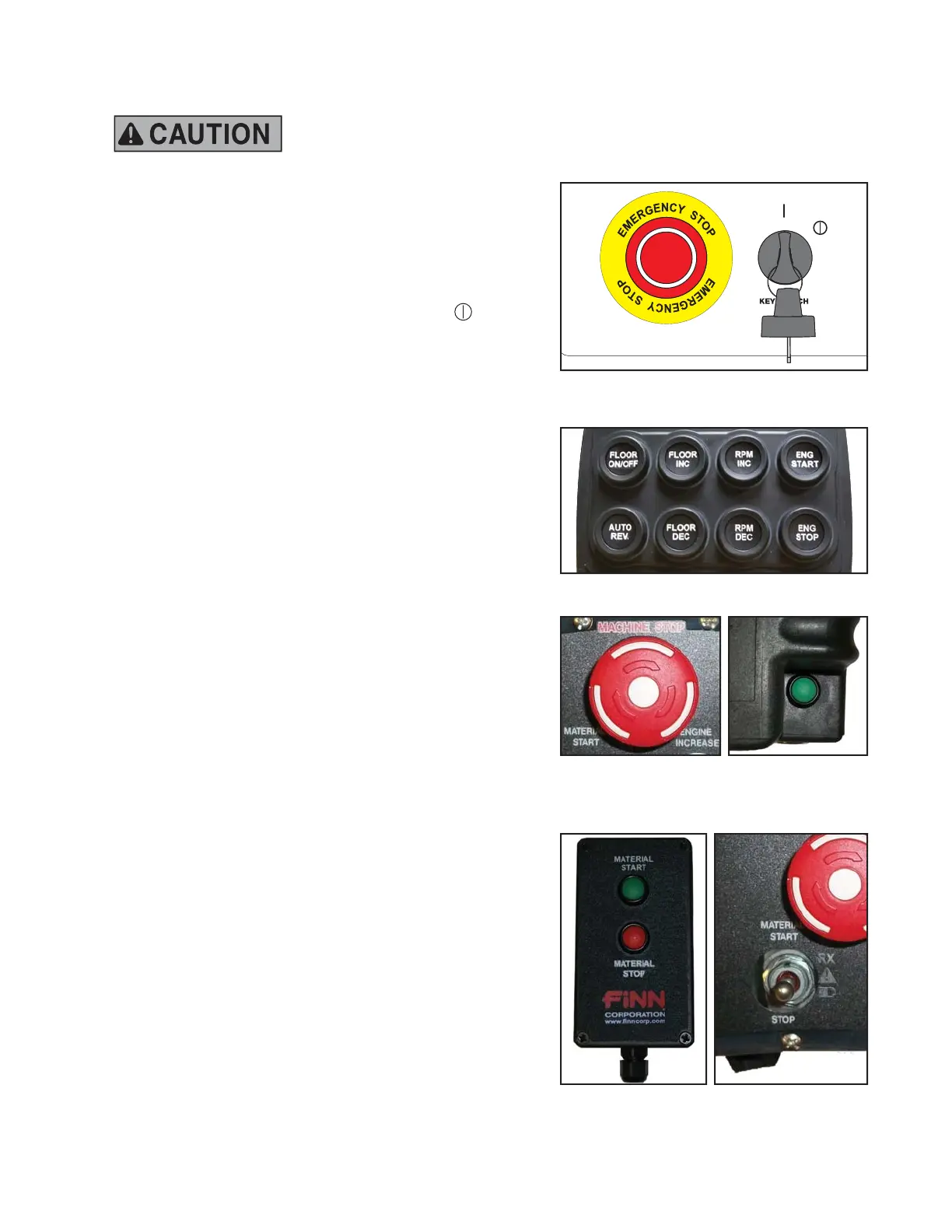
2. Disengage Emergency Stop (e-stop) on main
control panel of the unit (rotate the e-stop button
clockwise).
3. Turn key clockwise to the RUN/ON
(
)
position and wait for key pad to illuminate and
go through its start-up procedure.
4. Press the engine start (ENG START) button on
the key pad. The button will then light up green.
Once green, press and hold the engine start
(ENG START) button until the engine starts
(once the engine starts, the button will turn red).
5. Allow the engine to warm up for 3 to 5 minutes.
6. Activate remote by rotating the e-stop button
clockwise to disengage e-stop functionality.
Press the green button located on the back of
the remote to turn on the unit.
NOTE: If the machine is running, the remote
should automatically pair.
7. After engine has warmed up, press the
MATERIAL START button on the hardwired
material start/stop pendant. Then toggle the
MATERIAL STOP switch on the radio remote
transmitter (to the left of the e-stop button on
the radio remote transmitter). This will ensure
that the operator has machine control with the
remote.
NOTE: The material start / stop pendant is the
overiding set of controls on this unit.
To start material flow, the MATERIAL
START button on the hardwired
material start/stop pendant must be
pushed first before either the control
panel or the radio remote transmitter
will work.
8. Prior to mulch application, increase the engine
RPM to its highest setting (press and hold
RPM INC button).
For additional information, see Cervis Engineered
Application Specific Suppliment: WSMB-7454 Finn.
Pendant
Emergency Stop
on Radio Remote
Transmitter
Key Pad on Main Control Panel
Emergency Stop (e-stop) on
Main Control Panel
Power Button on
Radio Remote
Transmitter
Material Start
Switch



 To Next Page