27
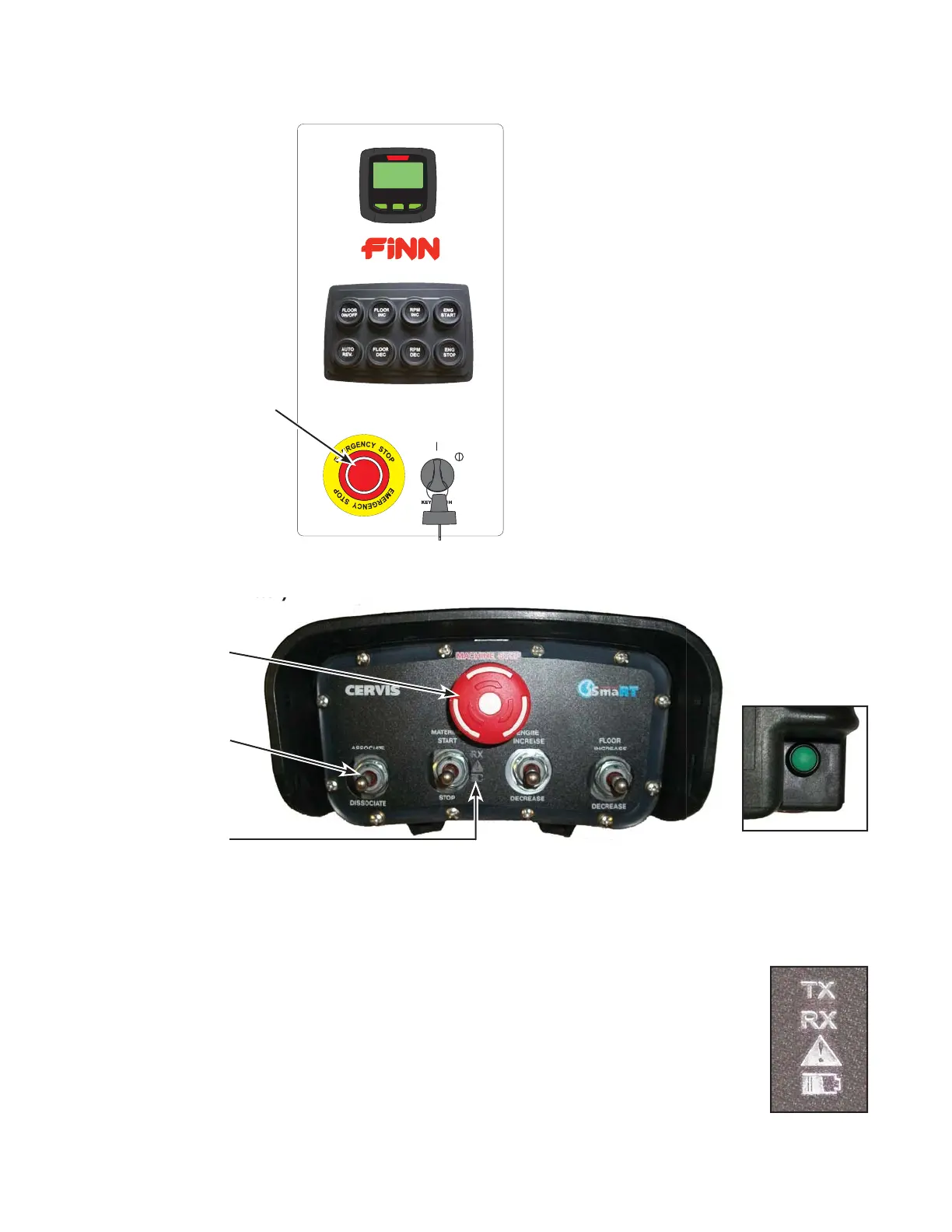
Main Control Panel
Remote (Transmitter)
REPROGRAMMING / RESYNCING THE CERVIS REMOTE
Emergency
Stop
(e-stop)
DIRECTIONS:
1. Place remote (transmitter) on the fender, next to the main control panel.
2. Push Emergency Stop (e-stop) in on the remote (transmitter).
3. Ensure that Emergency Stop (e-stop) on the main control panel is
released by turning clockwise.
4. Twist e-stop on the remote (transmitter) counter-clockwise to “pop” it up to
position for normal operation of the unit.
Emergency
Stop (e-stop)
ASSOCIATE
Toggle Switch
Green POWER
Button
Operation
Lights
Operation
Lights














 To Next Page