28
DIRECTIONS (CONTINUED):
5. Push and hold ASSOCIATE toggle switch up, then push
and hold green POWER button.
The green POWER button is located on the bottom of the
remote (transmitter).
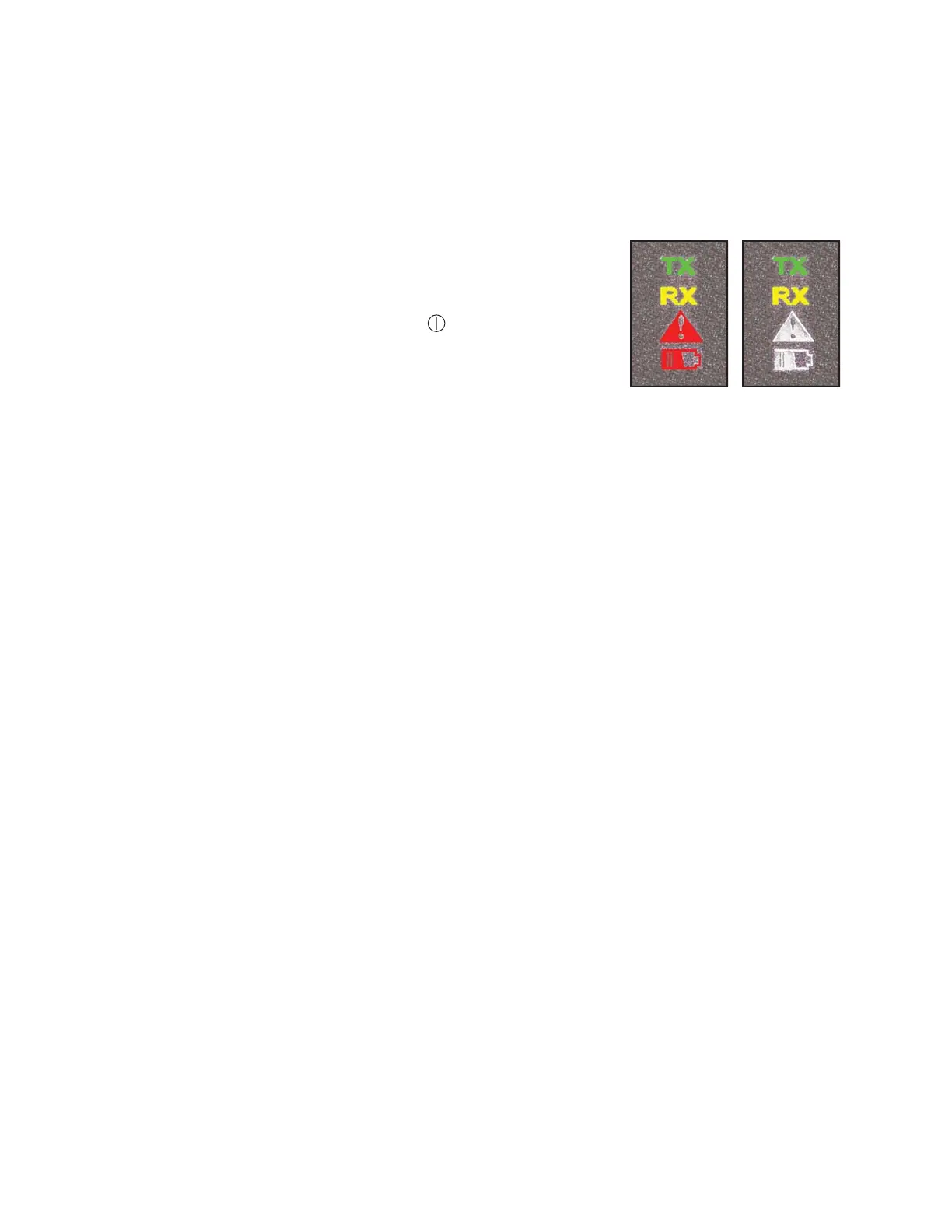
All four operation lights should light for a second or two,
then TX (transmit) will blink rapidly.
6. Continue to hold the ASSOCIATE switch and POWER
button and turn key to the RUN/ON
(
)
position.
7. Release the ASSOCIATE switch and POWER button when
all four operation lights illuminate.
8. The TX (transmit) and RX (receive) should be blinking.
9. Remote transmitter and receiver should now be paired.
Start machine and check remote functions to ensure proper
operation
All Four
Operation
Lights
Illuminated
TX and
RX Lights
Blinking
REPROGRAMMING / RESYNCING THE CERVIS REMOTE (CONTINUED)














 To Next Page