9
POWERVIEW
The PowerView is a multifunctional tool that enables the operator to view many different engine parameters
and service codes. A graphical back-lit LCD screen can display either a single parameter or a quadrant dis-
play showing four parameters simultaneously. Diagnostic capabilities include fault codes with text transla-
tion for the most common fault conditions.
The following relative engine parameters can be displayed in either English or Metric units, as well as in
Spanish, French, or German:
• Engine RPM
• Engine Hours
• System Voltage
• % Engine Load at Current RPM
• Coolant Temperature
• Oil Pressure
• Throttle Position
• Active Service Codes
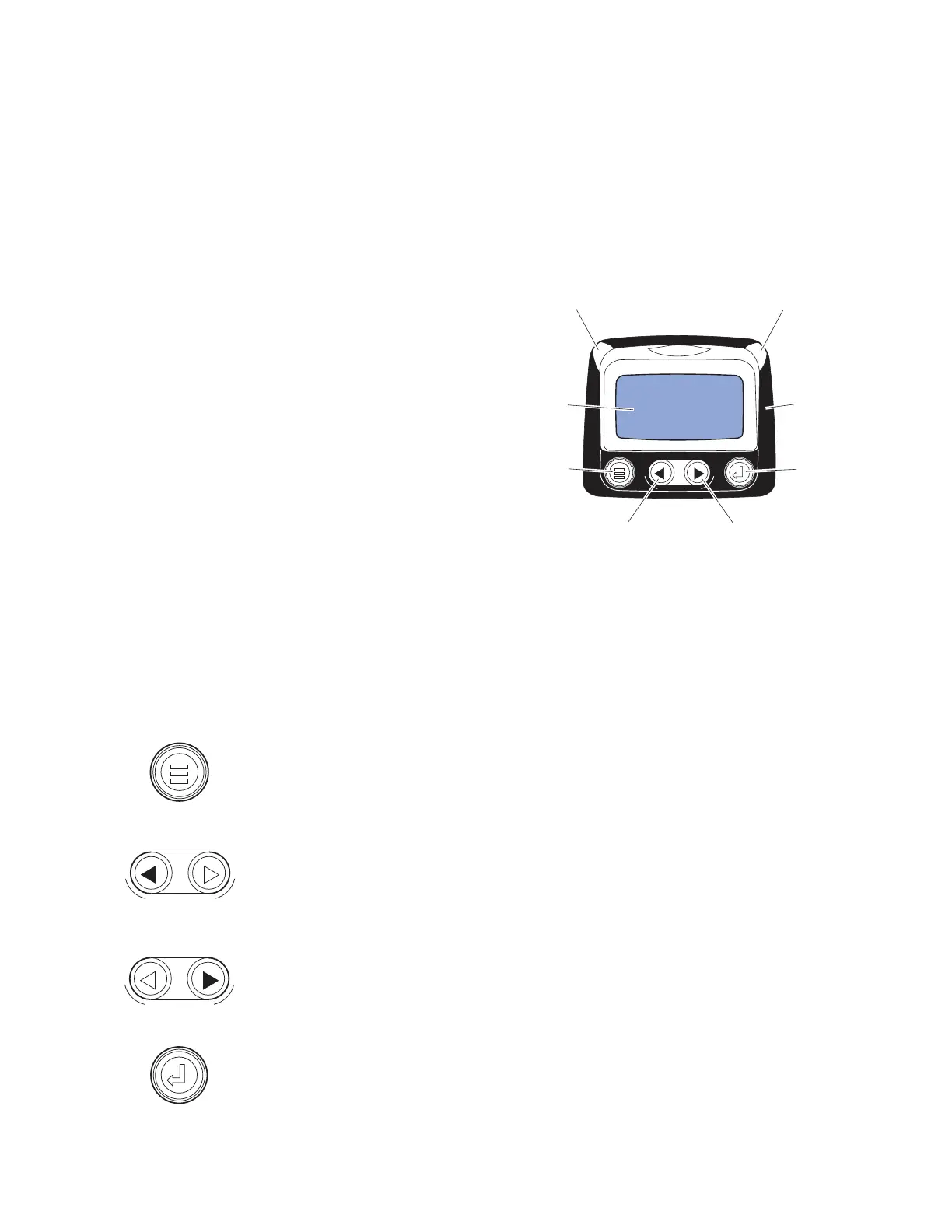
FACEPLATE
The keypad on the PowerView is a capacitive touch sensing system. There are no mechanical switches to
stick or wear out. It operates in extreme temperatures, with gloves, through ice, snow, mud, grease, etc.
When the key is touched, feedback is provided by flashing the screen. The keys on the keypad perform the
following functions (refer to Figure 1):
Menu Key
The Menu Key is used to either enter or exit the menu screens.
Left Arrow Key
The Left Arrow Key is used to scroll through the screen, either moving the
parameter selection towards the left or upward.
Right Arrow Key
The Right Arrow Key is used to scroll through the screen, either moving the
parameter selection towards the right or downward.
Enter Key
The Enter Key is used to select the parameter that is highlighted on the screen.
AMBER
WARNING LED
RED SHUTDOWN
DERATE LED
DISPLAY
BEZEL
MENU KEY ENTER KEY
LEFT
ARROW KEY
(Scroll Up)
RIGHT
ARROW KEY
(Scroll Down)
FIGURE 1 - FACEPLATE FEATURES



 To Next Page