10
POWERVIEW OPERATION
PowerView Menus (First Time Start Up)
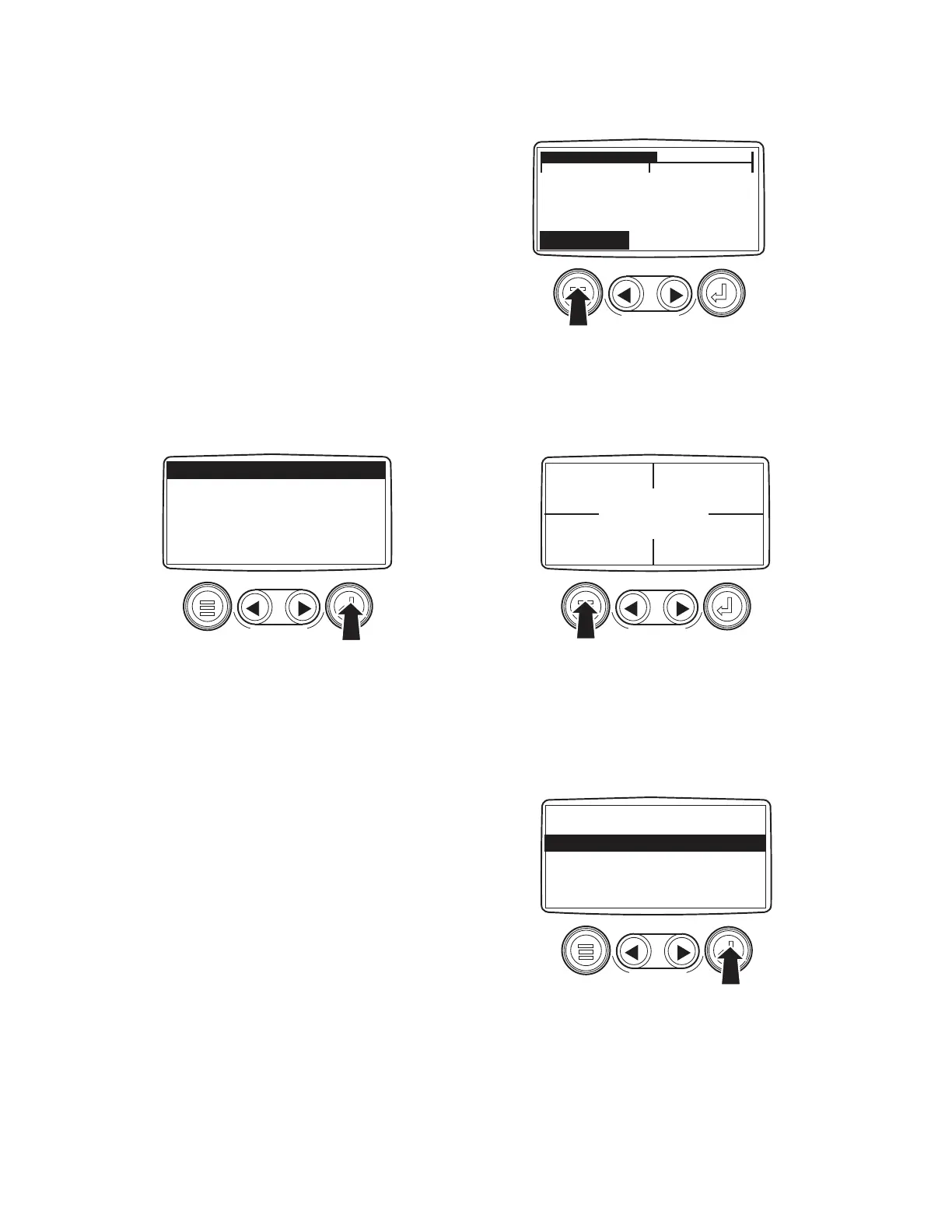
1. Once the engine has been started and the
keyswitch is turned to "RUN", the RPM
Engine Parameter is displayed. See Figure 2.
2. To toggle through the various engine param-
eters, touch either the left or right arrow key.
3. To switch to the "4-Up Display", touch the
Menu Key to display the first seven items of
the Main Menu. See Figure 3.
4. Since the first menu item listed is "Go To 4-
Up Display", touch the Enter Key to select
the four parameter display.
Stored Fault Codes
The PowerView Display will store any fault
codes generated by the engine and display them
along with a text description. To access these
fault codes:
1. Touch the Menu Key to display the Main
Menu.
2. Using the Right Arrow Key, toggle down the
list until "Stored Fault Codes" is highlighted.
See Figure 5.
3. Touch the Enter Key to view any stored fault
codes. The display will respond by present-
ing a "Requesting Fault Codes" message
while the system retrieves the codes. See
Figure 6.
0 2000 4000
1800 RPM
ENG RPM COOL TEMP
MENU
KEY
GO TO 4-UP DISPLAY
ENGINE CONFGURATION
STORED FAULT CODES
ADJUST BACKLIGHT
ADJUST CONTRAST
SELECT UNITS
SETUP 1-UP DISPLAY
ENTER
KEY
GO TO 4-UP DISPLAY
ENGINE CONFGURATION
STORED FAULT CODES
ADJUST BACKLIGHT
ADJUST CONTRAST
SELECT UNITS
SETUP 1-UP DISPLAY
ENTER
KEY
Figure 2 - 1-Up Display
Figure 3 - Main Menu
0 RPM
ENG RPM
0 PSI
OIL PRES
46F
COOL TEMP
12.3 VDC
BAT VOLT
MENU
KEY
Figure 4 - 4-Up Display
Figure 5 - Main Menu



 To Next Page