EQUIPMENT: DUO-CEL WRITTEN BY: RKP
PUBLICATION: OM_DUO-CEL_INST CHECKED BY: AJC
ISSUE No. & DATE: 2 13/10/10
PAGE 13 of 30
9. Insert the two 3.4Ah Powersonic batteries,
positioning them with the spade terminals at
the top.
10. Fix the battery clamp back into position to
firmly hold the batteries.
11. Attach the black battery lead to the black
spade terminal on the right-hand battery. Do
not connect any other battery leads.
NOTE: Only use the battery leads
supplied, with insulated connectors.
12. Fix the control board (with PCB cover) back
into the enclosure, bringing the leads from
the power supply unit underneath the control
board and over the right-hand battery. Ensure
that the earth lead is correctly attached to the
control board by the left-hand screw.
Connect the leads to the Sounder Expansion
board if fitted.
13. Connect the power supply leads to the
control board.
14. Connect the black battery lead to the
BATTERY NEGATIVE spade terminal on
the control board.
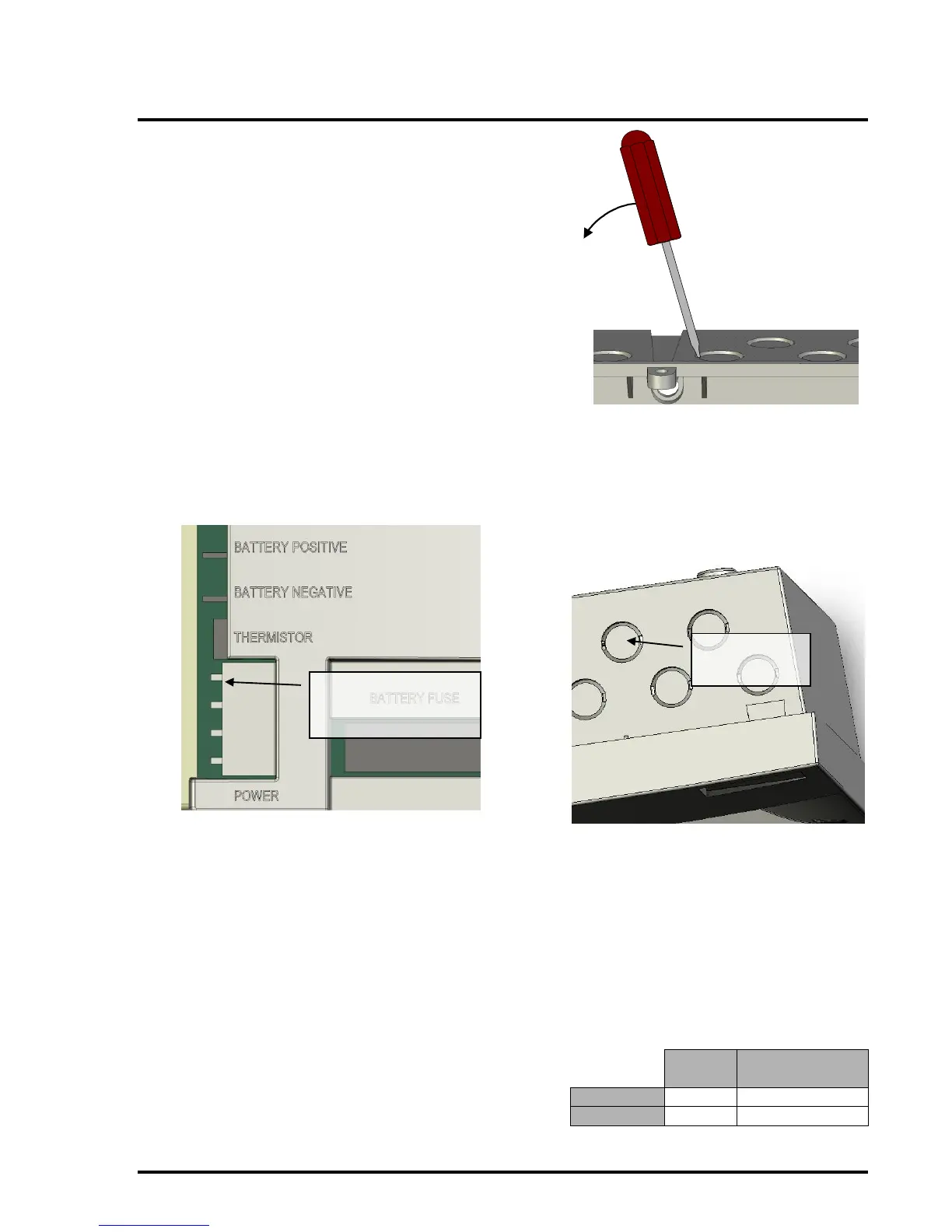
15. Determine the number of cable entry holes
required and remove the necessary knockouts
from the top of the enclosure. These
knockouts can be removed by inserting a flat-
bladed screwdriver into the slot on the rim of
the knockout and gently levering the
knockout out.
WARNING: The knockouts are designed
to be removed with ease. Excessive force
may damage the enclosure.
NOTE: The knockout cannot be re-
inserted once removed.
16. Gland the wring into the enclosure using
20mm cable glands. Do not connect the
cables to the control panel at this stage.
The Mains cable should be glanded via the
cable-entry shown below:
NOTES
An appropriate lockable double pole
disconnect device shall be provided as part
of the building installation. This device
must have a minimum contact gap of
3mm.
The mains supply should be protected by a
5A fuse.
Use only mains cable compliant to BS6004,
BS6500, or equivalent, within the
following limits:



 To Next Page