10 Get to know your terminal
Transaction processing options
The First Data EFTPOS terminal has a chip card
reader, a magnetic stripe reader and an integrated
contactless reader for processing transactions.
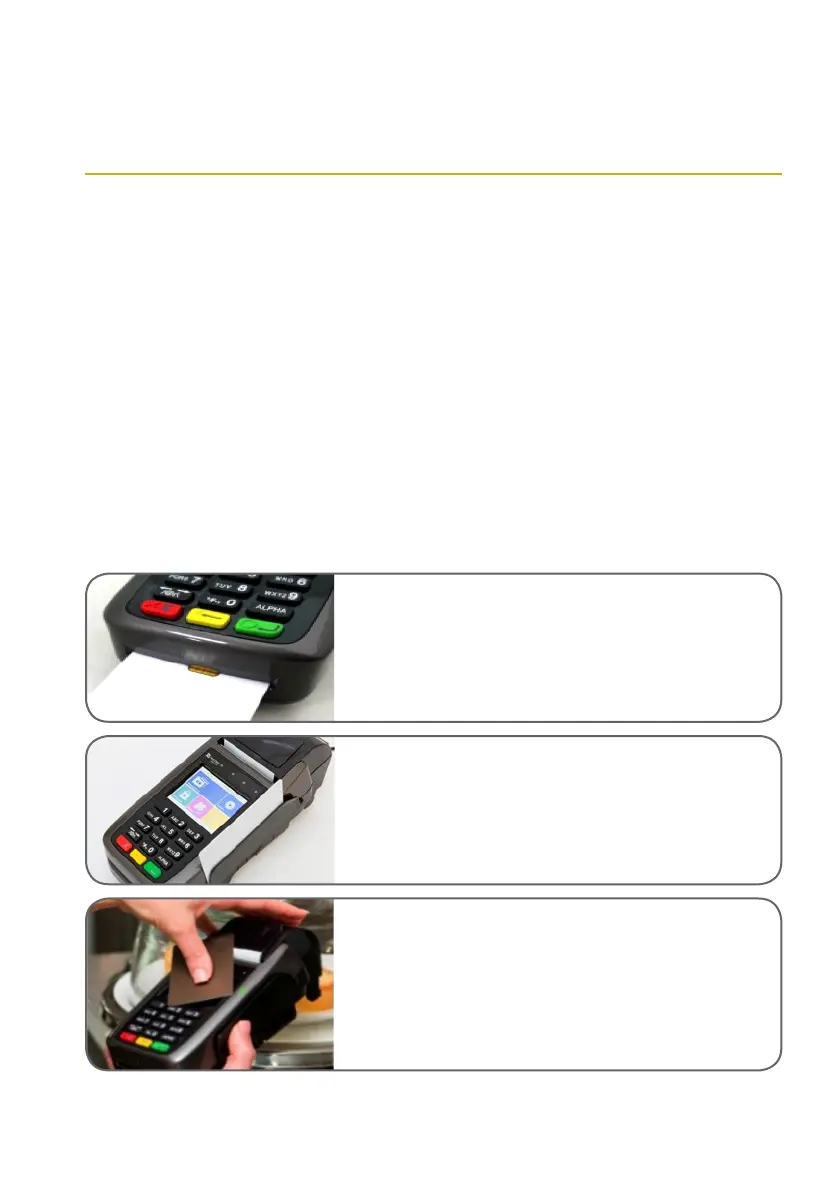
All chip cards must be inserted into the chip card
reader as shown below.
> Insert the credit card into the card reader with
the gold contact pad facing upward, as shown
below.
> Leave the chip card in the reader until the
transaction is completed and the terminal
prompts you to remove it.
> The terminal screen prompts will guide you
through the transaction process.
If the card is capable of performing a contactless
transaction, place the card over the contactless
reader, as shown below.
If the card does not have a chip or contactless
capability, you can process transactions by swiping
the magnetic stripe through the terminal.
Smart card reader — The integrated circuit card (ICC)
reader is located at the bottom end. Please make sure that
the gold ICC contact pad is facing upward when inserting
the card into the slot.
Magnetic card reader — The card reader slot is on the
right side of the terminal. With the magnetic stripe facing
[inwards], slide the card in either direction through the slot
without stopping. If the card swipe fails, check the position
of the magnetic stripe and slide the card again.
Contactless card reader —The contactless card reader
antenna is embedded behind the display and PIN pad. The
reader’s lights will show blue when the terminal is powered
on to indicate the reader is working normally. To process a
contactless payment, place the contactless card near the
card reader antenna during a transaction.



 To Next Page