59 Operating your EFTPOS terminal
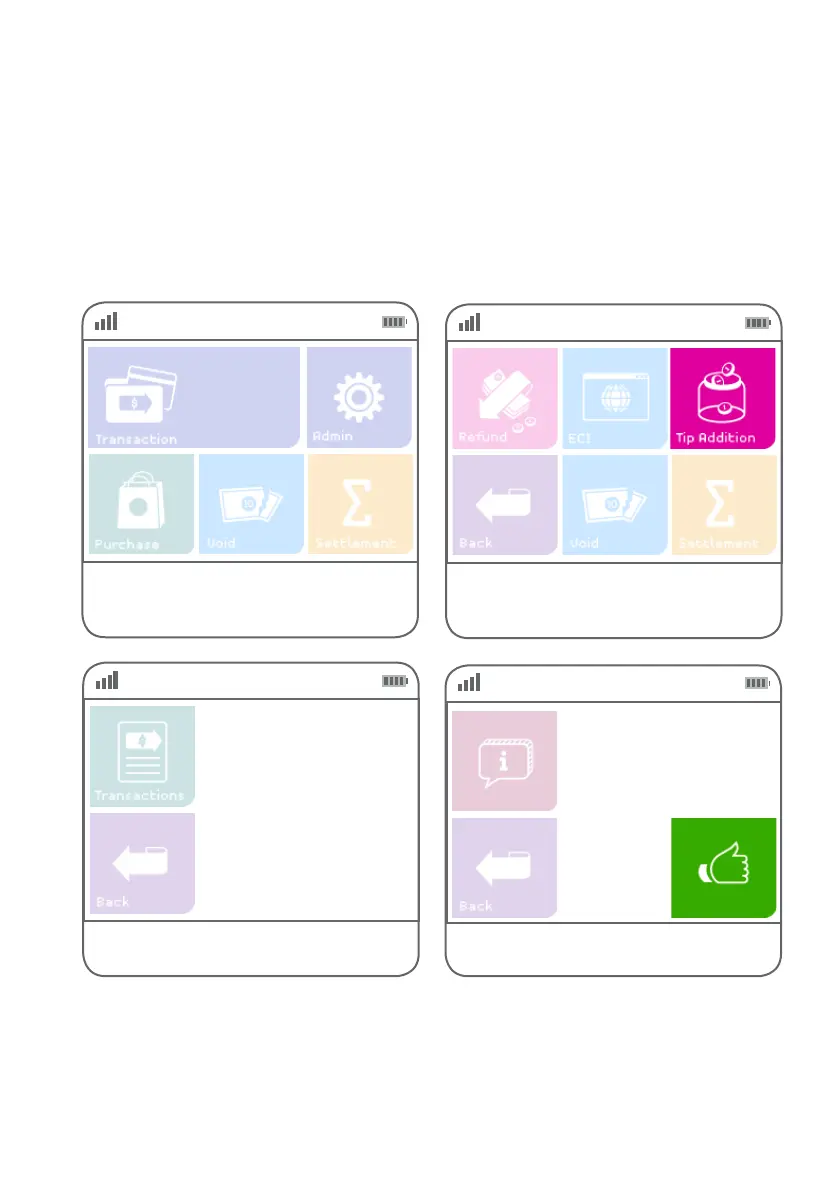
Step 01
Select ‘tip addition’ from the main screen if it is
congured as a hot key. (Refer to page 70 for
details.)
If a customer needs to add a tip after completing the original transaction, your First Data terminal allows you to
add tips using the tip addition function.
A tip can only be added to a credit card purchase transaction and is limited to 25% of the transaction amount.
Tip addition
Step 02
Alternatively, if ‘Purchase’ is not a congured hot key,
select ‘Transaction’, then select ‘tip addition’ from
the transaction list.
Step 03
Select the transaction to which the
tip will be added.
N. DD/MM $$$.$$
Step 04
Press the green ‘thumbs up’ button if the transaction
details are correct.
Auth ID NNNNNN
Inv # NNNNNN
Card
NNNN
Amount
$$.$$
Date dd/mm/yyyy



 To Next Page